
Feature to Purge Active material index for scene or selection (empty materials)
PLS Make something that i could get rid of these empty materials.
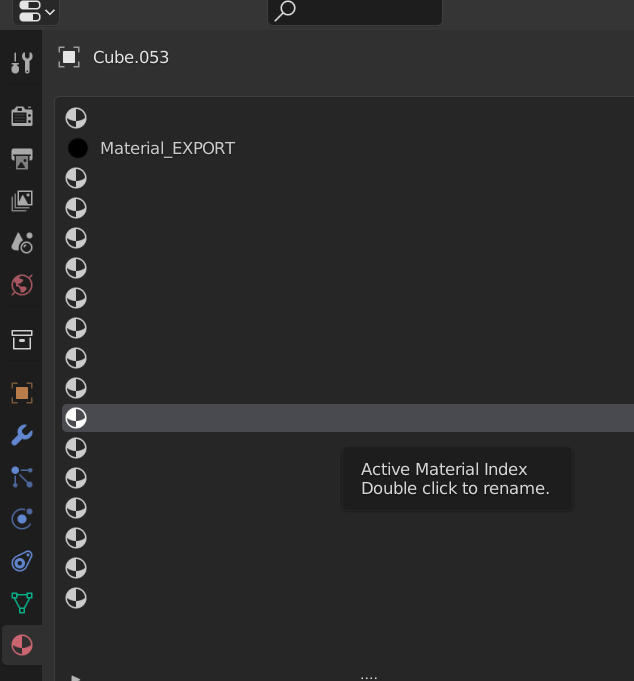 Now i am manually going one by one and deleted. my scene is big and i just deleted a bunch of unused materials and now i want to apply single material to the whole scene but now I am left with hundreds of these empty materials on every single object and some of them override main material randomly
5 Comments
Here is mockup to explain better that it meant to run on whole scene / all objects in file:
(sorry, couldn't resist from adding something extra coz it's similar in nature)
Yes i think that worked thank you !
That sounds like something Material Utils should propose from the Clean Slots menu. They current cleaner seems to remove non-empty ones.
It's already possible:
And if all you want to do is assign one unique materials to multiple objects, just select them, set up the material as you want on the active object, then press Ctrl L > Link Materials.
Its not the same, it has to be one button to clean the whole scene from these things. After this function, you mention some of them are still there and i want to get rid of all of them.