
Bringing Keyframe Velocity Control to Blender
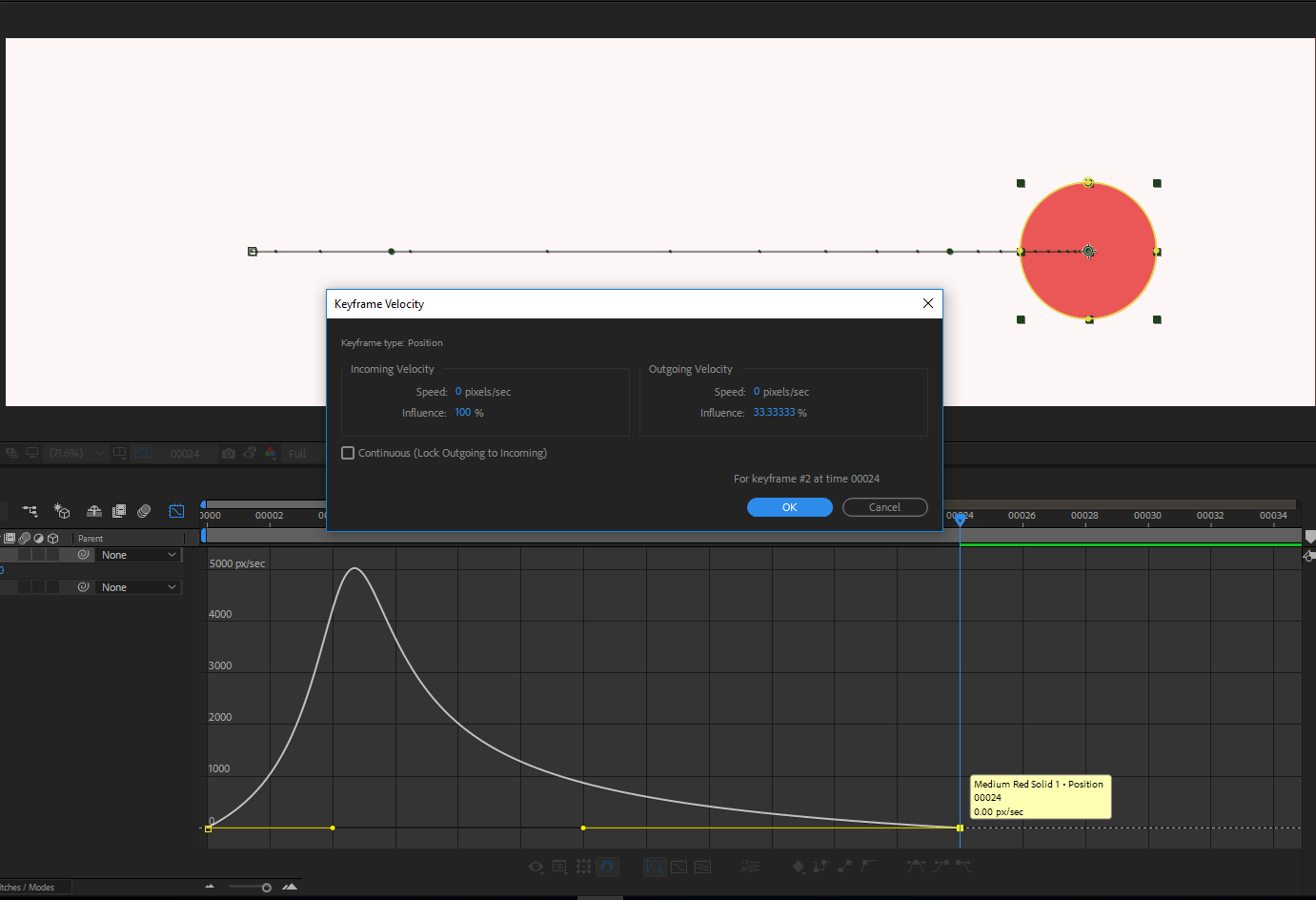
I have a suggestion for Blender to bring in a feature from Adobe After Effects: Keyframe Velocity. Currently, in Blender, when creating animations, I find myself having to estimate the velocity of my keyframes by eye. This can lead to inconsistent results and be time-consuming when I need to apply the same velocity to multiple objects.
In After Effects, I'm able to quickly and accurately specify the incoming and outgoing velocity of a keyframe by typing in a percentage. I propose that Blender adopt this same feature, allowing users to specify the velocity of a keyframe by typing in a percentage instead of relying on visual estimates. This would improve workflow and consistency for Blender users creating animations.
9 Comments
Hey @rolph_motion & @fede1!
I went ahead and posted this in the animation-module chat, and the general consensus is that it's a good idea, but some more details are needed.
Some questions that arose:
I'm happy to work with both of you to flesh out this proposal, and try get it onto the animation / rigging backlog.
In the mean time, feel free to checkout the Animation / Rigging module , and join the chat to get feedback :)
Also note, we shouldn't be using any other software screenshots.
I agree with this and would have more to add. I will try and make a fleshed out proposal of my own, that wound include this and other similar features that come from the way after effects is handling keyframing and velocities, including clear examples.
I started animating in AE many years ago and moving to any 3D package I felt frustrated and disarmed because I missed animating through velocity and unified dimensions. Maybe now is the time to push these features.
Hey Nate! I just noticed your comment.
I had no idea we weren't allowed to upload screenshots from other software, sorry about that.
By the way, I've just released a free add-on that includes these functionalities. I'd really appreciate it if you could check it out and give me your thoughts on it:
youtu.be/W0v2esTEqbw
I really hope that Blender eventually incorporates these functions as a built-in feature. I understand that it would take more time, but it would be great.
I'm happy to answer any questions you have, but the video might answer some of them.
Hey @ fede1!
I'll go ahead and take a look!
Creating an addon / prototype is really one of the best ways to get something into Blender core. Props for taking charge and creating the tools yourself!
I'll bring it up at the next module meeting, and see what people think.
Cheers!
Hey @ fede1
I posted your Addon into the Animation & Rigging module, and people really like it!
We'll need to do some work to get it into Blender core, Is there a way I can talk to you directly? Are you on Blender chat?
~ Nate
Hey Nate, those are great news!! Right now, I'm at work, and I'm not in Blender chat, do you have a link or something so I can sing in?
Also, my user name is @fede_parodi I changed it from @fede1
My apologies fede_parodi :)
blender.chat/
If you haven't already, you'll need to create a Blender Id to login. id.blender.org/
Hey, I saw your question in the blender today live. I posted this same request a few months ago:
blender.community/c/rightclickselect/8Mnj/