
Python Modifier/Constraint
Hi Blender community :D
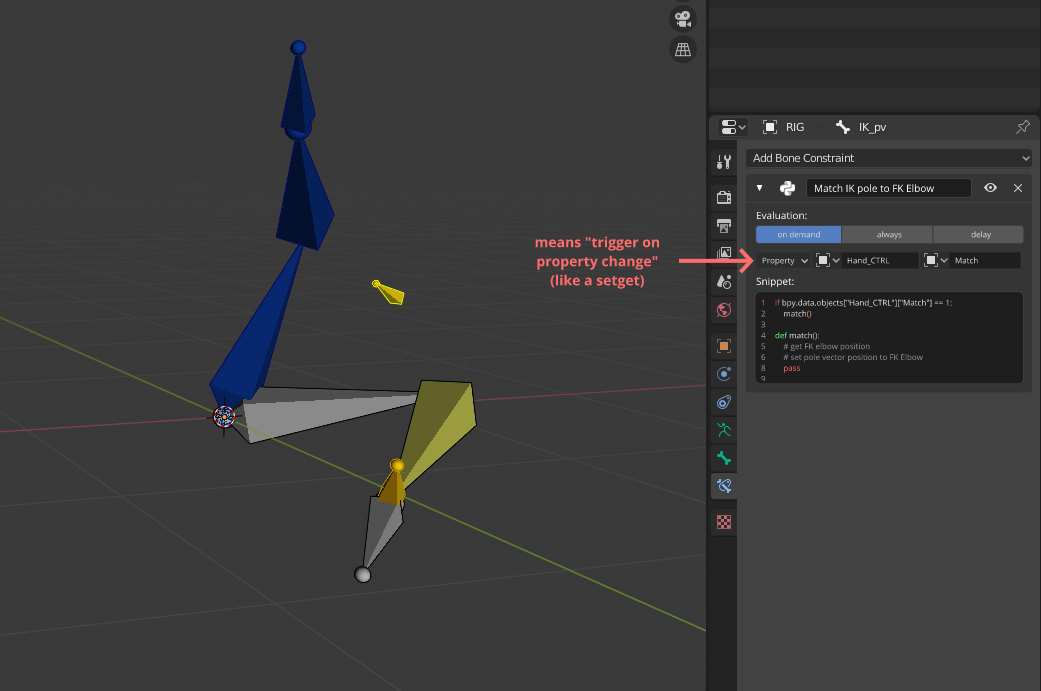
I'm diving into Blender rigging for the last past weeks and I find myself stopped by trying to make a FK-IK Match without any scripts/add-ons. At this moment I thought of a "Modifier" or a "Bone Constraint" that could run Python script on demand (like the Python node in Houdini).
The idea is to have a small Python snippet attach to an object that the rigger could write and design for one specific task. It will save time to not have to build a full add-on that only display a button that trigger few lines of code. Maybe there's a workaround that I'm not aware of but I make my proposal any way :)
I don't really know how and in which tab of the user interface this could be added but I'm sure the concept of "Python node" concept can be very useful !
Thanks for reading !
3 Comments
Duplicate and ... Duplicate
Also, this is already possible with drivers.
Edit: This is already possible with drivers (that is, calling a custom python script when a particular property is being evaluated), and it's also possible to just use drivers in most cases.
* @Josephbburg * I tried with Drivers indeed but I think I did not use them properly... Do you have any hints, tutorials or docs that you can share to show me how to be able to trigger a python script from a change of property ?
Edit: Sorry for the duplicate, I found these posts but didn't understand them...
Edit 2: Ok my bad it's quiet clear in the doc once you know what your looking for... Sorry for my ignorance !
* @Augu * For what you're doing, you shouldn't need to do that! You're just making an IK/FK switch, right? You can add a property to a bone, right click on the new property and choose "Copy as new driver". Then find the property you want to drive and right click and choose "Paste driver".
Then, if you want, you can set the driver to "scripted expression" and write any valid Python expression. If you want to register a custom function, you'll have to do this anyways, and the valid Python expression will be your custom function (provided it's registered and added to the namespace). Be careful when you write this function, Blender DOES NOT CHECK if it will work or not, and you can start an infinite recursion and crash/freeze Blender quite easily (by causing a depsgraph update in the middle of updating the depsgraph).
Well, looking again it seems you're doing something a bit more complicated than an IK/FK switch! You might also try to use handlers, but I don't have any experience with that.