
Show which bone is connected to a vertex group in edit mode
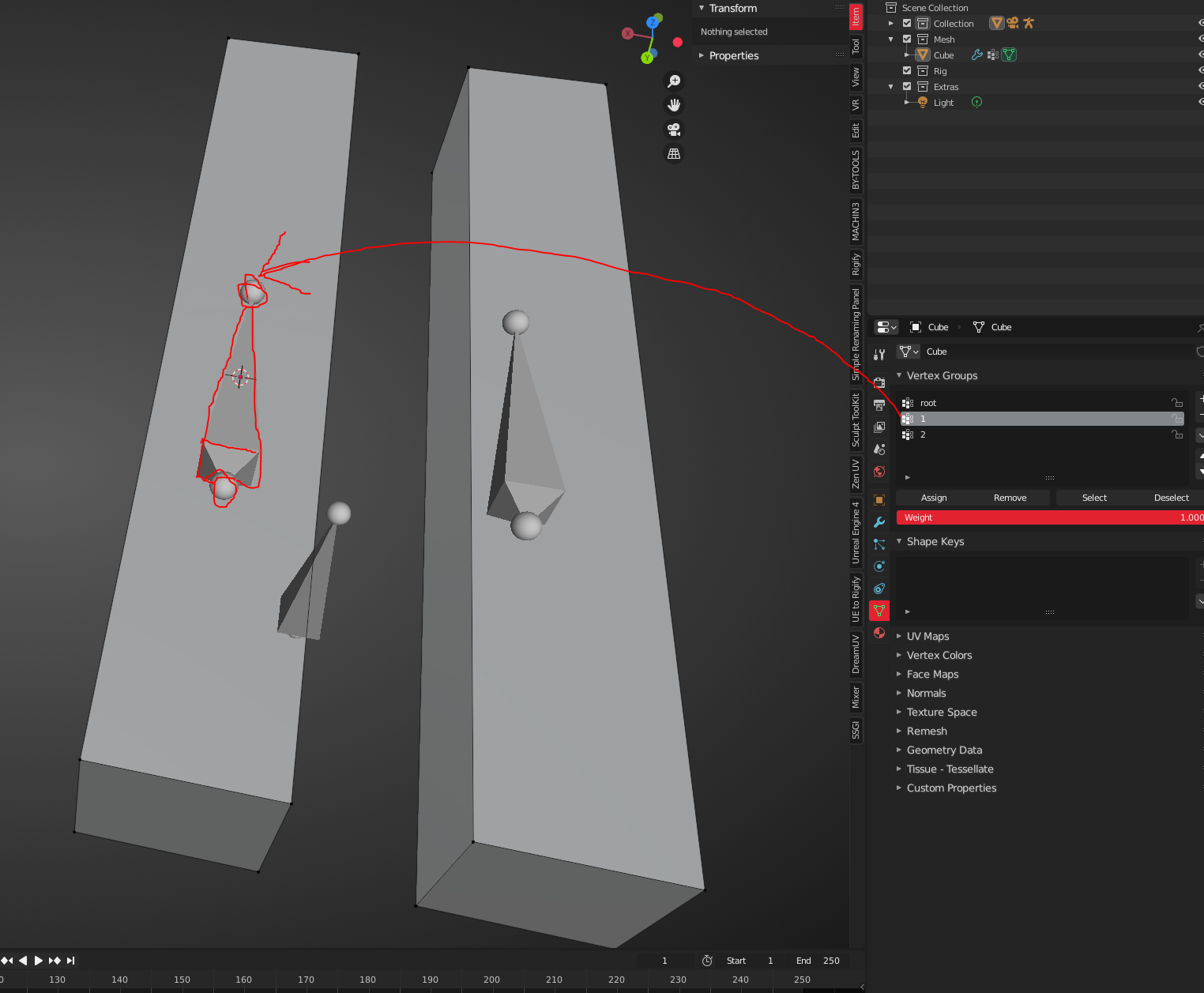
When selecting a vertex group in edit mode the corresponding bone should be highlighted.
Showing the names of the bones is an option hidden in Object data properties -> viewport display -> Names which is maybe a good solution for experienced Blender user but not as accessible for newer users. But it is at the same time not the optimal solution as it is always active and not context sensitive. So this is more like a usability (user experience) feature that only highlights or shows the name of the bone connected to the selected vertex group when the user needs it.
3 Comments
should it only serve to recognize the bone? if yes! isn't it enough to show the names of the bones? {attachment bones_nameJPG}
which is to be found in Object Data Properties->Viewport display -> show names, yes I know it exists but many users do not and in terms of user experience and ease of use it would be much more accessible when it is more like a default solution. And this default solution should be visible only if you need it and not always visible bone names unless you deactivate it again. So either highlight the bone(or show the nameof the bone) that is connected to the selected vertex group. This is a usability thing
* @datadieb * yes, from this aspect it makes sense