
no more accidental billion subdivision tabs open cuz you don't know how to close them
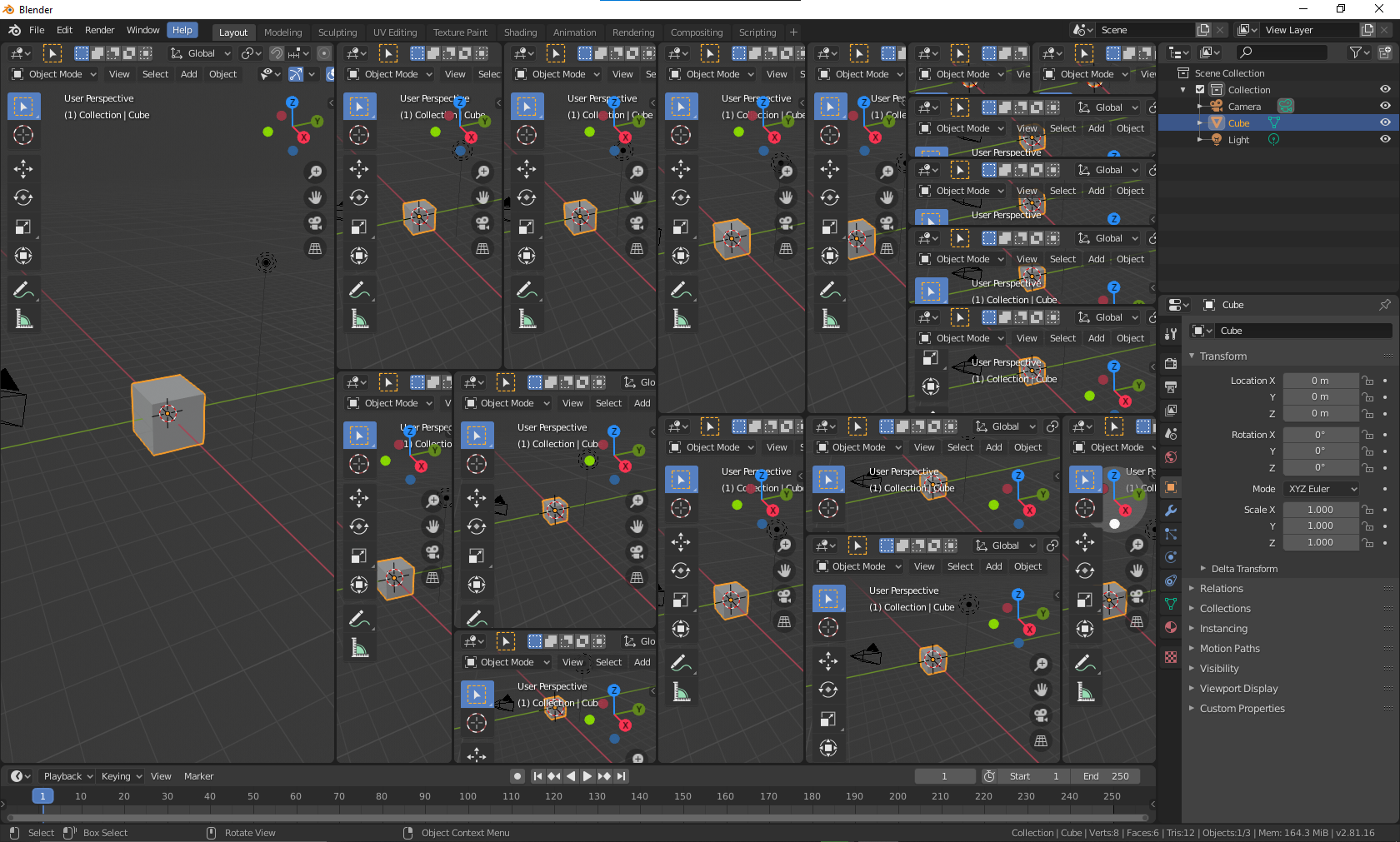
so uhh beginners when learning blender have a habit of not knowing how to close tabs, so can blender make it a bit easier to open/close windows in blender? i keep ending up with like a billion tabs and the only way i can close them is to turn off load ui and reopen blender.
13 Comments
there are two different ways to do it, and both are explained in the manual. what use is a third (or more) option if beginners don't read the manual or use the existing features?
There's an easy way : learn.
I think, that blender can list for workspace these window as natural functions around many MDI, then add two options: "close" and "hide" and other "add" (where - left, rigjt, top, left) I can confirm that closing is not natural. Children want use blender sometimes..
* @ManBlender * if a child is smart enough to use Blender in the first place, they are smart enough to figure out how to close a panel, or at the very least read the manual. If they aren't, they should go play with toys with the other children. There's no need to dumb Blender down for the lowest common denominator.
* @testure * Not all are with english! Yeah.. your opinion is aften hard like linux cracer :D
Divide screen for 3th parts as 1,2,3 and close 2nd part. What is problem to give contex menu "Close window/hide"? Or in Options where "Trnsform" (origin, parents, locations). Now take the configuration from author image, eg. he maye have big LCD and made 8th divide and want 1-8 delete 3,4,5,6 to have 1,2,7,8. It's not so easy. We often divide screnns in this way where part of is Solid, other Xray blenderartists.org/uploads/default/original/4X/4/d/8/4d8ad8b69063b79a9d5faa986b13cfc73b9f11ae.jpeg
* @ManBlender * if you divide your screen into 30 pieces and can't figure out how to undo it, and then somehow saved over your default.blend, honestly you deserve whatever situation you've found yourself in. stuff like this is why they have to print "do not let children play with plastic bags" all over every plastic bag because if they didn't people would wrap it around their face and suffocate. At some point you just have to let natural selection do its thing.
* @ManBlender *
No matter the UI you add, you still need to learn it. Proof:
There are already two menus to manage the areas. First when you right-click a border:
{attachment 2021-06-01_10h36min30sjpg}
And a second one in each View menu of each editor:
{attachment 2021-06-01_10h37min44sjpg}
The only obvious option would be to have a big "close" icon for each area you create, which leads to other issues like where do you put this efficiently, how do you avoid miss-clicks and how to not clutter the UI.
It's not like we are on a Linux forum throwing "RTFM"at any question, it's just that this seems to be too much of a fuss over an "issue" that already has plenty of solutions available to the user basically effortless.
* @-L0Lock- *
I think that: View > Close is ok. And about "hide" checkbox as View > Hide Then hiden can be disclose on workspace tab, eg. "Layout" -> Area -> (or without Area? Don't believe more than 10 views per Tab)
* @testure * You are funny ;p This case whas described in book about KANSEI UX (instruction for the bag.. how to close). User just looks simple "Close"
Still the same issue as I mentioned. You want to help the user that doesn't learn the UI by adding more UI that requires learning.
* @-L0Lock- * and then you add more UI to fix that UI, and so on and so forth and here we go again lol
* @-L0Lock- * It's not pure clear around intuition that close we doing around overide.. docs.blender.org/manual/en/latest/interface/window_system/areas.html
It's like with elastic eraser.. we don't have this for user how he predicting something like this type for pencil, but we we sayig "overide" what is bad wroted by pen. In Blender we generaly doing crazy things to do something in diferent way as improvisation : ) Can imagine more this type solution :D
* @testure * no no testure.. You all probably using blender to much, and you are fixed for bad things as normal :D