
Synchronize (load into VRAM) an object ONCE for an entire animation
When rendering in Cycles, an object needs to be synchronized during rendering. Means its geometry and materials (including image textures] are loaded into the RAM/VRAM.
Doing this for a high-poly object, that uses many highres textures, can take a significant time. Blender needs to do this all over from zero, for every frame of an animation. Even if the geometry and the material doesn't change at all during the animation.
Checking what part of the current frame information is already in the Vram would probably be as heavy as load it all again.
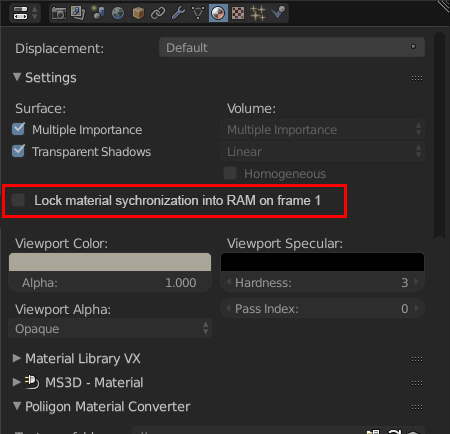
So my request is to have a checkbox in the object or material setting to, keep the object/material info of frame 1 in the RAM/VRAM and not recalculate it for every frame.
In my current case this could reduce the render time for a test-animation from 2h to 16min.
2 Comments
Although a cool idea, i'm sure that this is a very hard thing to implement and will make further development of cycles more error prone. Plus it will cause massive decrease in performance for renders that go in to pagefile or have just enough ram.
Not only that but this becomes pointless on VRAM dedicated memory overflow because you again need to remove and recreate memory when things unload on dedicated and data can be better reordered to use less of the slow shared memory.
Another problem is that material "true" displacement makes this unusable as you can not possibly predict that a material will output exact same displacement data across multiple frames.
What it seems like to me is that it is a very hard thing to do and gives minimal benefits. But one the brighter side maybe the asset manager will be able to give cycles textures that it loads only once and leave it in memory as long as you have enough memory. (although loading textures is not exactly an expensive task)
@Lapis Sea: thanks so much for the insight. Since it tempers with such a integral cycles function i already suspected i'd be very complicated to implement. Im often doing animations currently. Yes it's only applicable in very specific cases. But in these cases it cuts the rendertime to 1/5th to 1/10th like in my case. So i doubt that "minimal benefits" claim.