
Allow Loop Cut slide function to work on single edges
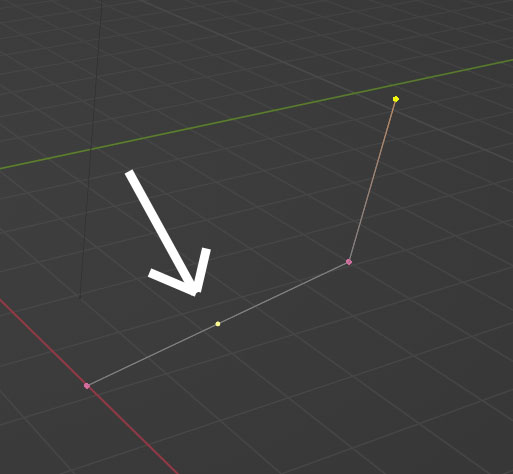 Loop Cut will split a single edge directly in the center as shown, but will not let you slide the cut position as it does with edge loops. This functionality would be useful as it would allow precise splitting of single edges (knife tool does not work here)
Single edges can be useful for workflows including skin modifier and geometry node setups
10 Comments
I would prefer if the knife tool would just work there.
true I think both should work ideally, it would be useful to cut across multiple edges in one stroke with the knife
I've simply "solved" this by using shift + v after adding a vertex on edge to slide it along edge. But yes, it feels like little bit inconsistent design, as you can cut the edge with tool, but it doesn't allow you to slide it the same ways as you can when you cut faces.
Is D followed by GG not adequate for the purpose?
Apologies but could you mention what tool D is please, I've changed a lot of keyboard shortcuts and can't find D in the docs
Even on default vanilla, D doesn't do anything.
D is the shortcut for subdivide.
if I subdivide then hit gg it slides not just the new vert but the 2 of the original edge, does that not happen to you?
edit: using loop cut then gg works so I'll use that workflow- I do still think it'd be nice to be able to make the edits with a click-drag of loop cut, and it feels like it fits with the function of the tool
After pressing d for the subdivide, you must select the vertex and then gg to slide it.
Not in any Blender I have installed (everything from 2.79 up to 3.2)
But I am familiar with the technique you describe. It's a pain to use it on an extremely long edge where the middle point placed by subdivide is several dozen meters away from where you actually want the point to be.