
Built in Normal Map Blending/Layering Nodes
Hey everyone, I came across a functionality that I needed quite a few times already and believe many others did aswell based on what I saw on other forums.
It’s blending/layering multiple normal maps together. As you probably know this is a bit tricky and you can’t simply “Mix” normal maps with a MixRGB node and expect good results.
Even though there is arguably no “perfect” way of combining normal maps, there is a beautiful way that is described in this blog post blog.selfshadow.com/publications/blending-in-detail/ . tldr: the second normal map is applied to a rotated tangent space, modified by the first normal map. For example this allows a detail normal to be applied on top of a macro normal map and conform to the surface of the macro normal. This is also the method implemented in the “BlendAngleCorrectedNormals”- Function in Unreal Engine’s Material Editor.
The Math can be done with already existing Blender nodes (Math, VectorMath) and put into a custom node, but since it’s such a common functionality it would be nice to be included into blender or maybe some addon per default.
I came up with two ways of doing this:
One is to have a separate Normal Mix Node, that takes in two world space normals and combines them in world space like so:
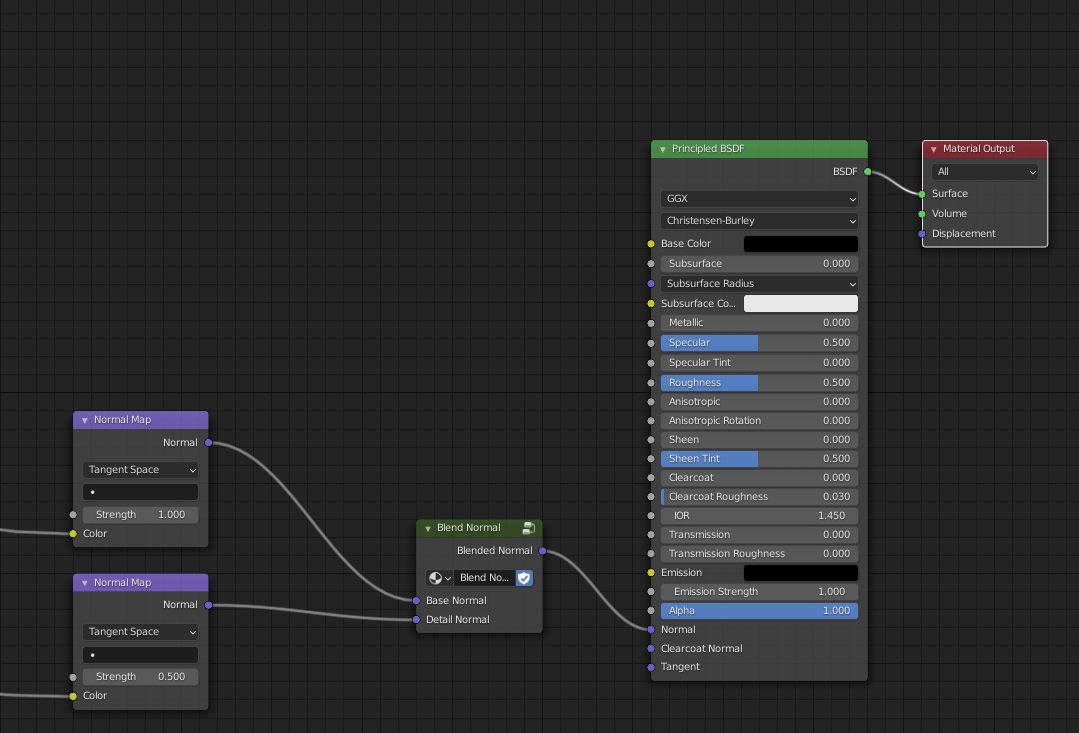 The second one is to combine two normal maps in tangent space like so:
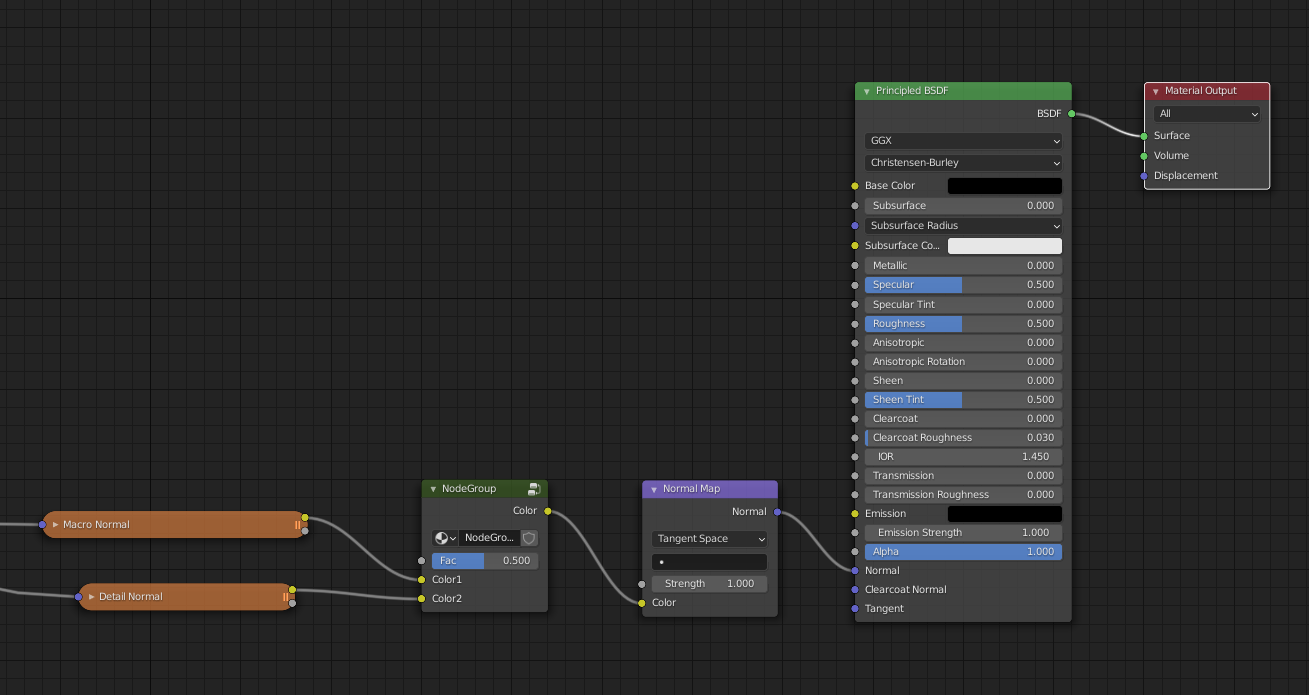 This way could be neatly implemented as an additional blend mode in the mixRGB node and doesn’t need it’s one separate node.
I’ve provided the custom nodes in this blend file
drive.google.com/file/d/10b0ZxWgDsYfQTD13LsKAE5vIFuEu-mhQ/view
.
The included textures are CC0. The current setting of blending the macro normal (strength 1) with the detail normal (strength 0.5) in world space is identical to the blending in tangent space with Fac 0.5. This can be verified by looking at the difference MixRGB node of the two normals.
This way could be neatly implemented as an additional blend mode in the mixRGB node and doesn’t need it’s one separate node.
I’ve provided the custom nodes in this blend file
drive.google.com/file/d/10b0ZxWgDsYfQTD13LsKAE5vIFuEu-mhQ/view
.
The included textures are CC0. The current setting of blending the macro normal (strength 1) with the detail normal (strength 0.5) in world space is identical to the blending in tangent space with Fac 0.5. This can be verified by looking at the difference MixRGB node of the two normals.
I hope this can add meaningful extra funtionality without bloating blenders default node library too much.
Greetings David
3 Comments
Both ways of blending (World Space and Tangent Space) have their advantages. And the operation is not commutative (order of blending matters).
I like the idea of just adding a color blending operation to the MixRGB node that does the tangent space blending. That would just neatly integrate and no additional nodes are required.
World Space blending can be used to blend normals from other sources (not texture maps) together aswell. But that would require an extra node. It also wouldn't make sense to integrate it somehow into the normal map node, since the blending doesn't need to involve any normal maps whatsoever. It can just blend any normals.
Hey, it is good to know people are asking for this. I let the developers know and a conversation has started. We are preferably looking for a developer (from the community) that is interested in implementing this!
Take a look at the post here: projects.blender.org/blender/blender/issues/133984
It would probably be best to add a "+" button to the Normal Map node, which will add sockets for textures