
Isolate selected in Outliner
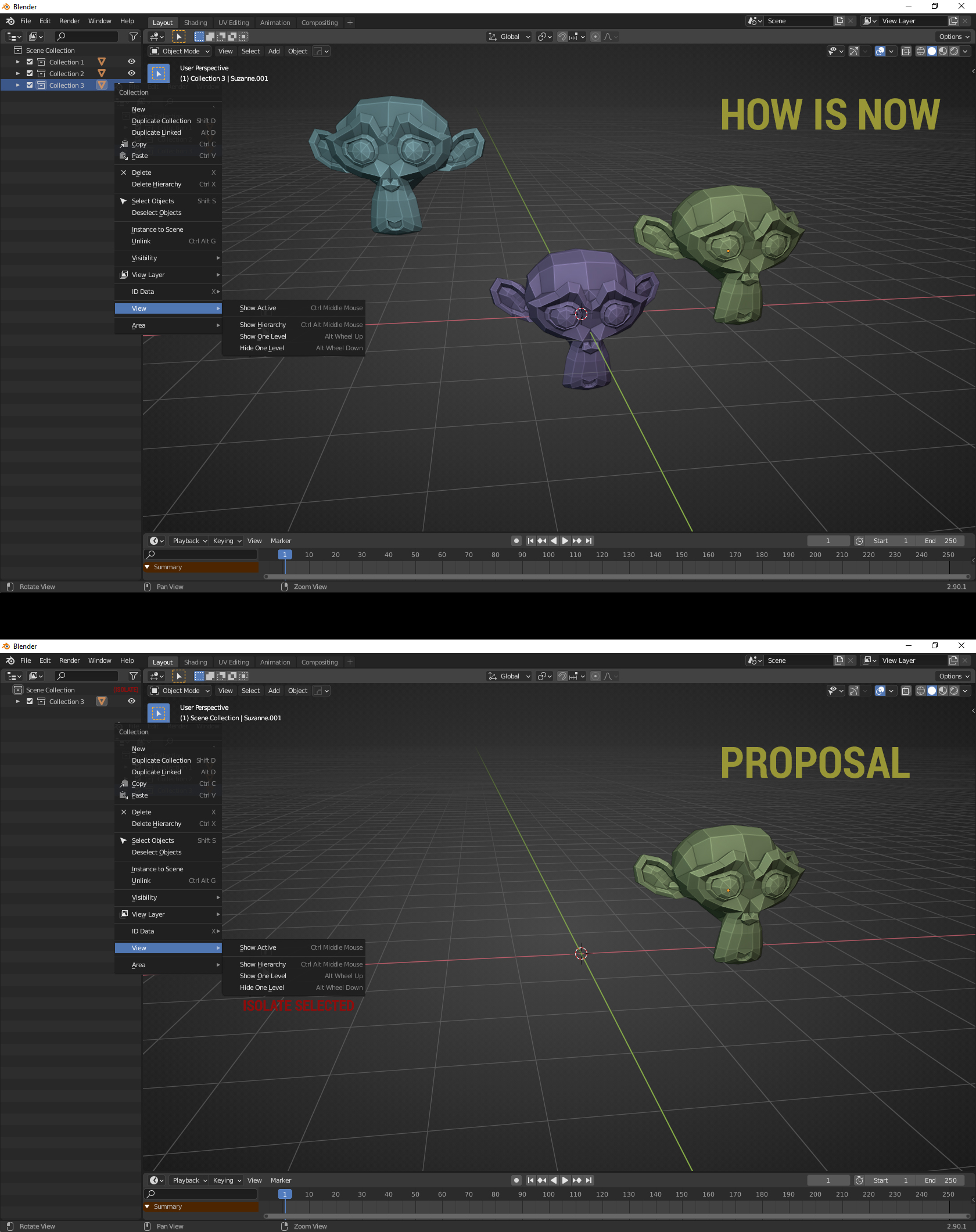
Hello, i can't find any option to select one specific collection or object and have it only visible in outliner, there is option at Collection RMB/Visibility/Isolate but that seem to work only for viewport not in the outliner as well. I suggest to add option in View panel, please take a look at photos, will be all clear.
2 Comments
I disagree, let say you have big scene with 40 collection and in each collection you have 100 object, how you can isolate to look at specific collection object in current build?
I don't really see the point of such a feature. The idea of the outliner is to visually manage and organize scene elements. If isolating an object makes the outliner display this object only, then the outliner becomes simply useless. Disabling collections greys them out and collapses them, maybe this is the workflow you are working for if you just want to clean up the outliner ?