
Transparent blender
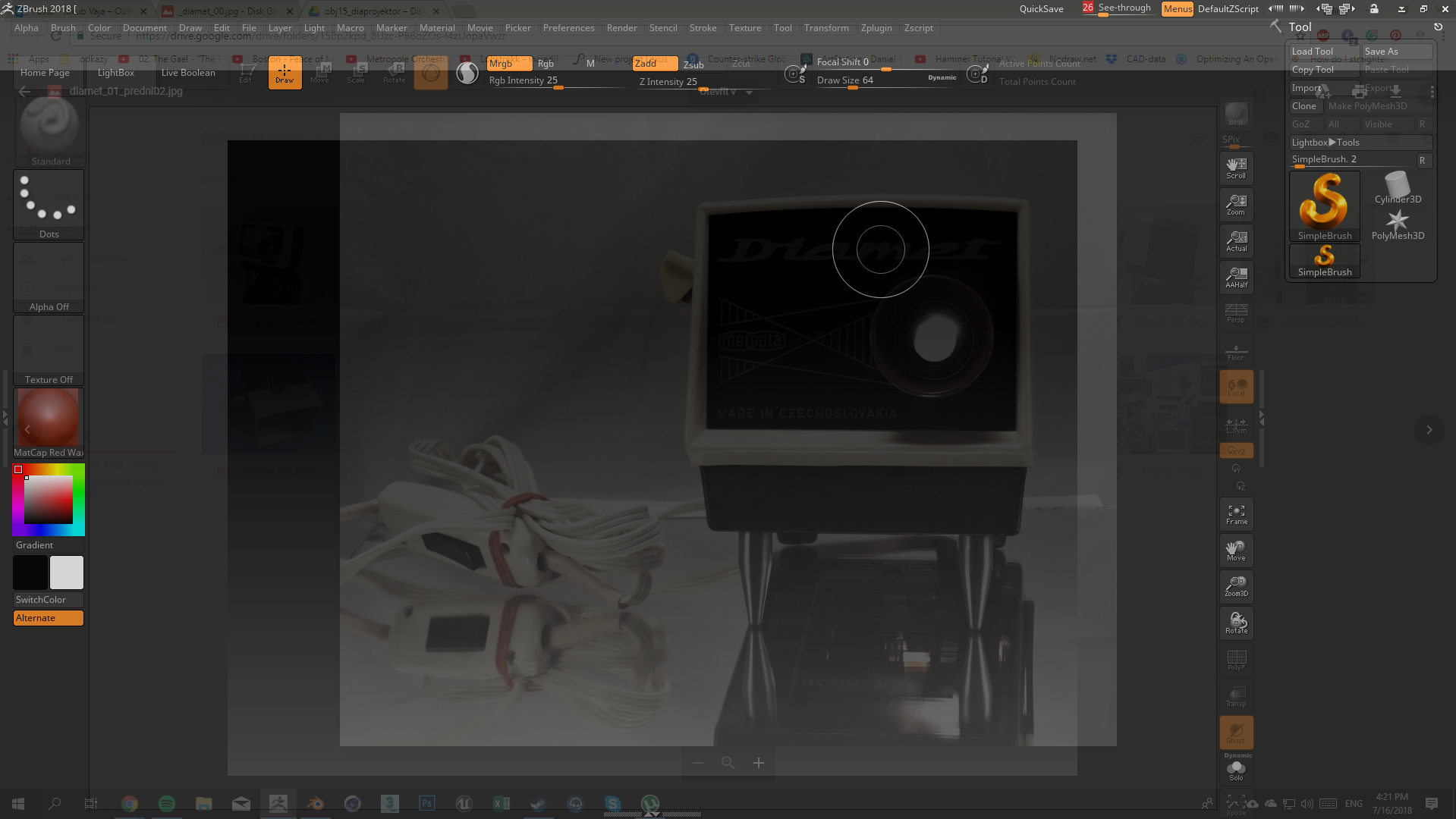
Hi. Zbrush has an option called "see through" Which make it easy to have some reference pictures and just quickly compare dimensions for example, without needing to set the picture in the background images.
I have no idea if it's even possible to do in blender or how much work it would be. It is just an idea
11 Comments
Technically, this is doable now outside of Blender with a decent compositing window manager. However, what benefit would this provide over just loading an Image Empty into your scene as a reference?
It makes things faster. for example. I have some pictures in google disk form a customer and I need to just check the dimensions, right now i need to download a picture import to blender and match it with the object I have in scene.
It maybe saves just a few seconds but in production it is noticeable
@conflig1: What if you could copy/paste the image from your browser (where I'm assuming you're accessing Drive) to an Image Empty in Blender?
Thet would by faster, but i would still need to adjust the position of the image (which is sometimes pain when you work on a small scale)
its faster to adjust a position of the scene camera then the picture
Also background images work only in side views but ofter refefence images are from a perspective so if I would be able to make blender transparent I could easily match the photo reference
@conflig1: Image Empties have replaced background images and they work in all views.
yes, but they move with the camera. So if the picture have a perspective I cant rotate a camera a I would if the picture would be in the background
@conflig1: Not to be pedantic, but in actuality, the problem you're having is that the images don't move with the camera. They stay fixed in same 3D space and orientation, independent of the camera. You would prefer for them to behave as billboards... always facing the camera and always in view. I'd suggest that this could be remedied by adding features to Image Empties rather than relying on the operating system's window manager.
That would be great. Still, the see through would be faster and easier (for an artist). But what you suggested would be great too
@conflig1: I still have problems with it as a concept, though. The implementation could impose a significant performance penalty while working in 3D, it may not be cross-platform, and it certainly isn't a workflow that stays contained in a single file (imagine closing the file and opening it on another computer without Drive access).
Speaking only for myself, I'd prefer it if effort work put into making the workflow with Image Empties faster than a feature like this. In the long run, there are more benefits to artists with that.
ok . you are right. I just found the feature useful while working in Zbrush