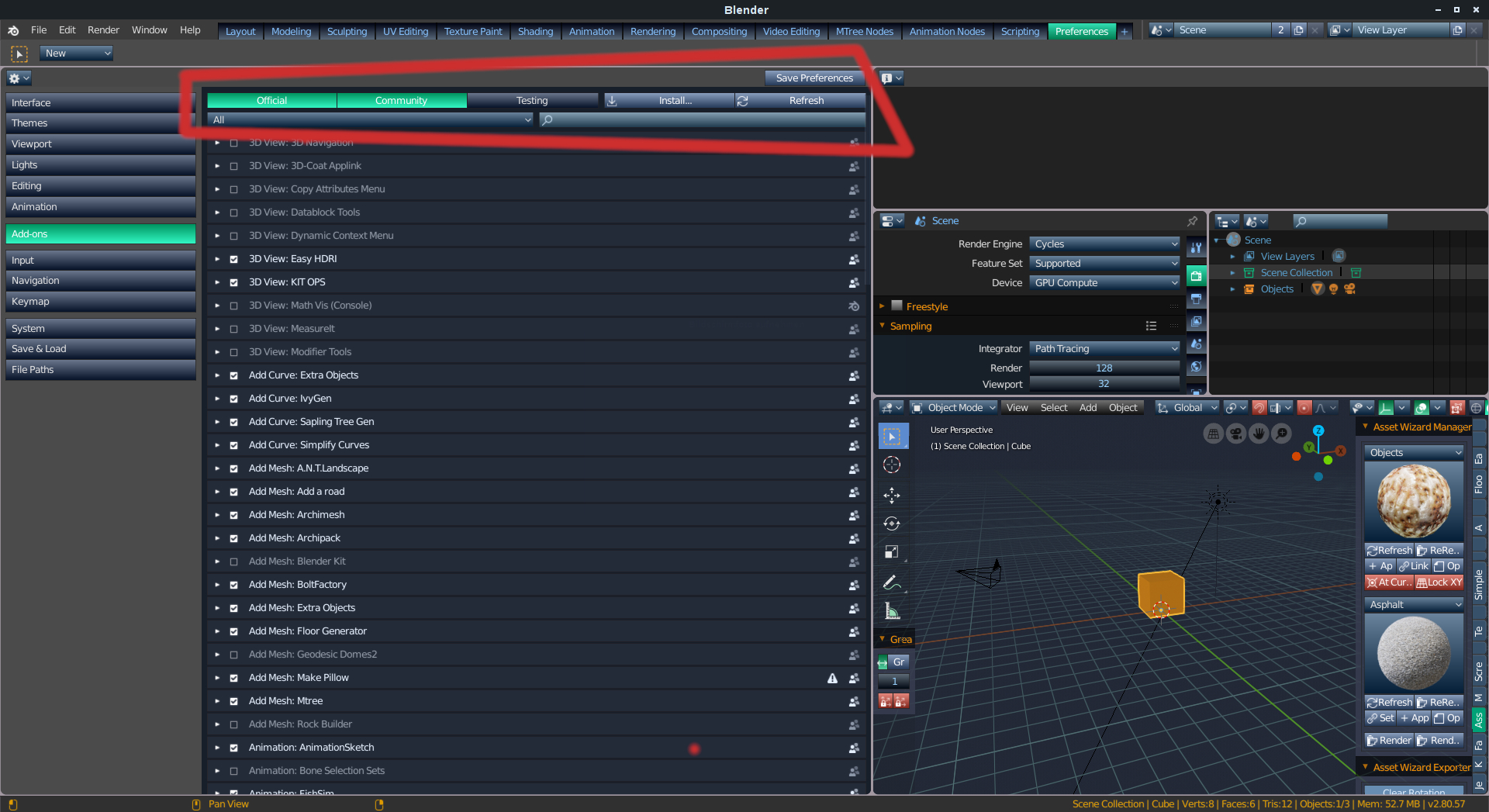
I'm not bugged in any way but this is one of those little details which scream for improvement. There are lots of situations where the header of a section could be prevented from scrolling: e.g.
Properties Editor
: Modifier/Add Modifier; Material/Material Names; Object/Object Name; Constraints/Add Constrain; Render/Render Engine.
Preferences
: Themes/Presets; Keymap/Presets. Maybe there are some more...
1
d
dpdpforlife
Same with the header in the keymap tab. I spent at least ten minutes scrolling yesterday trying to setup my keymap.
j
johnpdelacruz26
Some browsers hide the top bar menus while scrolling down and puts it back when you scroll up higher.

6 Comments
yes, you are copmpletely right about this papercut; the header should def be fixed at the top
BUT WTF IS THIS THEME JESUS CHRIST
maybe it's a little bit harsh, but i love blender since about eight years
this should go in the UI papercuts devtalk thread, honestly:
devtalk.blender.org/t/blender-ui-paper-cuts/2596
I'm not bugged in any way but this is one of those little details which scream for improvement. There are lots of situations where the header of a section could be prevented from scrolling: e.g. Properties Editor : Modifier/Add Modifier; Material/Material Names; Object/Object Name; Constraints/Add Constrain; Render/Render Engine. Preferences : Themes/Presets; Keymap/Presets. Maybe there are some more...
Same with the header in the keymap tab. I spent at least ten minutes scrolling yesterday trying to setup my keymap.
Some browsers hide the top bar menus while scrolling down and puts it back when you scroll up higher.