
Better gradient access for weights and sculpture masks
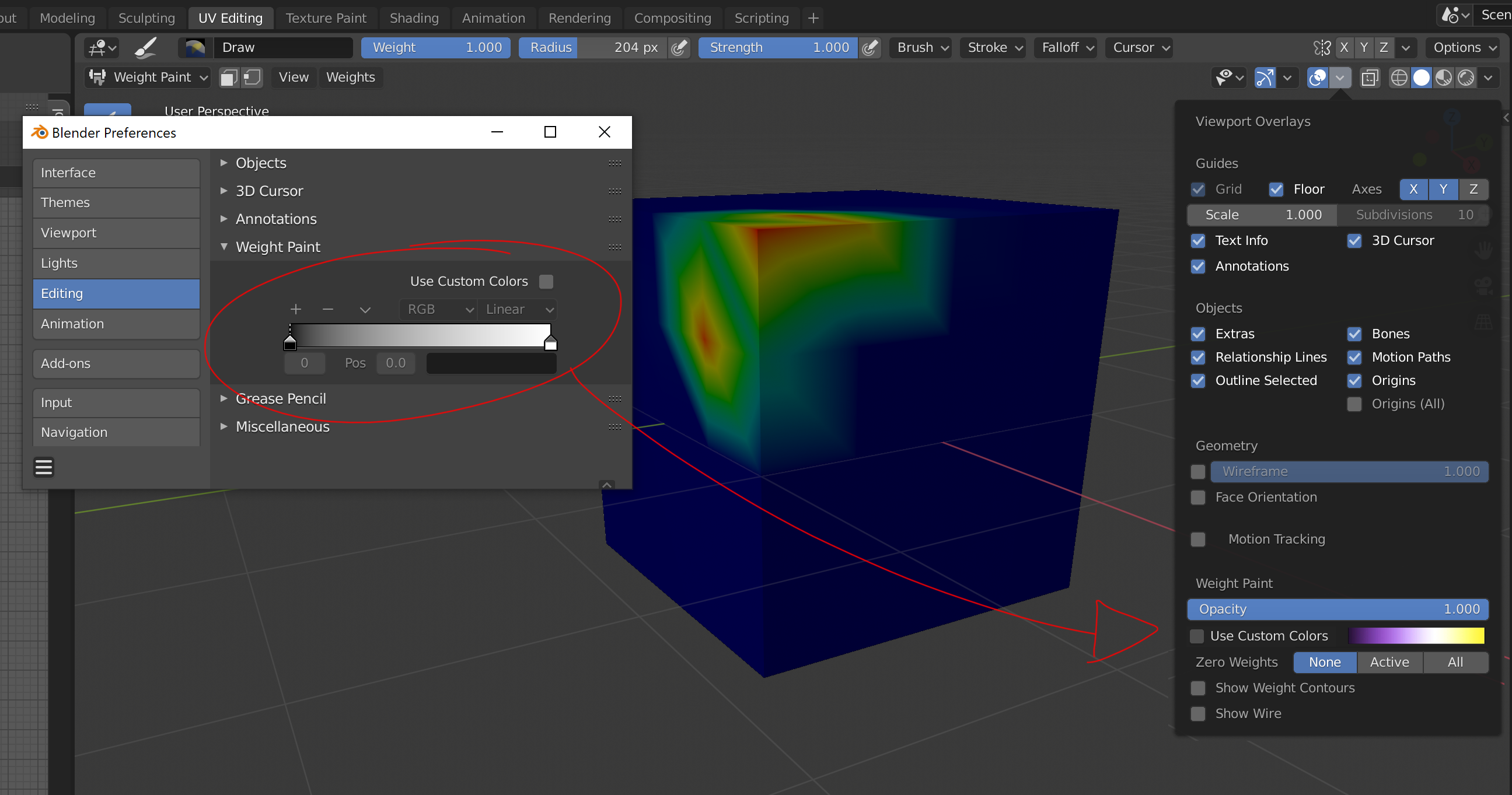
From preferences, we can modify the gradient of the influence of the Weight Paint mode, but it is not very accessible. I think that in preference there should be the default mode, and in overlays the custom mode.
The same should happen for sculpture masks, by default it is a gradient from black to transparent when other programs, for example, use blue to indicate that the area is frozen.
For these reasons and because it is also necessary to fill in and paint textures, Blender needs a good gradient manager.
6 Comments
I don't think it's really necessary. Maybe you can create a simple addon for you, to put this option in the N panel. If you want it, do it ^^
That's what I did for the preferences for the 3D view and it's really simple blender.community/c/today/gXcbbc/
Why exactly do you need frequent access to the ramp for visualizing weight paint? It's not really meant to be something you change all the time. That's why it's in Preferences.
* @Jason van Gumster * I think it is never modified because its access is difficult. Maybe it is not necessary to show all the options to edit a gradient, simply swap the gradient is enough. As I say, gradients need a library and a specific editor.
* @Jason van Gumster * I have updated the image to show it better.
* @ wevon * I still don't understand why you need to change it so frequently. This feature was added primarily as an accessibility feature (colorblind people have troubles with the standard heat visualization gradient).
Please explain the reason why you want to change it often. Perhaps there's an underlying workflow issue that needs to be resolved.
* @Jason van Gumster * I think that some of these gradients might work better, and I think that depending on the color of the object and the theme, one gradient may work better than another. gnuplot.sourceforge.net/demo/pm3dcolors.html
In the same way that I alternate the Matcaps when modeling, I think it can also be good to modify the gradient when painting influences and masking areas of the sculpture.