
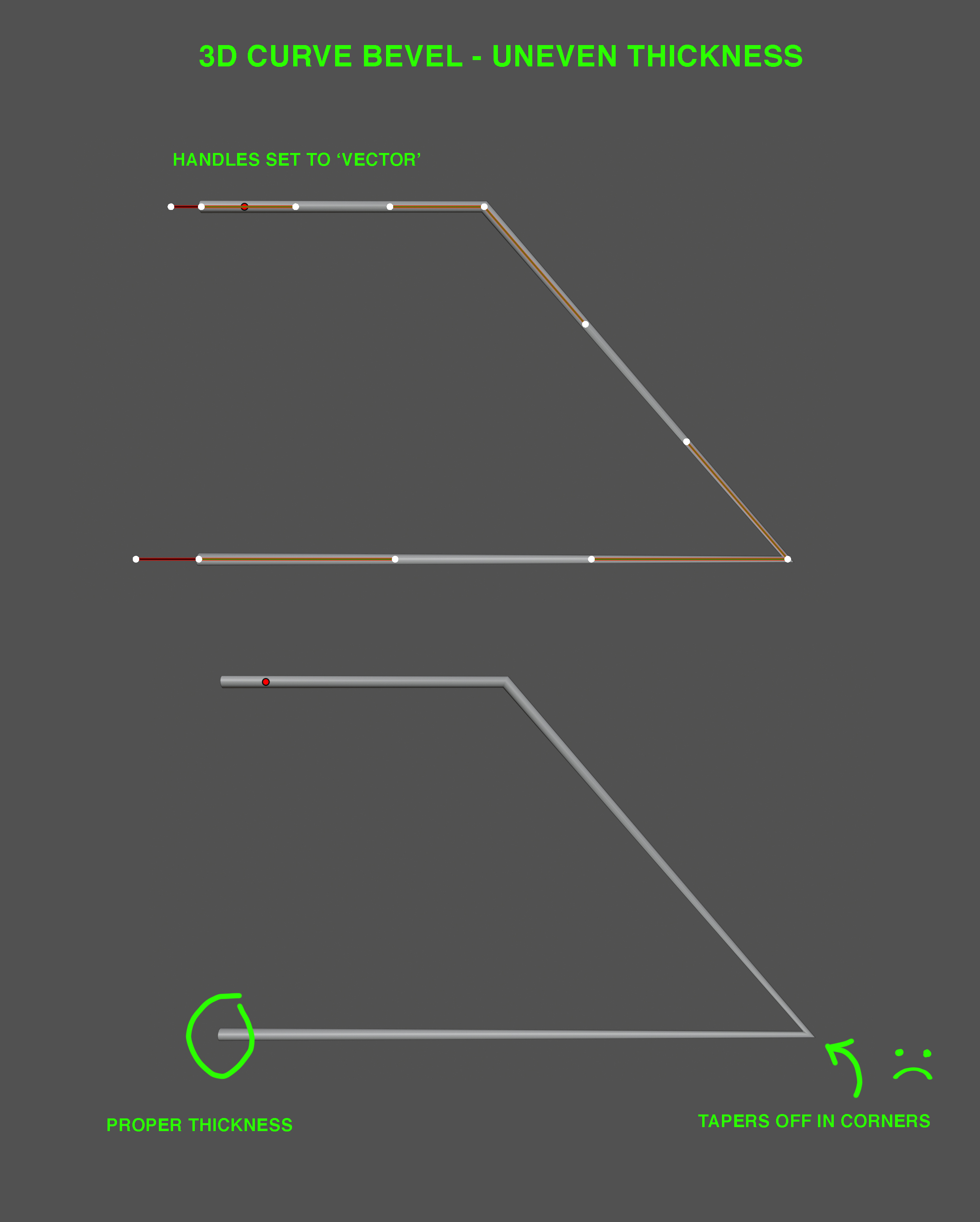
3D curve bevel - uneven thickness
The current 3D curve bevel system gives poor results when setting the handles to 'vector', which allows the modeling of straight tubular frames. This setting results in geometry with an uneven thickness as the shape tapers of near the corners. This is most notably in sharp angles. It is necesarry to fix this problem as I am sure many people need this basic feature, especially coming from other modeling software like 3DS max where this feature works flawlessly.
I know this problem doesn't occur when the curve is set to '2D'. But this limits the geometry to be in one plane. We need a 3D curve with even thickness.
2 Comments
Hi there,
I am involved in addressing this age old issue in Blender (for now in Geometry Nodes Curve-to-Mesh node only as of v3.5). This is still in development but closing in on a solution so that’d be great if you could provide some feedback here: Blender Devtalk / Curve to Mesh - Even Thickness
Thanks in advance!
Duplicate