
Ability to enable or disable the display of a material slot
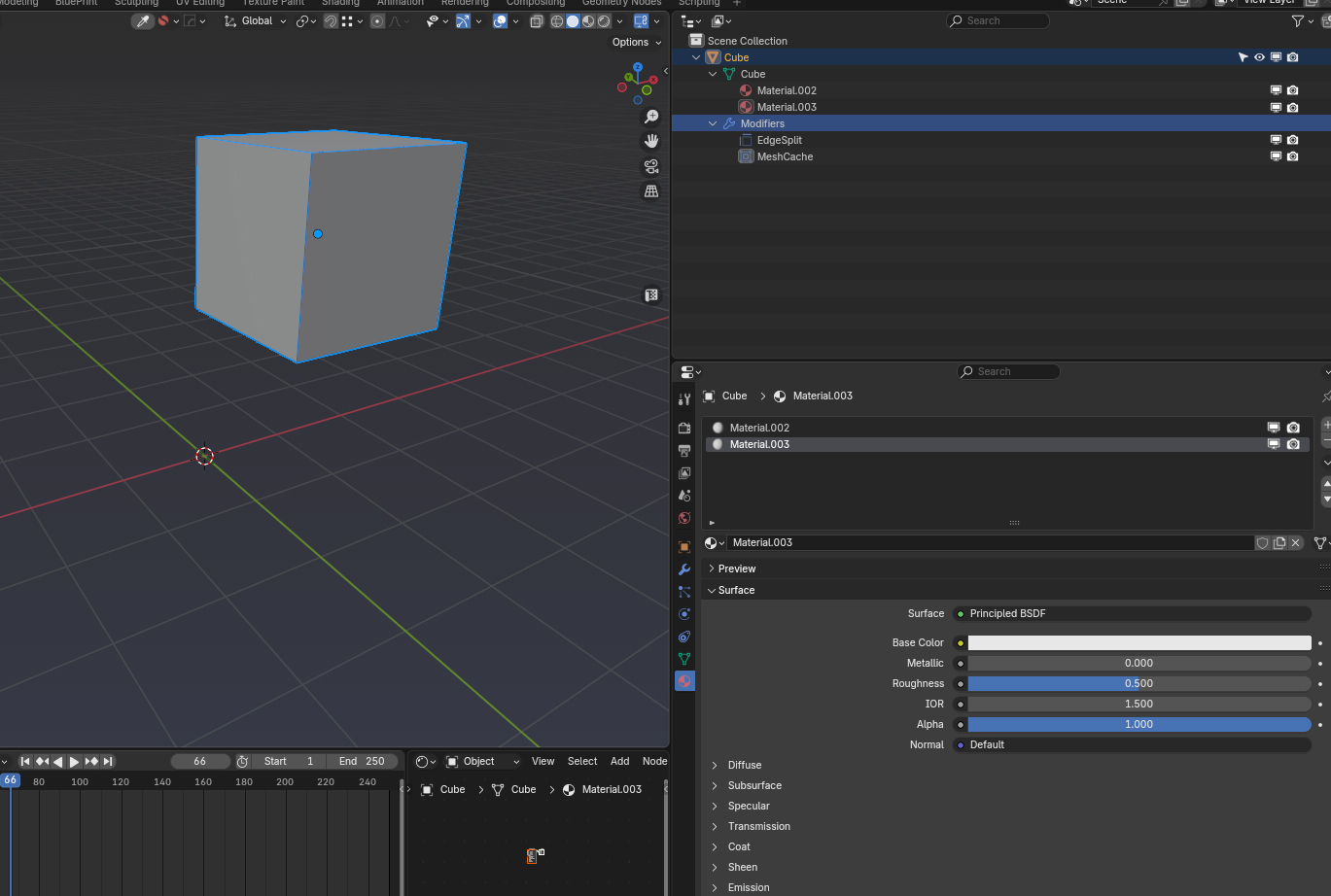
I propose adding the ability to enable or disable a material slot, similar to how modifiers work (with Realtime and Render buttons).
This would make it possible, for example,
to animate the visibility of a material in a scene, or temporarily disable certain materials without deleting them or relying on node setups. It would be useful for quickly testing different variations or optimizing a scene.
8 Comments
While waiting for this to be natively integrated into Blender, I created this tool with the help of ChatGPT. It's available for you to use
github.com/MeD-Blender/Material-Slot-Visibility/tree/main
So what happens when a material is hidden? What is it shown instead?
When all material slots are disabled, Blender would just display the default gray material, the same basic gray color shown when no material is assigned.
what would it mean to hide a material? Does it turn completely transparent (like Transparent BSDF with full white color set), or should the faces that the material is assigned to be completely culled from the scene (not even register in ray casts), or should it be replaced with the placeholder material that's used when an object has no materials at all?
I’m suggesting a simple feature: two buttons to enable or disable a material slot, like the ones we already have for modifiers (viewport and render toggles).
It’s not about transparency, ray casting, or culling faces. The idea is to give users a straightforward way to toggle materials for testing or optimization, without needing nodes setup.
Not trying to complicate anything just to make material management easier.
I understand that. Just that, in this proposal, I find it important to come to an understanding and agreement as to what it would mean for a material to be disabled.
Absolutely — it’s these small utility features that could significantly streamline the Blender experience.
👀👀👀👀❤️