
Guiding lines on center and edges of mesh / Part2
The guiding lines will take the center data by analyzing the nearest edge mesh with respect to the object's origin.
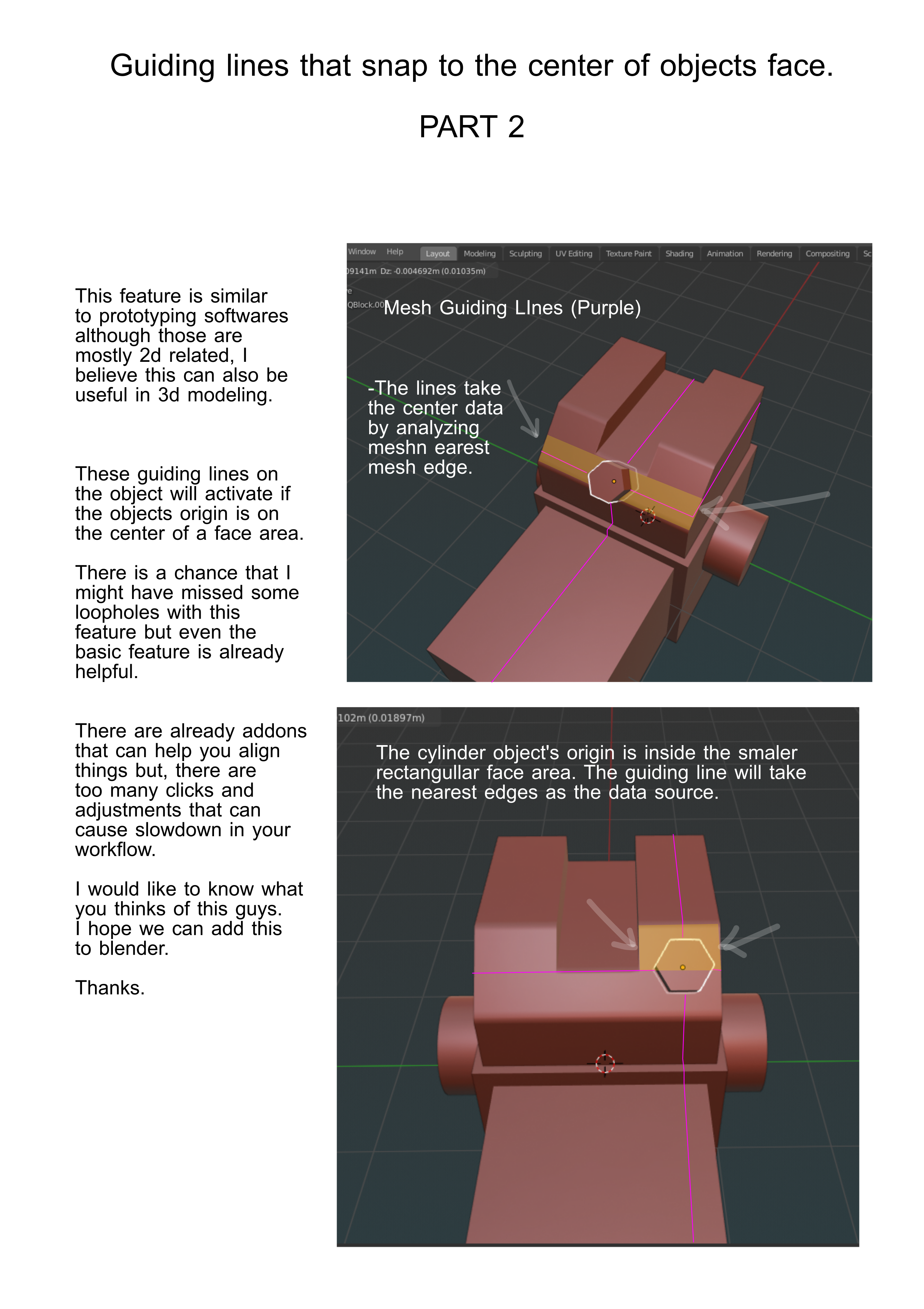
The guiding lines will take the center data by analyzing the nearest edge mesh with respect to the object's origin.
5 Comments
Here is a link of a 1 minute video from youtube that demonstrates the alignment feature of adobe xd.
youtu.be/pUcwjLUCtN4
* @johnpdelacruz26 * yes, 2d-alike orthogonal alignment guides would be nice. BUT! alignment is already exist. Also you can align outside to outside with snaping. Watch video: {attachment 2019-06-23_16-07-40mp4} So the only thing we need is snaping to centers of edges or faces
* @ Vyacheslav * For me the guidibg lines that follows the objects you are transforming are quite useful. Although snapping is already present in blender these guiding lines are great additional feature in doing aligments in blender. Those lines helps you see and analize alignments of multiple objects because it acts like a ruler for 3d modeling.
I think, it will work if there will be targets «snap to center/center of mass» etc for target, not only for moving object. Anyway, all snapping should be remastered. A lot of ideas around it, a lot of good working solutions in other foftware.
Atm you can snap cursor to part, that you need and snap cylinder to cursor.
* @ Vyacheslav * Taking some inspirations from the other softwares that are not necessarily related to 3d modeling would be great for blender's innovation improvements.
I am already slightly familiar with the procedures of placing objects on different surfaces but it would also be nice just to have a simpler and quicker way to implement those things.
I believe these kind of features may have some potential in 3d modeling not to mention the already useful guiding lines of autocad that snaps on its imaginary viewport grids.