
Locked curves in Graph Editor should not be selectable
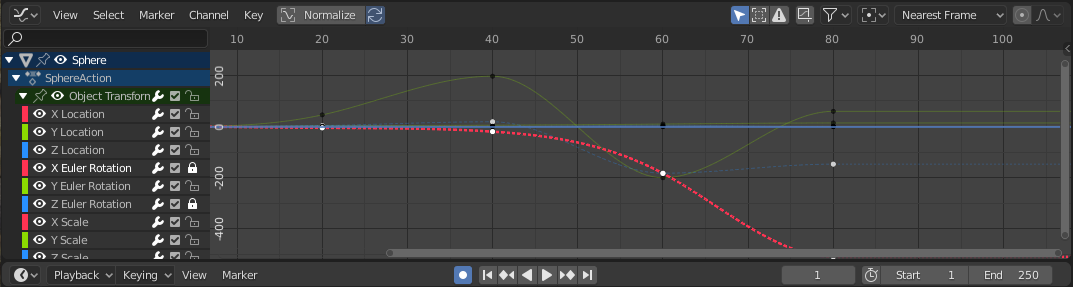
When working with curves in the Graph Editor, you often want to work on only one curve at a time . The Graph Editor has the option to lock different tracks so that they cannot be modified. However, even when a track is locked you can still select it . The result is that while trying to edit the curve you want you mostly end up selecting other overlapping curves instead, which is very frustrating.
Right now the main way to isolate a curve is to hide ALL other curves with SHIFT-H and then ALT-H unhide when you are done (or going to the Channel menu for the same options), OR filtering by track name in the search bar, which is needlessly complicated.
When curves are locked they should not be selectable in the curve window.
3 Comments
Graph Editor -> View -> tick "Only Selected Curve Keyframes" now if you select e.g. y-translation the other channels are greyed out
* @p.megele * That's a good option which should probably be the default , but it still does not make sense that you can select curves when they are locked (and cannot be modified). This is very confusing and counter-intuitive, especially for new users.
* @Christiaan Moleman * True !