
Grease Pencil for character posing, animation and trajectory editing
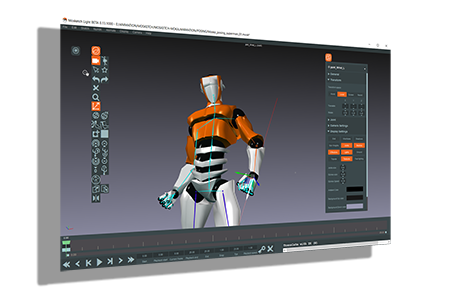
A new software as been release, it allows to draw poses for a character and will soon allow to draw and edit trajectories: vimeo.com/205231700
I suggest to get this feature with the grease pencil tool.
How it works is that you select a parent bone, then you draw a line, the starting point will be the parent and the end point the last children. The tool will try to place the bones joints along the line.
For the trajectory a motion path curve can be generated or a motion path curve can be used (it's attached as a motion path modifier).
The grease pencil line is used to edit the motion path curve. Each time the line is done it is removed and the curve adjusted. The number of frame between this two points will be kept, that mean if there is 10 frames between the starting and ending point this will keep the same number of frames even with a longer line.
6 Comments
youtube.com/watch
Looks like something similar exists. It's for 2.79 so it would need to but updated lesterbanks.com/2019/02/animation-sketch-poses-stroke/
It is not sufficient to say that another piece of software has a feature and share a video of that. How would it work in Blender ? What would the workflow look like?
To be an actionable proposal, this really needs to be fleshed out quite a bit more.
I have added informations from what i have understood from the videos.
OK... so this is motion paths, but with Grease Pencil curves instead of regular curve objects. Is that an accurate description?
What mode is this done from within Blender? Pose mode? How will Blender know that you're intending for the grease pencil line for this versus just drawing/annotating?