
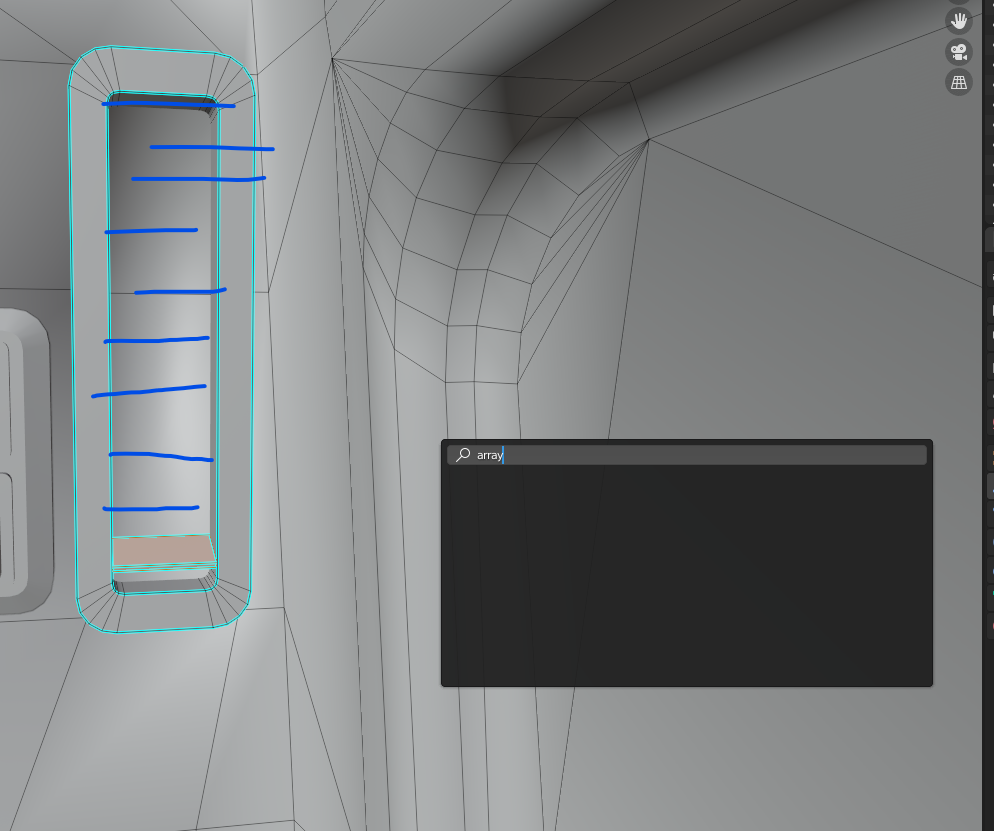
Array in edit mode (with search)
So whenever we need to do some quick array in edit mode we need to separate the faces that we want to array and use an array modifier and after that join the 2 objects together.
Wouldnt it be really useful if we could use the same interface and layout as the array modifier? (like bevel)
7 Comments
or even better have a whole tool. Spin duplicates is almost this but with an angle.
Surely this could be done via a very simple addon...
You can Do that by Duplicating it to desired distance and pressing "Shift+R" to repeat as many times.
* @mrajendra2150 * Yes but if you want to fit them inside an area you will need to constantly go undoing to find the perfect distance between the first duplication
* @tasosgr01ker * a quick way: duplicate the object as much as you want. Now tick the option "Location" in affect only. In this way the mesh will not scale but the position will be changed. After doing so you can join all the meshes together by simply selecting them and joining them by Ctrl + J. You can also select all the objects and use "Scale cage (nested in scale button) to precisely fit object in your area.
By the way these tricks can be found here👇 youtu.be/JMBMHSca_j0
* @mrajendra2150 * Check this drive.google.com/file/d/1Zxo5dvzpWlhzdZSadGAgw9VwlTHYuIoU/view
* @mrajendra2150 * oof Seperating the faces that needs to be arrayied and using an array modifier in tollaly faster and with less click !