
Geometry Nodes - Modifiers | Bug / Usability Issue (Destruction of Presets possible)
There is a problem with Geometry Node based Modifiers. It should never be possible to destroy a Modifier, by editing the Geometry Node setup. If I add a blender modifier, that is stored as a preset in the modifier add menu, I would expect, that I get the blenders default modifier as it comes in a fresh blendfile.
But I can freely modify this preset modifier in geometry nodes. Which is a good thing, but should not / never effect the original Modifier. So, by changing the nodes you can destroy your modifier and even if you try to add a new fresh modifier it then uses the destroyed node group. The original working modifier is gone. This is destructive and not what a User would expect.
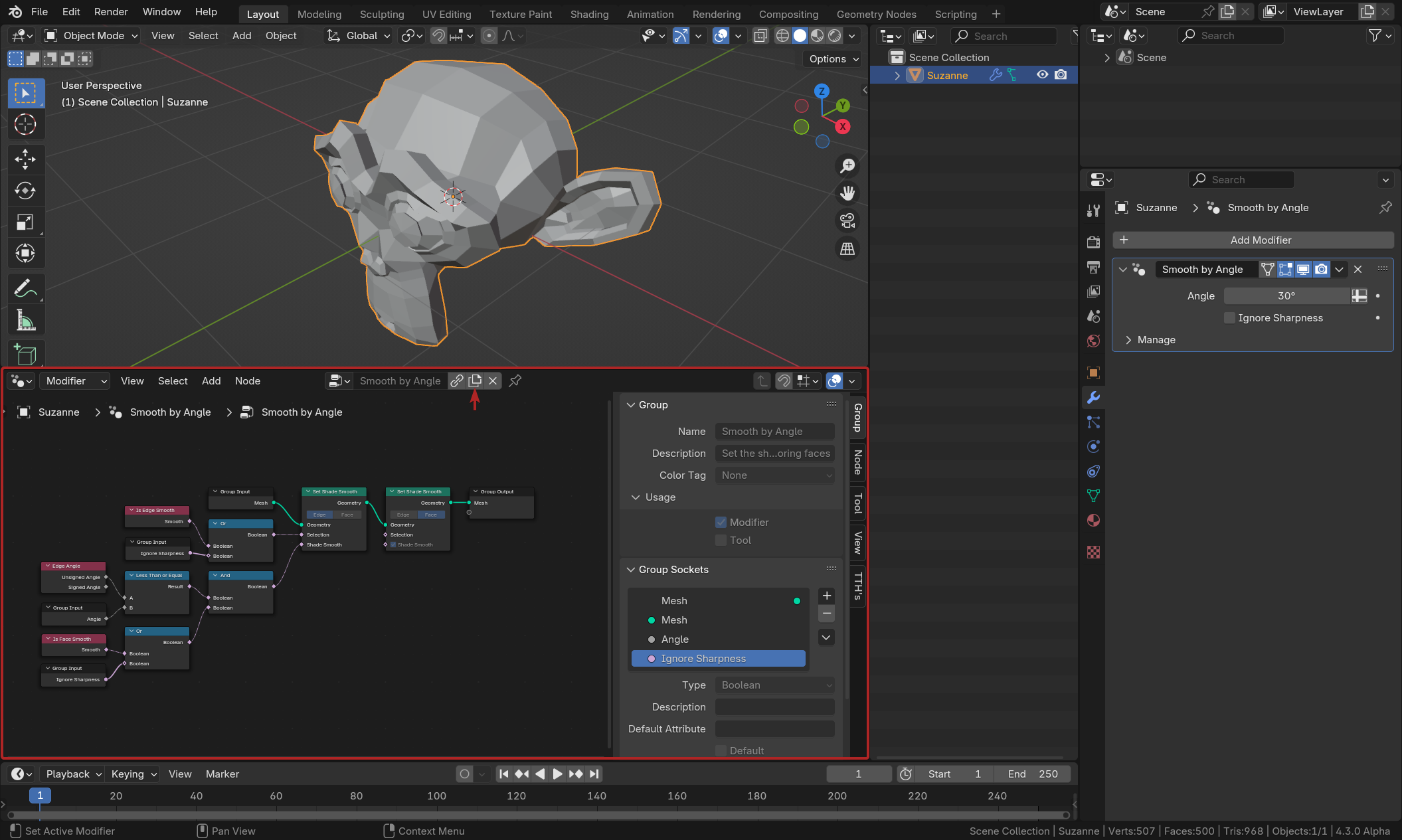
Exact steps for others to reproduce Add an Mesh object like Suzanne. Go to the Modifiers Panel and all a "Smooth by Angle" modifier. Then go to the geometry nodes area and alter or delete the nodes. Now if you try to add a fresh "Smooth by Angle" Modifier, it uses the broken one:
This Issue is also a problem with hair nodes / modifiers:
Possible Solution
I would suggest preventing the user from destroying default modifiers.
We couldfor example make the default modifier inactive (grayed out, like when you have linked data).
And force the user to first make a copy of that preset, before you can alter the nodes.
2 Comments
I think this can be considered as a bug, for that reason I also filed a bug report:
projects.blender.org/blender/blender/issues/123082
this project is related to address this issue devtalk.blender.org/t/asset-embedding-proposal/34484