
Lock the Summary row in Timeline/Dopesheet
Have you ever lost all your animation keys only to realise you accidentally scrolled down? Let's fix that!
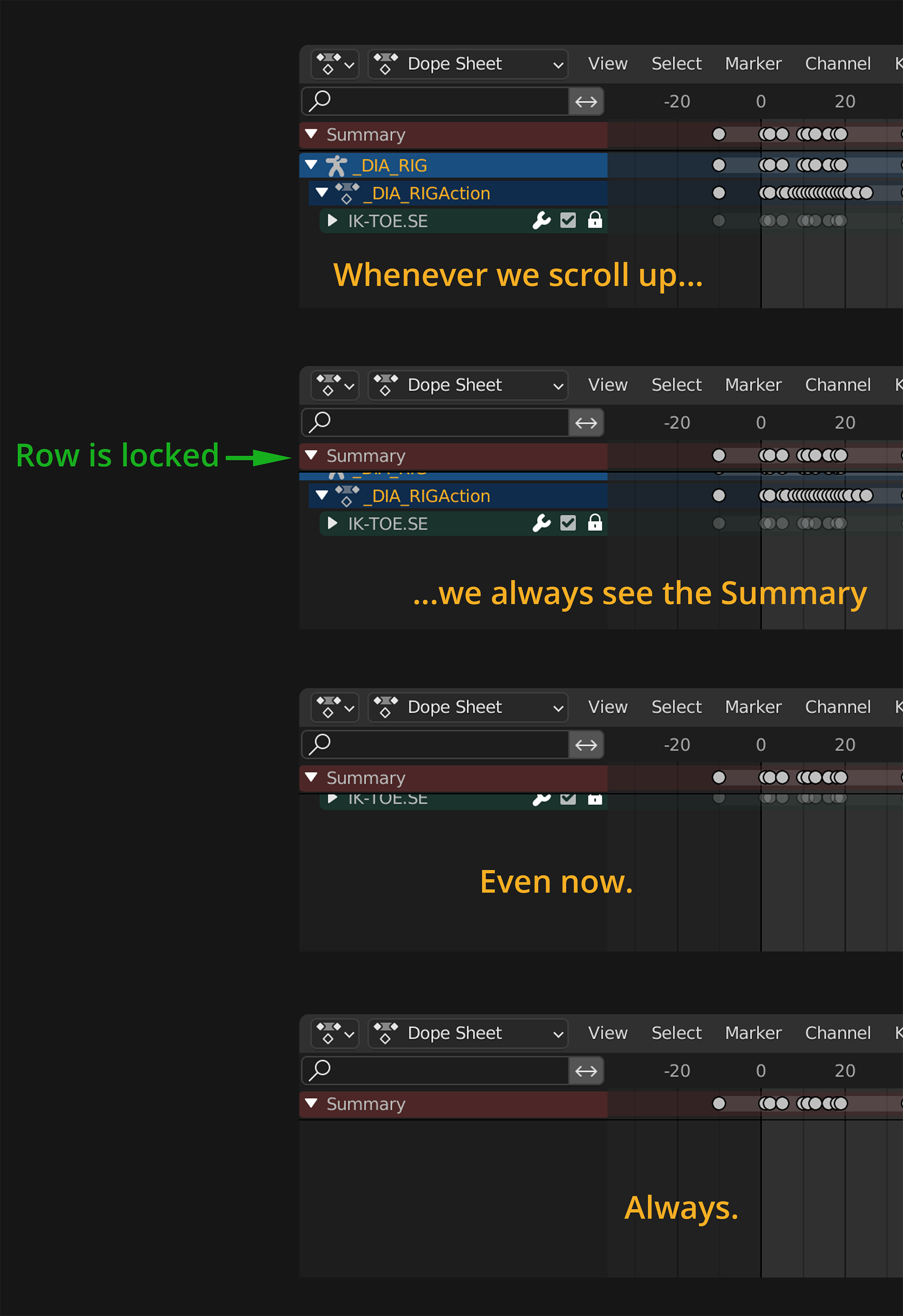
If you have ever lost your anim keys this way, please vote Up!
Have you ever lost all your animation keys only to realise you accidentally scrolled down? Let's fix that!
If you have ever lost your anim keys this way, please vote Up!
7 Comments
Yeah never understood why the Summary couldn't be hidden
Hmm.... I'd like to keep the Summary visible at all times. That's why I created the images above to explain what I want to have happen. If the Summary layer is always visible, this would actually be a good thing.
I did not have this issue using 3.3 or 3.2. Can you post steps to reproduce, or version you are currently using? But a view setting to toggle locking it would be nice
Sure. I'm using 3.2, the latest release. I literally took the screenshots to make these mock-ups from 3.2. You can reproduce the issue by literally scrolling up in the Timeline or Dopesheet. If you've never done that before, congratulations. I envy you. And you're right, having the ability to toggle locking this row would definitely be nice.
It's true that I seem to remember that i had that issue once but on a clean blender i can not reproduce that. i.imgur.com/1BFQ51n.gif . Let's hear from other users if this is a bug in some blender instances. But I see a dark line under the Summary of yout screenshort, so maybe there is some setting to toggle that
I used Photoshop to create that dark line under the Summary. The above images are what I'd LIKE to have happen. The images are not real. They're mock-ups. I'd like the Summary layer not to disappear (since it's the most important layer). Your gif is what it does now, and I'm saying that it would be better if it didn't do that.
Ohh complete loose the point, for sure. Lock that Summary row !!!!!!