
Blender doesn't have enough Viewport Display Optimisation features
Hello. i think that blender don't have enough features for optimizing viewport display (for too complex objects)
here's a first concept:
Display as X object
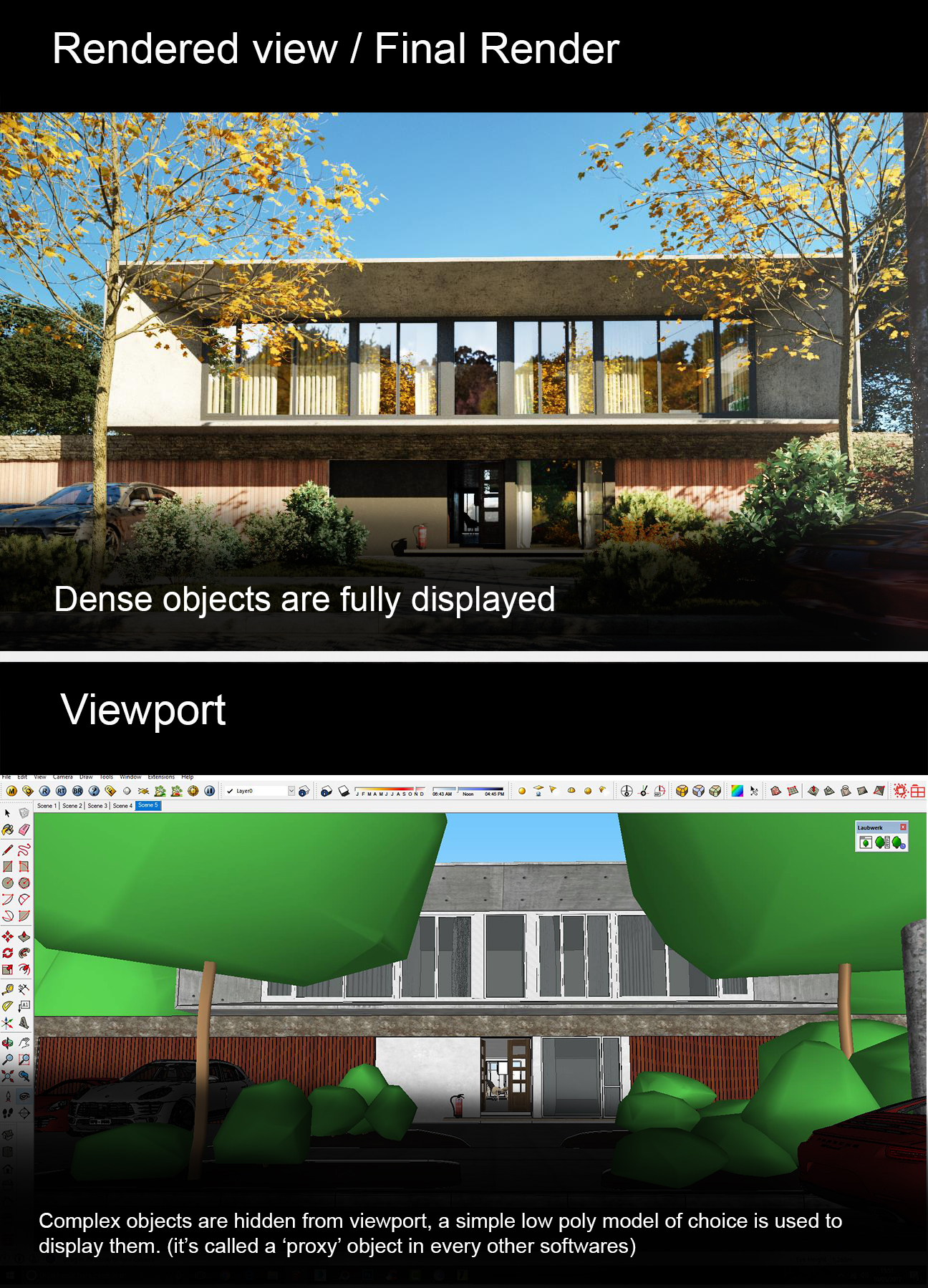
In the object display Viewport display properties, let user choose his display object.
for example: user choose 'display as "low_poly_tree.001" and the low poly object is going to used only in viewport. in rendered view and final render the high poly tree is going to be rendered. (exactly like display as bounding boxes)
here's a a prototype. it can only work in particle system. it's more than a trick than anything else, let's be clear about that.
twitter.com/dorianborremans/status/1175086158268837889
here's another concept:
"display as decimated"
it just remove 60% of all vertex of designed object in the viewport only. a high poly tree could be really more optimized. here's a test with my addon and a automated mask modifier set up.
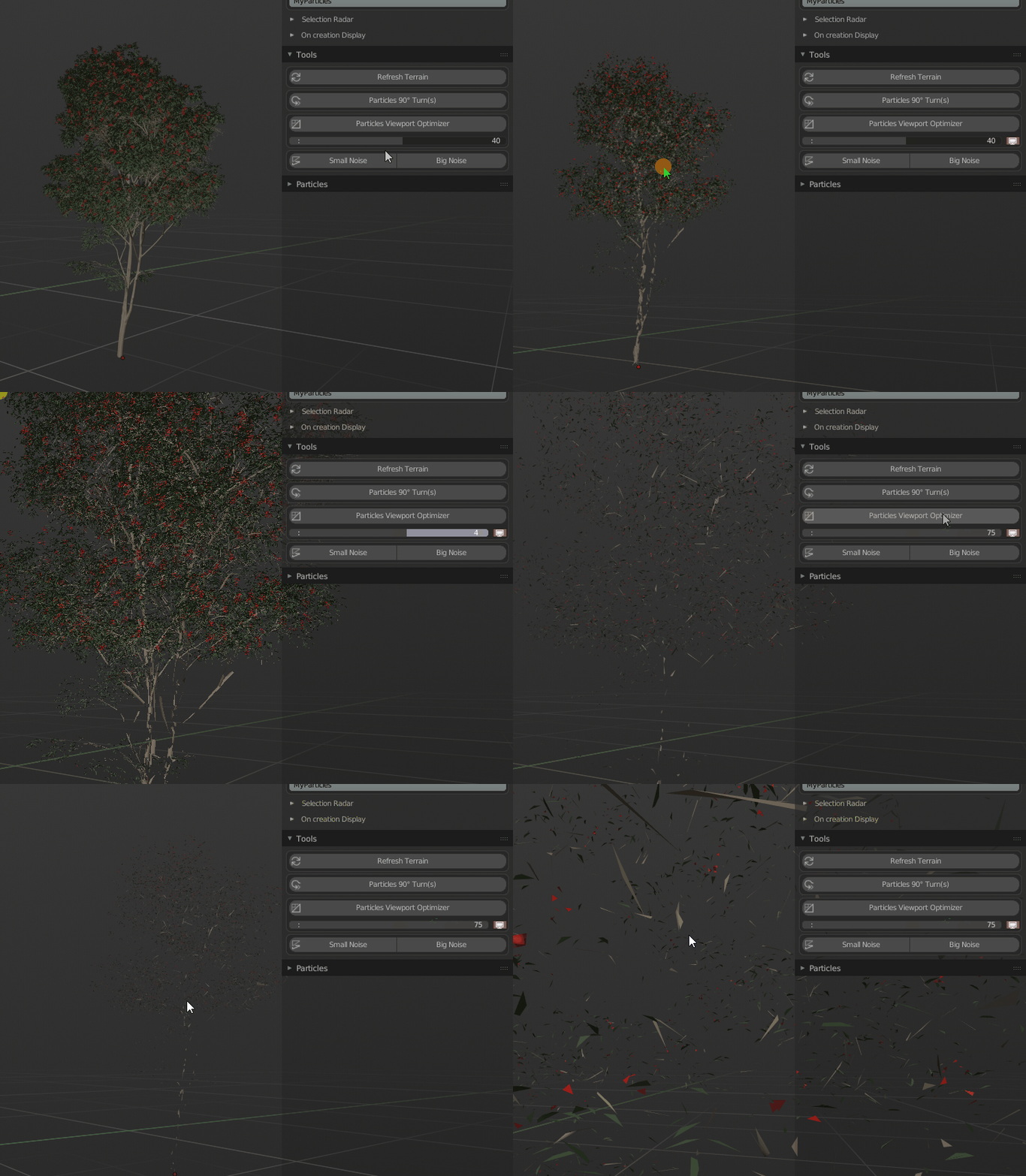
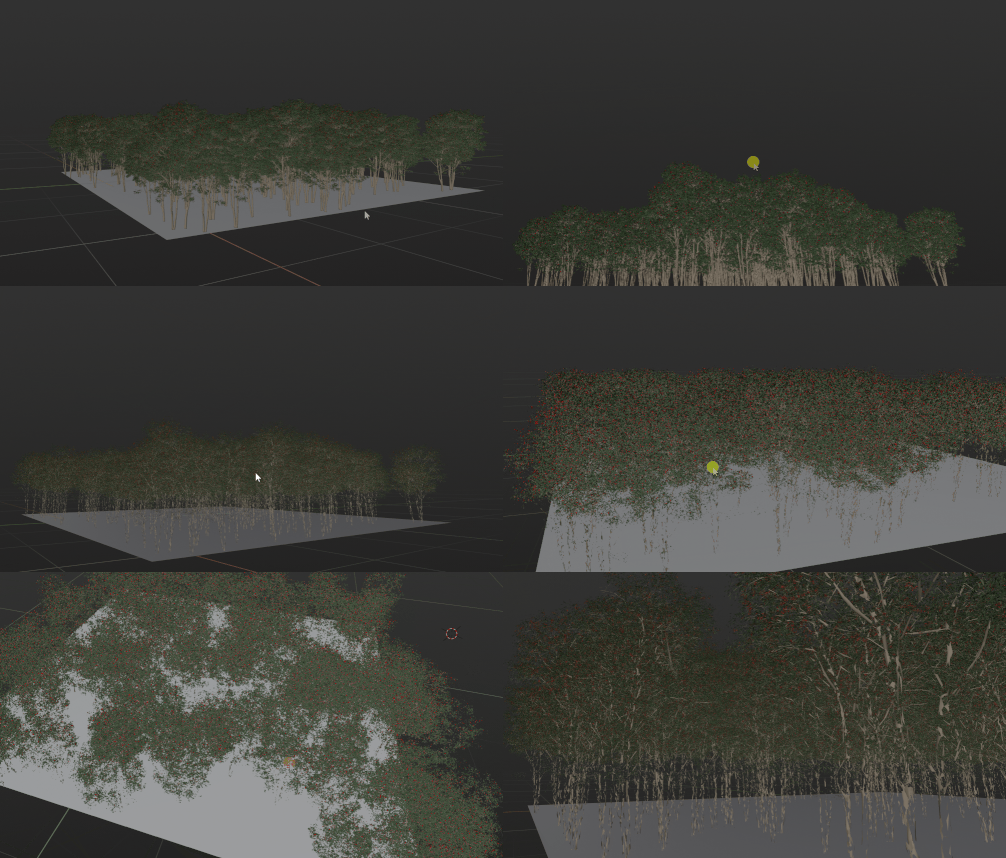
the framerate is much better after this optimisation.
here's a third concept.
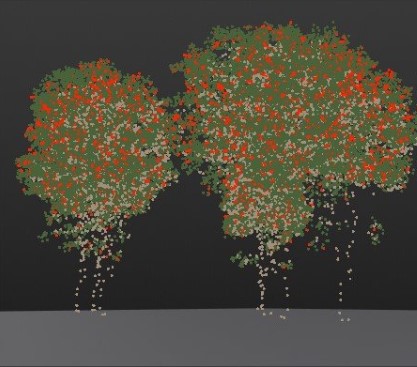
display as point cloud.
the autor of the point cloud visualizer addon is helping me on that. unfortunately he is forced to analyse the depsgraph on any particles system parameters change in order to redraw the point cloud each time ! If we could display an object as a point cloud things could get really easy for everyone out there that have too demanding assets.
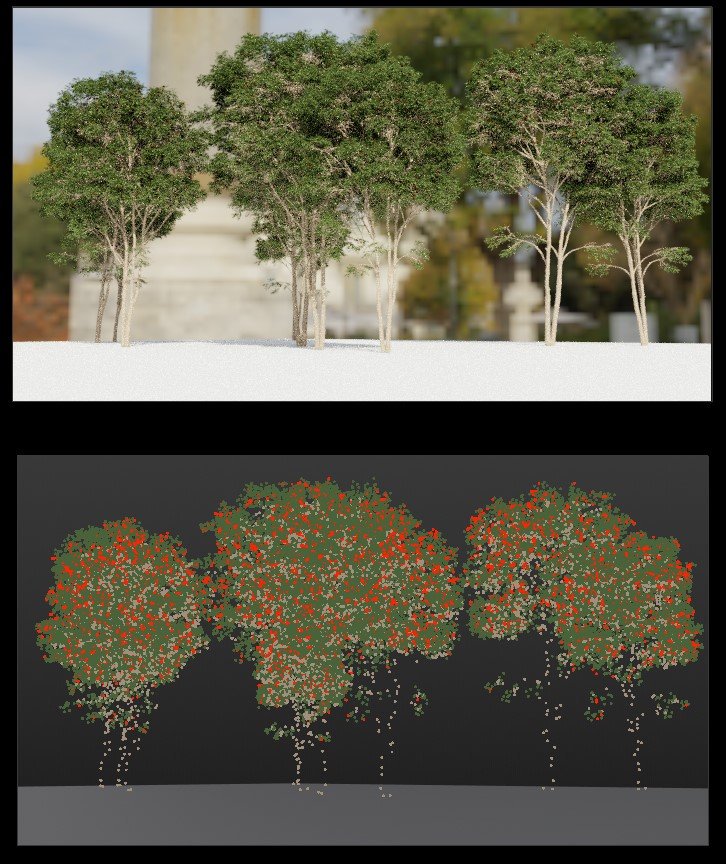
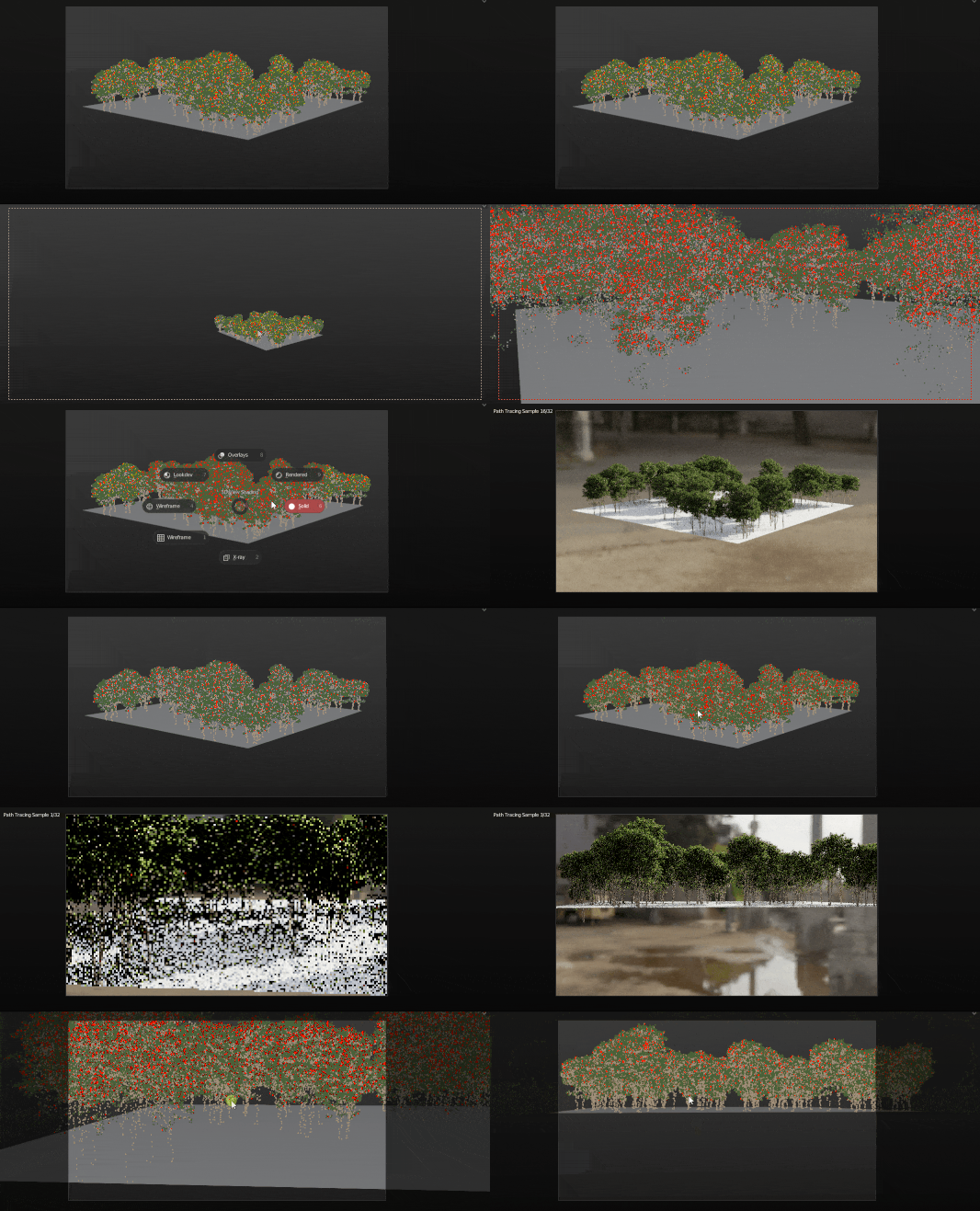
Those kind of viewport optimisation features are really important. right now our only options are bounding boxes which aren't handy at all...
With the Scatter addon we are actively trying to find addon tricks to get thoses features for our users but well, if thoses options could be integrated by default in the object properties-> Viewport display it could be really handy for a lot of environnement and archviz artists out there..
Thanks
11 Comments
this could be really handy inside the object tab:
'Display As' :
'decimated' -> % of particels/faces missing could be in the options
'pointcloud' -> wow that would be amazing
* @linus.hechinger * exactly. new display as options !!!.
I would looove to have atleast a particles hide system in the dropdown. But I'm also all for this for really dense scenes.
But two others I'd love to see in blender. Esspecialy in term of making massive grass and forrests. Unfortunatly PS doesn't fully support instance collections for viewport displaying. I use such trick: use collection with lowpoly objects --> change collection to collection of empties with needed names --> apply modifier to make empties real --> select by pattern --> share needed collection between empties.... Uh... too much steps...
And what if I wanna decimate object without joining to one mesh?... Well, the more I think about it, the more I think it is a feature for a collections suggestion, isn't it?
* @sickmonkeydub * not working in particles system
You can do this with geometry nodes using Is Viewport node
Isn't this addressed by Geometry Nodes? Shouldn't this be moved to Archived or Done?
Actually i found Build modifier works petty well for this purpose! I just keep it at the hotkey.
i would love to have opton to display just pointcloud.
As far as we now have " real time engine like " visualization and objects in Blender have " object data " instead of just been some objects and nothing more - maybe Blender can also have LOD system same as game engines have.
Some few more options next to object data like " generate " LOD's or make some custom LOD's set from scene objects.
Next some setting for viewport to set LOD visualization multiplier. In Unreal it work based on object bound screen size and this sizes dependencys can be up/down scaled from console + exist separation for few different objects types. Also settings to force some specific LOD ( for cases when need to downscale all scene or oposite ).
For those who work with game engines it's clear what I talking about.
* @IIIFGIII * I also wouldn't mind having frame buffers and dynamic resolution in the viewport display. Frame buffers may sound counterintuitive to performance, but anyone who's worked with volumes in eevee will tell you moving the viewport or playing animation makes things look less than optimal.