
Menu node as in Substance Designer.
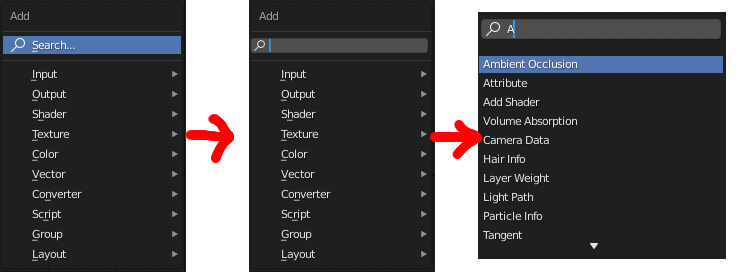
Of course, with the help of the new, changed "menu search" in 2.90, it became more convenient to search for nodes, but you can also improve the old search engine a little by making the search active by default, without having to click on it. You can, of course, assign a shortcut to Search, but because of it the tabs "output", "input", etc. disappear. An interesting option would be to do it as shown in the picture.
2 Comments
Already discussed - just map space bar or smth onto search..
Yes by pressing just Spacebar in node editor