
VSE: Multiple audio track support for imported movies.
Currently, adding a movie with multiple audio tracks into the VSE results in only the first one being added.
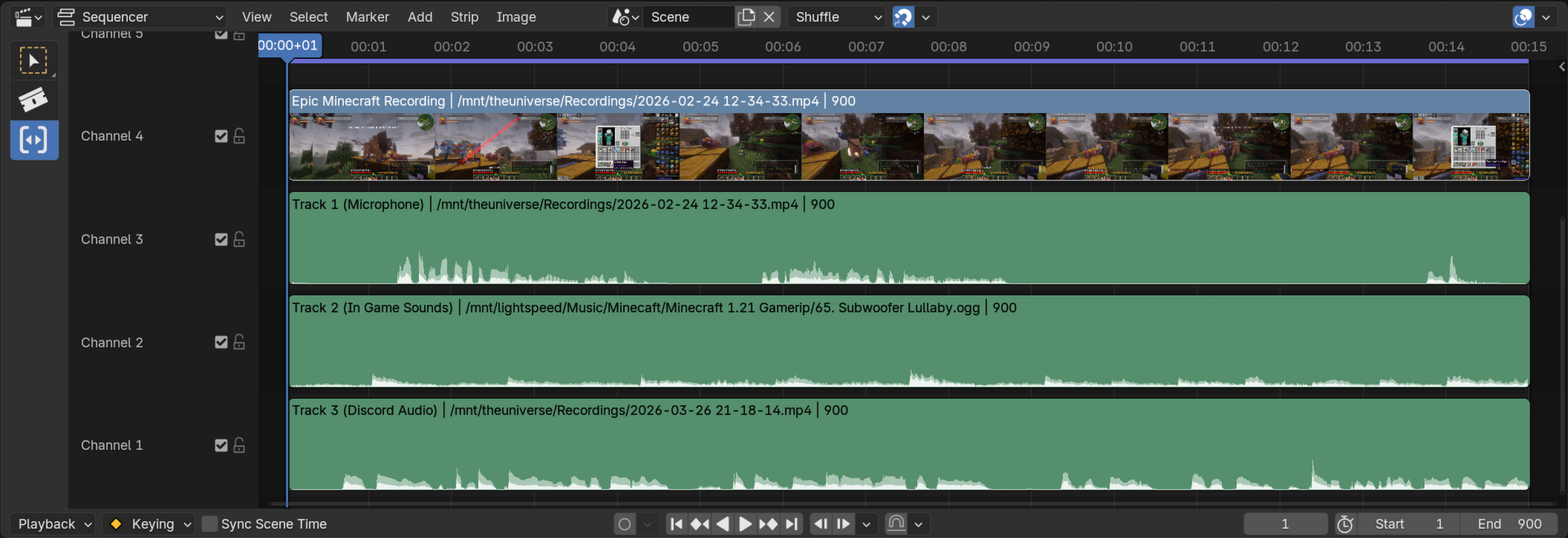
I propose that when you import a movie with more than one track, you're asked which ones you want to add. (or you can make it automatically add all audio tracks.)
Other editing programs such as Davinci Resolve have this feature, which allows a lot more freedom when making videos. Please add this in, I believe it'd be relatively easy, despite not being a programmer myself...
(Image is a mockup of what it'd look like after importing.)
4 Comments
At the very least if should import all track imho, asking which one to import seems second priority. And an even better tool in addition to all that would be to allow getting back those tracks at anytime, even swapping which audio track of a file is being used in a given strip from the stip's settings.
Multi channel importer: github.com/tin2tin/multi_channel_audio_importer
That's a very old known issue... 😶
Blender VSE does not import all audio tracks on mp4
Importing .MKV files with multiple audio channels associated only imports the first one [Video Sequencer]
maybe I should learn how to code and fix it myself, that report is 11 years old...