
Frame Range Bar and Preview Range tool Improvements
My proposal is to have the Frame Range Bar and Preview Range synced and to act as one ( optional if need ). This allows the user to zoom in and out of a selected duration of keys within the dope Sheet, Timeline or Graph Editor, pretty much anywhere that has the Frame Range Bar. All with just a click, after the desired duration is set.
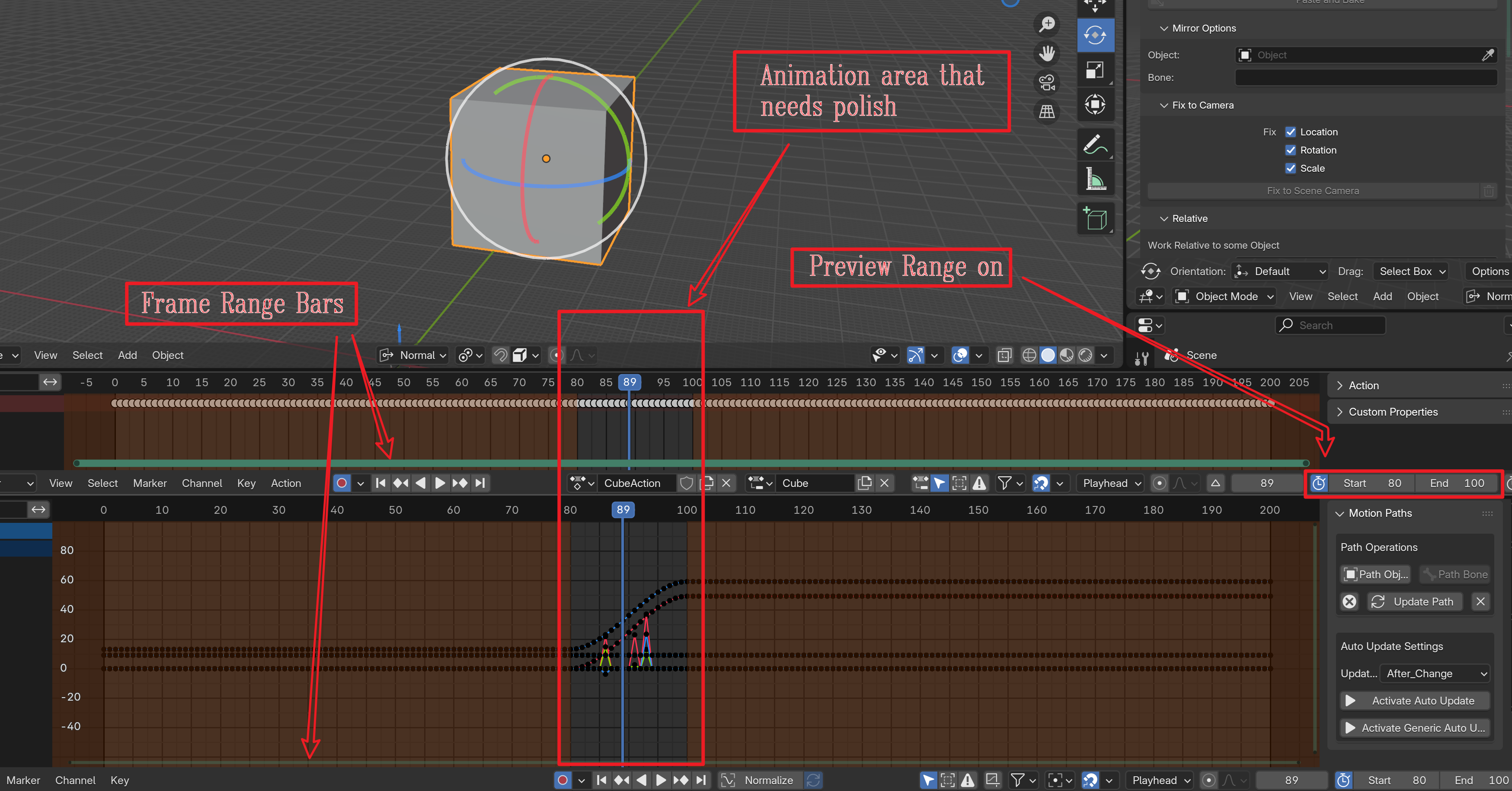
Above example - An animation that is 200 frames needs some fixing between frames 80 to 100.
Steps an Animator might do to check and polish these frames.
A - Zoom in using the Frame Range bars to find what frames need to be deleted or edited.
B - They might want to feel if that section of animation flows better when fixing, so putting in frames 80 - 100 in the Preview Range, then loops the animations in that duration so they can see how it feels.
C - After finishing you have to select both ends of the Bars of the Frame Range and reset them to their original length frames 0 - 200.
Repeat steps A, B and C for each section that needs cleaning.
Possible Solutions
1-
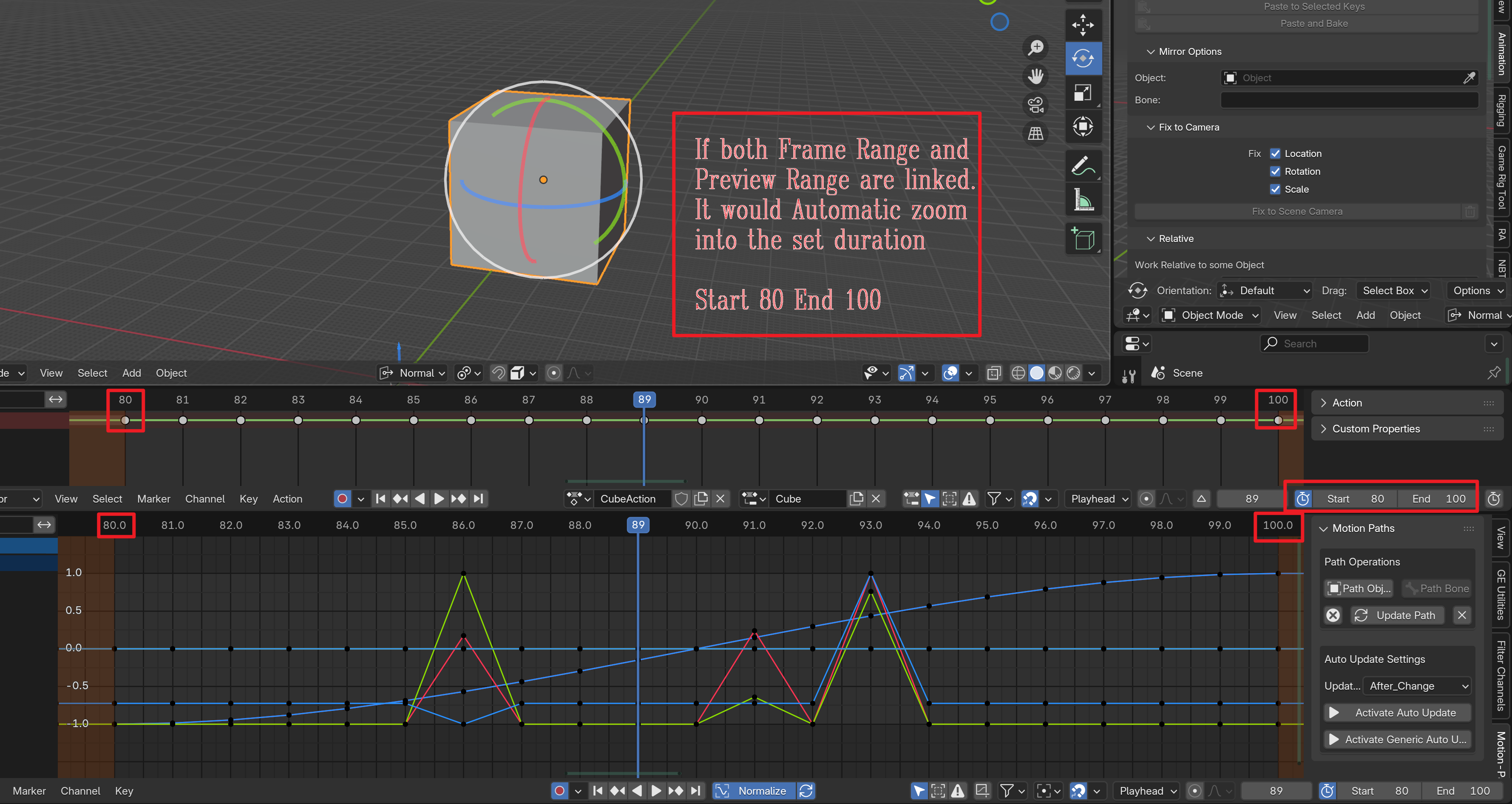
Have both the Frame Range Bar and Preview Range work as one ( synced optional if need ). Set the frames you want to work on, in the Preview Range clock icon area. Click on the icon to zoom in automatically. When finished, deactivate it to zoom out again automatically.
Example below.
Image 2
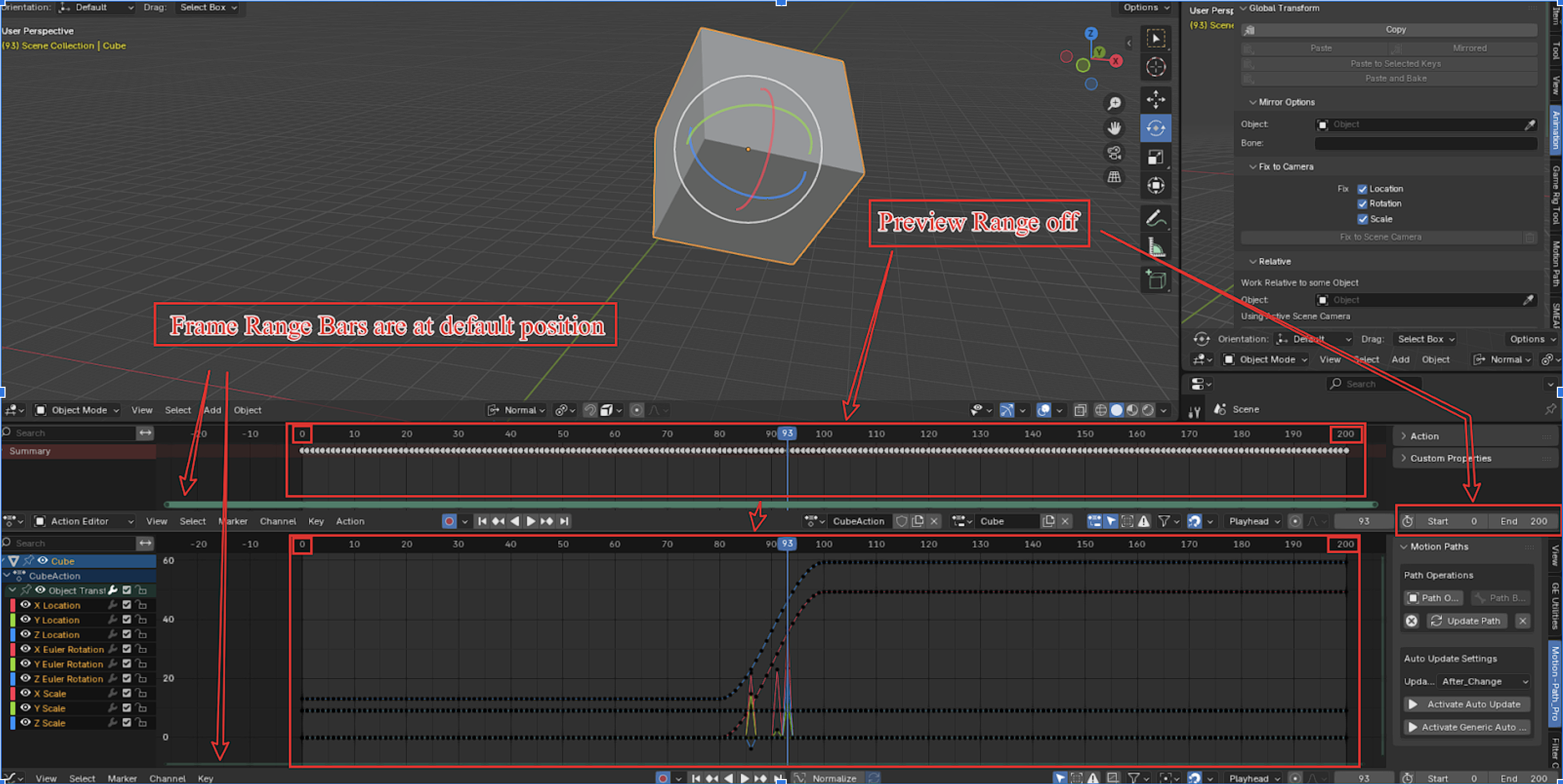
So it would be image 2 to image 3 in one click.
Image 3
2-
Able to double click on the Frame Range Bar from its original position to compress it to what the Preview Range is set to, frames 80 - 100 and double clicking the Bar again to set it back to its original duration 0 - 200.
It would be nice if it works with markers that have camera cuts (quick zoom on each cut section). Also if the Frame Range Bar has current frame on each end.
The Bar method is what we use in Motion builder and Maya. Very fast and useful.
Thank you for your time. I hope other Animators find this useful and please share any input on how to improve this idea.
2 Comments
thanks for the proposal.
For my understanding, you just want the Scrollbar to be scaled to the size of the preview range when that is set? To quickly zoom in to the preview range you can already go to "View->Frame Preview Range"
To sync the range of two editors, go to "View->Sync Visible Range" and enable that on all editors you want to sync.
Does that do what you need?
Yes that's pretty much what I was looking for. Was hoping to simplify it more with just a click, instead of having to go into the menu each time to select '' Frame Preview Range''. I added the '' Frame Preview Range'' as a ''Quick Favorites'', to test it then also wondered how many users know about the ''Quick Favorites'' feature especially new Animators. But glad you pointed that out to me, I can use this way for now. Thanks!