
Mark Shader Node Knots for connect a bunch of Shaders
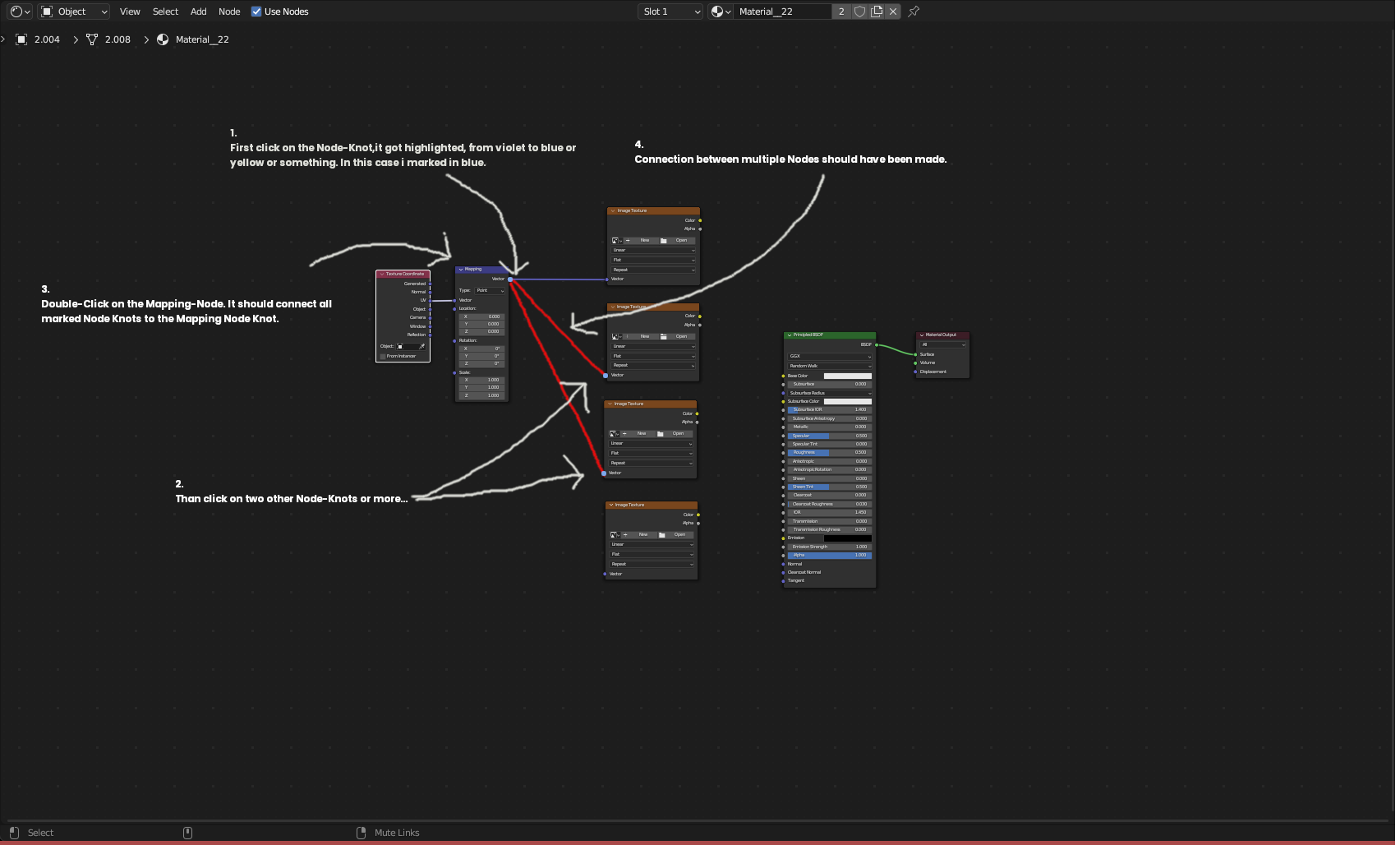
My idea came from the need to connect more than one shader node. In the Shader Node Editor, you have to connect may from the Mapping Node to a Texture Normal Map Node, also to a Texture Height Map Node and to the Specularity and to the Diffuse Node.
To speed things up, may it be useful to have the feature to “mark” the Connect Knots from a Shader Node and to connect all Shader Knot Nodes to the last Shader Node that was activated. Like linking materials but with Shader Knots.
For that feature, you should have a “Mark” Shader Knot Option; simply clicking on it to activate and Highlight the Shader Knot.
Then activate a Shader Node (not the Knot), and "Voilà," you double-click on the node you want connect from to other Shader Node Knots you have already activated (The Knots, not the Nodes) and than the connections were made. Or you just simple Double Click on the last Shader Node (Do not forget to mark the Knot here also) after you marked the Node-Knots to connect all Shader Nodes.
That in Theory.
Technically it could be different, but to connect more than one Shader, it could be useful.!
1 Comment
So my understanding is you double click the output of one node or something like that, the double click an input and it'll connect the two without you needing to drag the connection all the way across the graph? I'm all for it.
edit: I can see step 2 being a bit annoying in the picture, I think it'd be best to keep it to connecting one knot directly to another.
rather than the knot staying selected after an action, i think holding ctrl/shift to connect multiple would be better so you don't accidentally go connecting things when you meant to select them.