
Edit Vertex Weights of the selected vertices by pressing Alt.
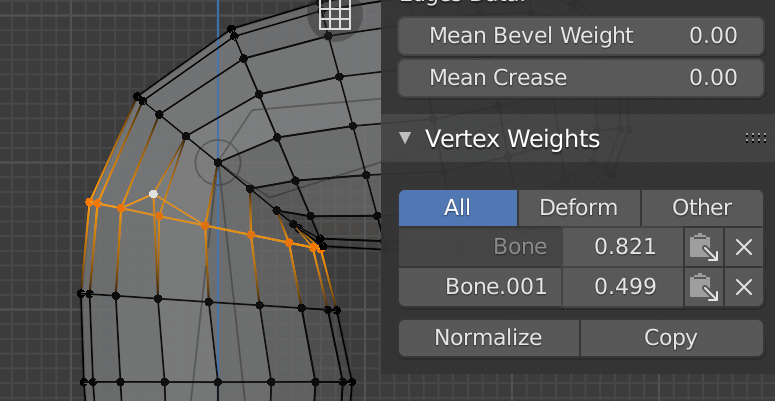
When editing the weight of the vertices to a Vertex Group, you can only act numerically on active vertex, and once the value is edited it can be transferred to the rest of the selected vertices, through the "paste Weight to selected" action (=icon with a notepad).
The right side panel of the 3D viewer only shows the value of the active vertex weights , and not all the values of the selected vertices. I consider it adequate, but in the same way that Alt allows modifying the same attribute to more than one object, I could also do the same with Vertex Weights.
Seeing all the selected vertices move their influence from one bone to another would help to perform a good skinning.
3 Comments
I do not understand why the proposal has been so disastrous, if someone arrives this buried thread and can explain it to me, I would appreciate it.
Weighting needs some love, yes...
yes, every time I try and wish it worked. However you can assign a value to multiple vertices at once in Properties editor > object data > vertex group > Assign (change the weight slider below)