
Avoiding material twins
Every time you copy a model of a scene into another scene the materials of the model get doubled (.001) if a material with the same name already exists in the new scene.A simple check if the existing Material (lets call it "Wood") is exactly the same as the pasted Material would be great. If both are the same, both are named "Wood". If not they are named as usual (Wood and Wood.001).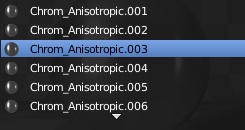
6 Comments
This could be solved by a 'remove duplicate material' option.
Agreed. Blender is 'lazy' at the moment when pasting objects. It should either offer a popup asking what to do, or their should be a permanent user setting to set behaviour, e.g. "On pasting objects: a) Create new materials (.001) b) Use existing materials c) Prompt for action"
Much needed! I'd say, in case of equal names a pop up could ask what to do, as it happens in other softwares, like indesign when you have duplicated spot colors
Since Blender doesn't really feature pop-ups as part of its design methodology, how might this be accomplished without a pop-up?
Right. We should keep non-modal behaviour. But Blender has some modal windows. For example when you delete something in edit mode, you have to actually tell 'what do delete' in a pop-up window. It is a situation where Blender can't go on without your prompt. So the same could be when you paste something, why not? Anyway, an operator to find/remove duplicated materials (nodegroups, textures, etc) could be even better
I think that the operator approach is probably the better way to go in this case. If we're assuming a non-modal workflow and we're also assuming that Blender doesn't try to be "smart" about things without user input, then an explicit operator is probably the way to go.
And in fact, it could probably be prototyped (even implemented) as an add-on.