
Add head/tail slider to Custom Object for Bone
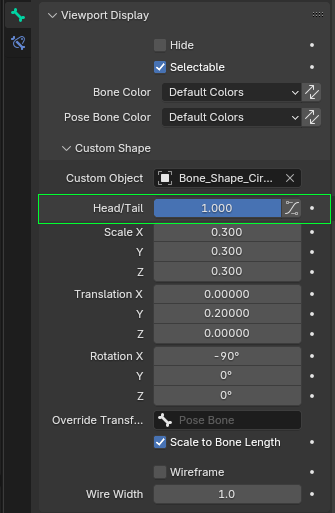
In the Bone settings under Viewport Display we have the option to set a Custom Shape by setting a Custom Object.
After that we can do a Trasnlation if required. But rather then a translation it would make so much sense to add a head/tail slider like the Copy Location constraint has for example.
This way we could set head/tail to 0.5 to have it in the middle for example. Instead of some arbitrary value.
1 Comment
That would be quite handy, because it would spontaneously map out, with efficiency, the structure of the Bone (Body, Head, Tail).
Otherwise, the rigger would often just give up (e.g., give up on finding the exact Bone's Tail Position), because Copy-Pasting the Bone Length Property (from Edit Mode) and using it as Transalation/Location Y (I guess), or using the Override Transform Option of the Custom Shape Panel having to Add and Rig a new Bone as a Target just for that precision task, are both alternatives which are not evident, nor efficient.