
The ability to change the orientation from Global space to Local space in keyframing Transform values.
So you rotate a cube 45° on the X-axis. It registers as X=45° in the Object Properties.
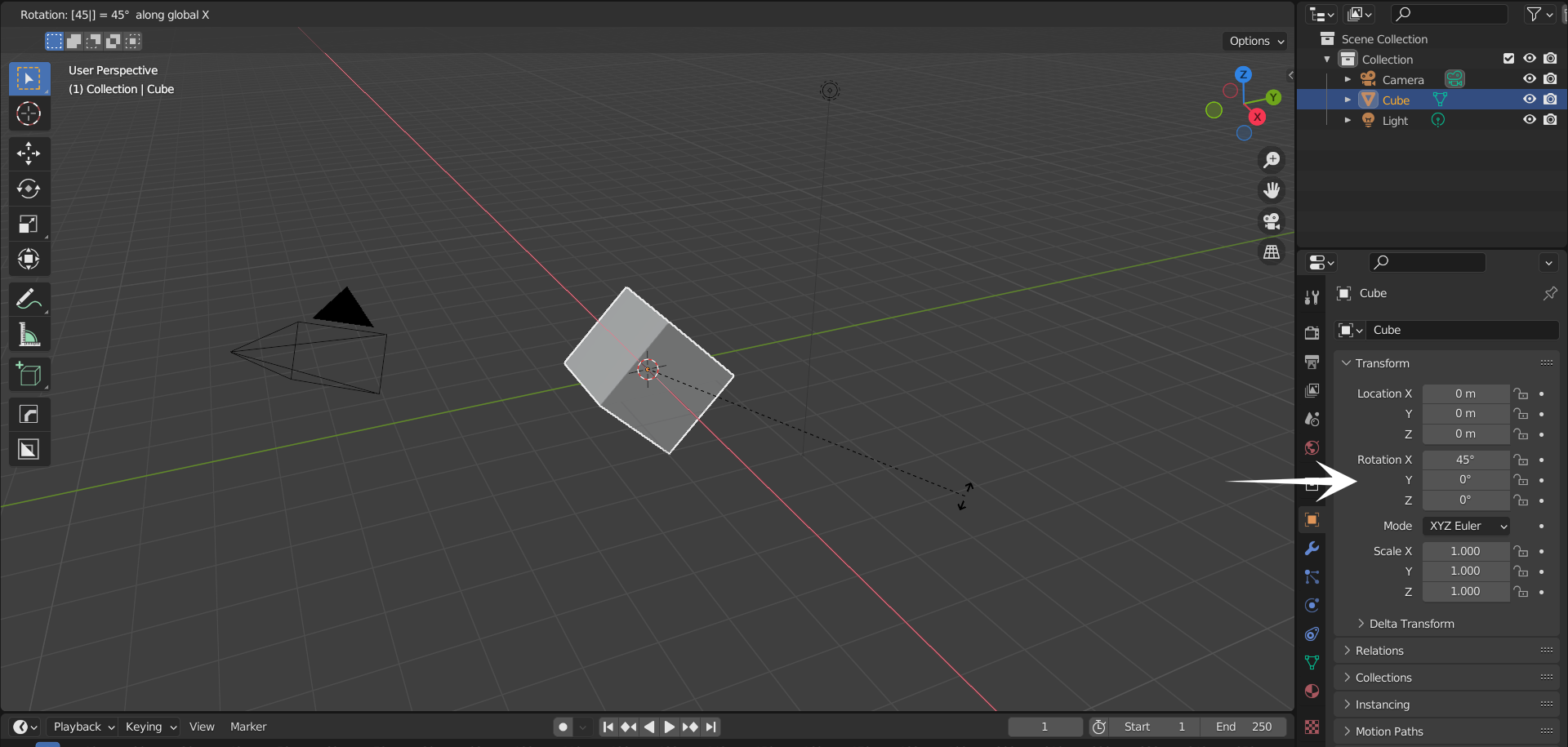 So if I rotate the cube in it's local Z axis, it should change the value of Z in the rotation, right? It makes the most sense. But Blender changes all three values of the axes.
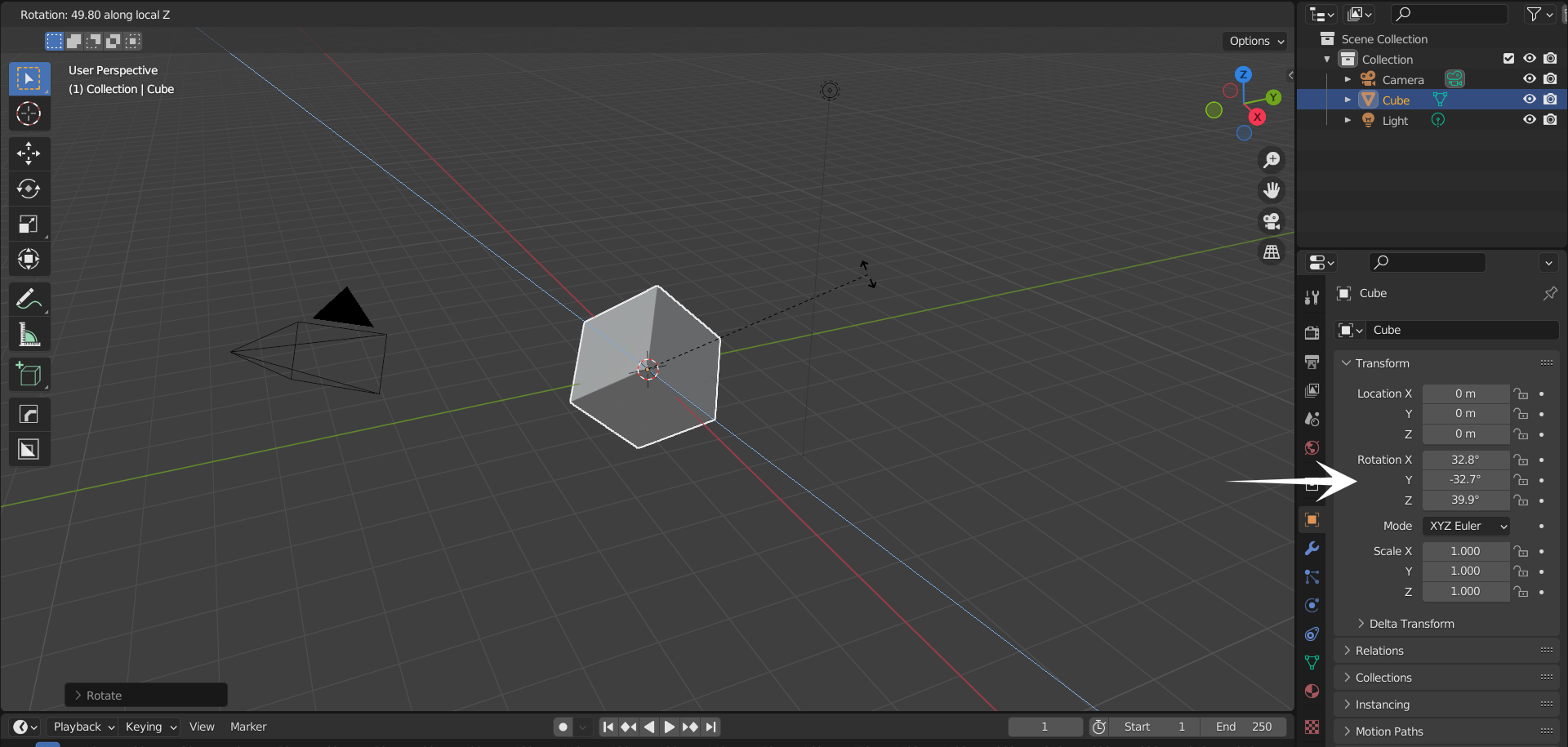 If I rotate it on Z-Global, it changes the value of Z in the rotation, so basically the rotation value is taking the Global space instead of Local space.
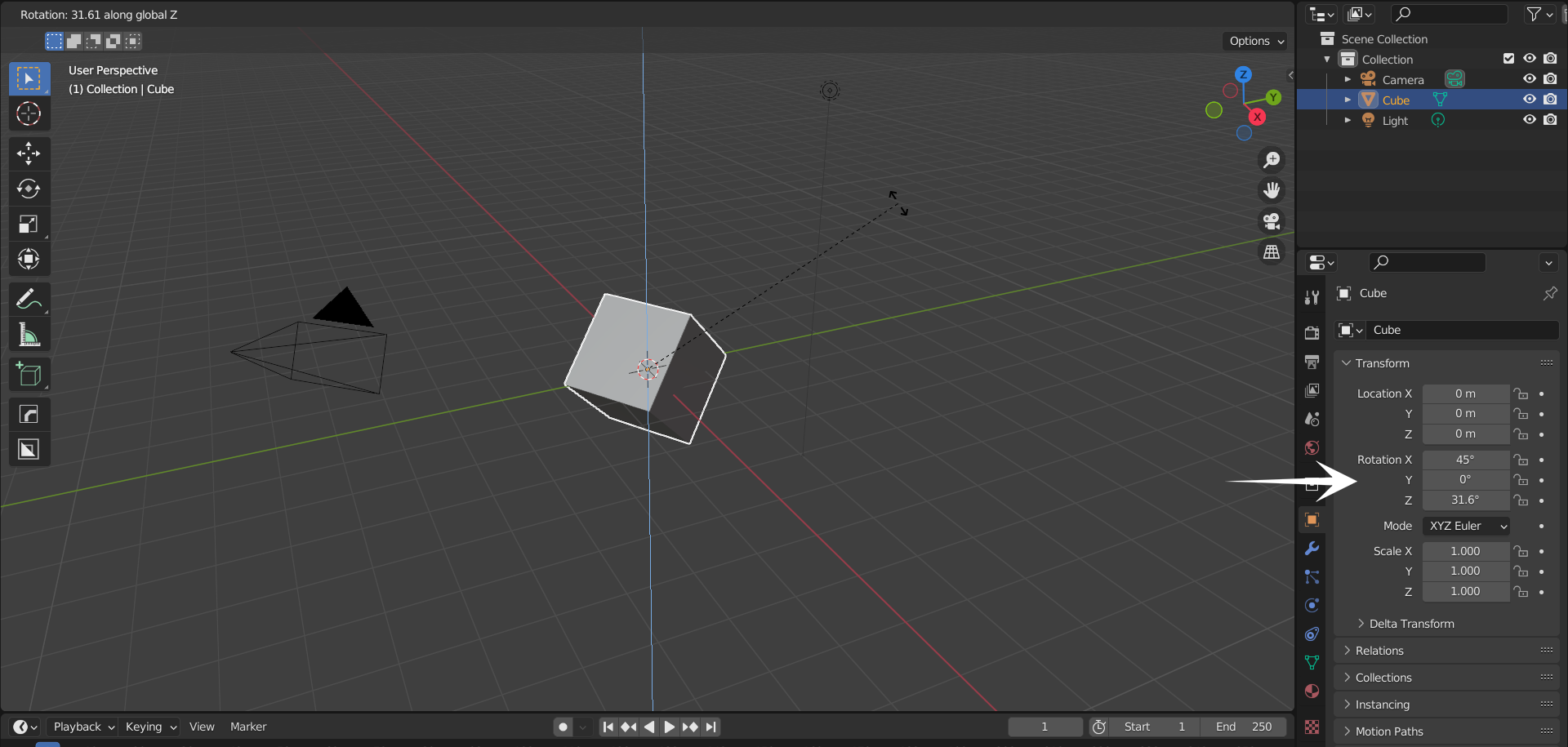 In which adjusting an animation of a tilted object so much harder in the graph editor.
So hear me out on my idea, THE TRANSFORMATION ORIENTATION! (for keyframes and animation)
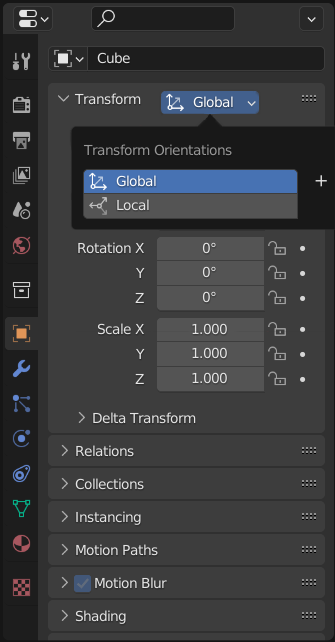
It could be on top of the Transform panel in Object Properties (kinda like this!)
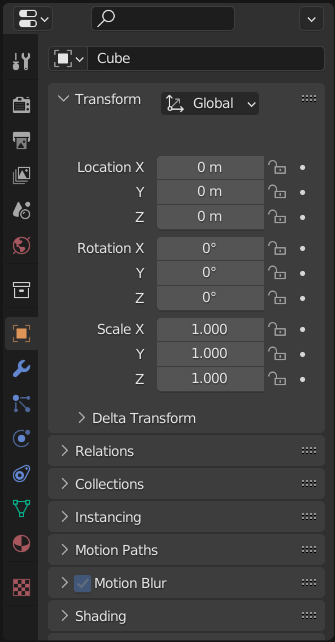 You can have the ability to change it to either Global or Local spaces.
 This could also be in the Graph Editor like this!
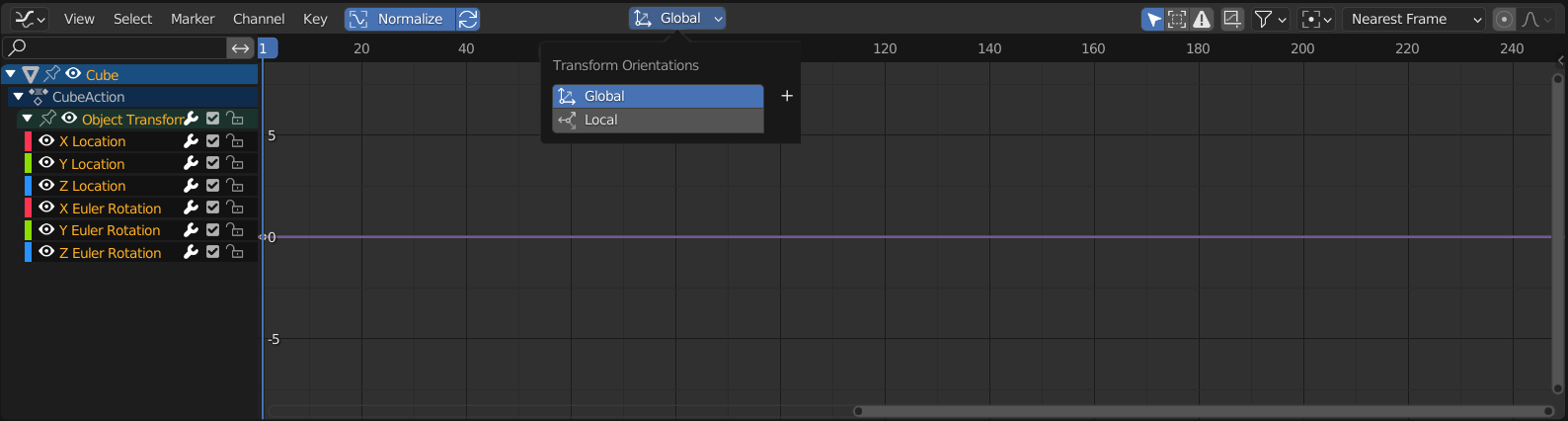
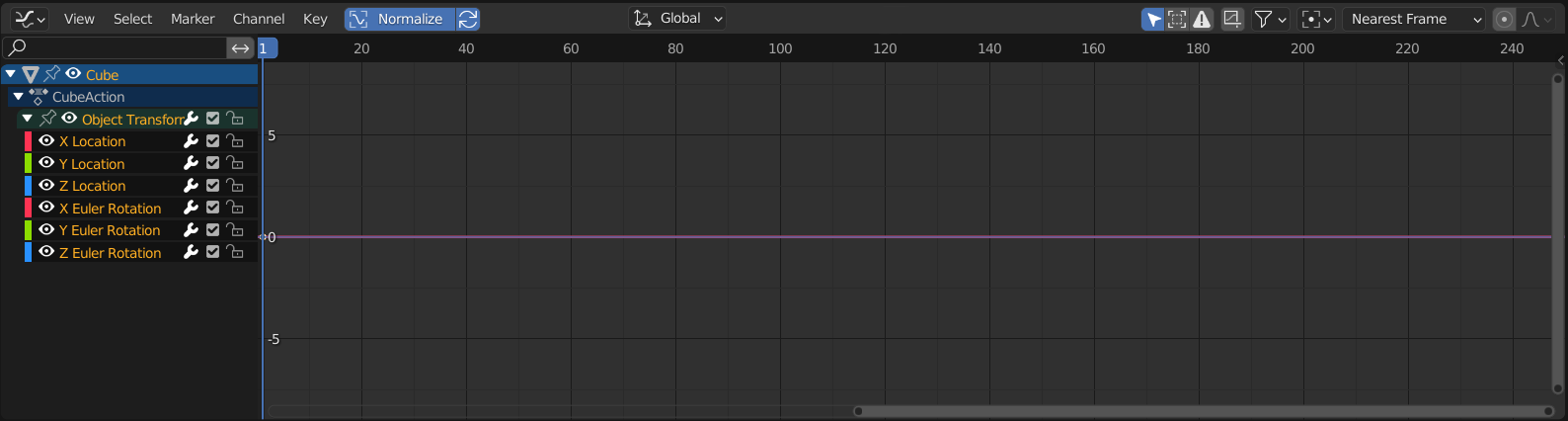 You can change it to either Global or Local.
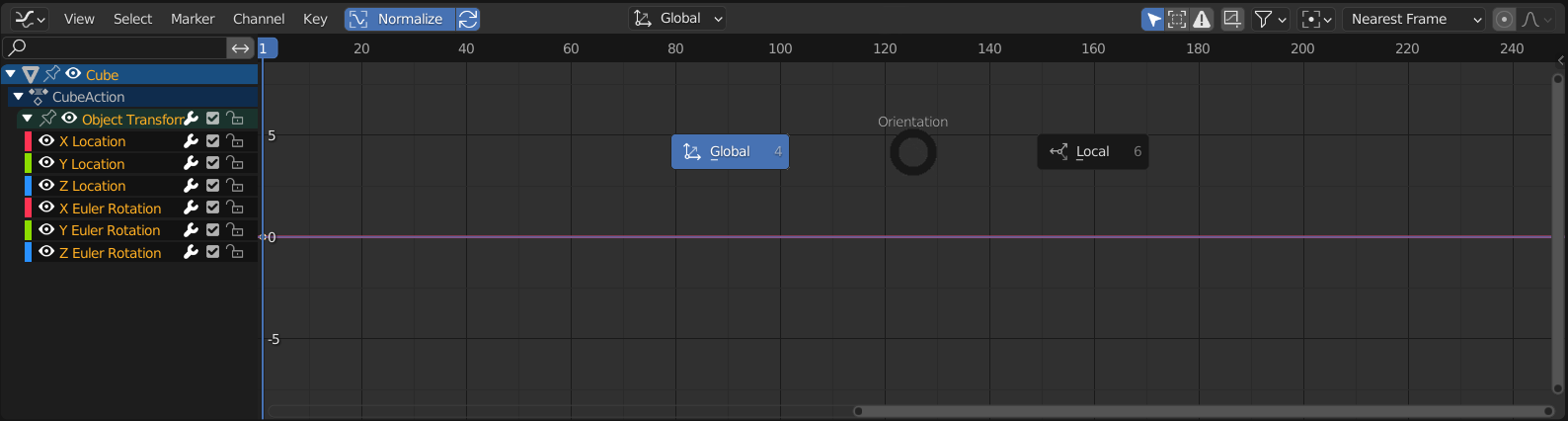
 And maybe you can bring it up as an Orientation pie menu by hitting the "," key on your keyboard. (Kinda like the pie menu in 3D Viewport)
 That would a huge time saver and a huge headache reliever for animators, especially for beginners. I mean I am kinda used to using the copy rotation constraint on an empty to do these stuffs but this is a huge waste of time and no body brings it up, at least anyone I see on reddit or twitter, so yeah, I hope they add this feature into Blender. Maybe this is a hard thing in code to do, or something? Fingers crossed!
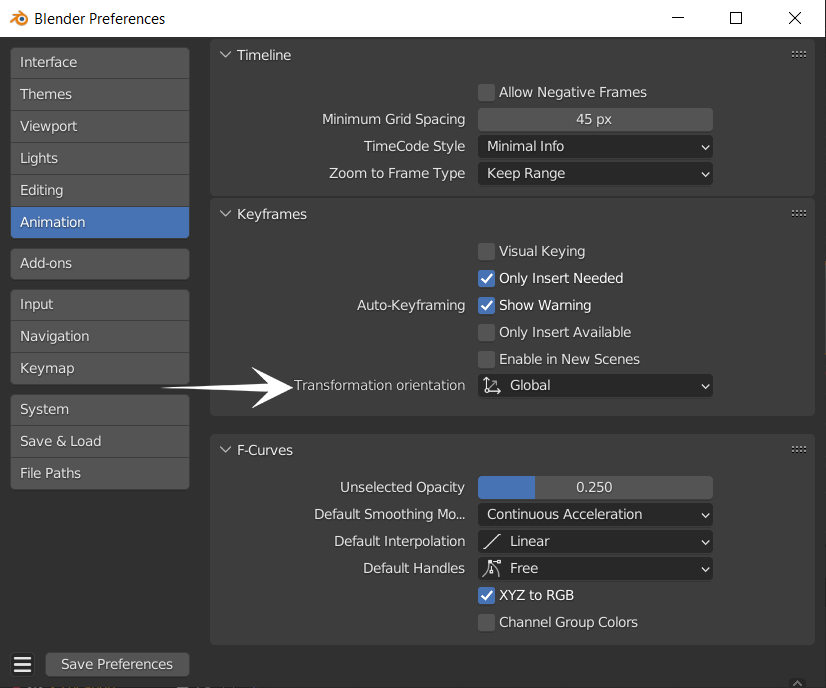
Edit : Okay, on second thought the function to be able to switch from Global space to Local space seems kinda impossible, if you sorta animated the whole thing with Local space, then you decided to change to Global space, now all of the keyframes need to translate to Global and this could be a challenge to code for the devs, soooo.... maybe like make a option choose Global or Local keyframing in the animation section in preferences? (Kinda like that!)Maybe that's also a good idea.
3 Comments
This is a great idea, the way it is does seem like a basic oversight TBH.
I think it would be a awesome to be able to change between local and world orientation, in the graph editor, it is the only feature that Maya has that I miss. I personally prefer to animate with rotation using local orientation and translation being world orientation. It gives me a way to visualize how the character is moving while focusing on my graph editor, without having to focus on my viewport. You can become super fast with this technique where you make your key poses in the beginning and then focus on the graph editor for cleanup. When I have to explain why I like this approach, I say that I am animating the gravity/friction of the world the character is part of, if that makes any sense :)
IMHO Blender should do like most other softwares do:
Have every object using LOCAL transforms.
This alone allows way easier setup for riggers to build systems with custom transforms.