@Alex
yes that's true, you can still open a window,
especially as a beginner all those hotkeys are overwhelming what can quickly be frustrating.
Something more intuitive would help a beginner/changer,
@-L0ock- as an example, a long setting with 500frames
i want to focus on a small area 12frames as an example, that would be easy to adjust with such a panel
The picture shows the 2-window solution
{attachment two_windowspng}
crap my karma is sinking
L
Lauloque
*
@wvolbers
* Well, I'd rather just have the timeline open with its full potential instead of duplicating a few UI elements that would just clutter the UI and lose the beginner more than help him.
H
HazyHops
Gonna go out on a limb here and say that if you're animating using the graph editor, you're probably already using a hotkey to play/pause/navigate keys. That said, splitting a timeline right above your graph editor and saving a UI layout like that isn't that far from this. Only a difference of 10-15 pixels in vertical space. :o
L
Lauloque
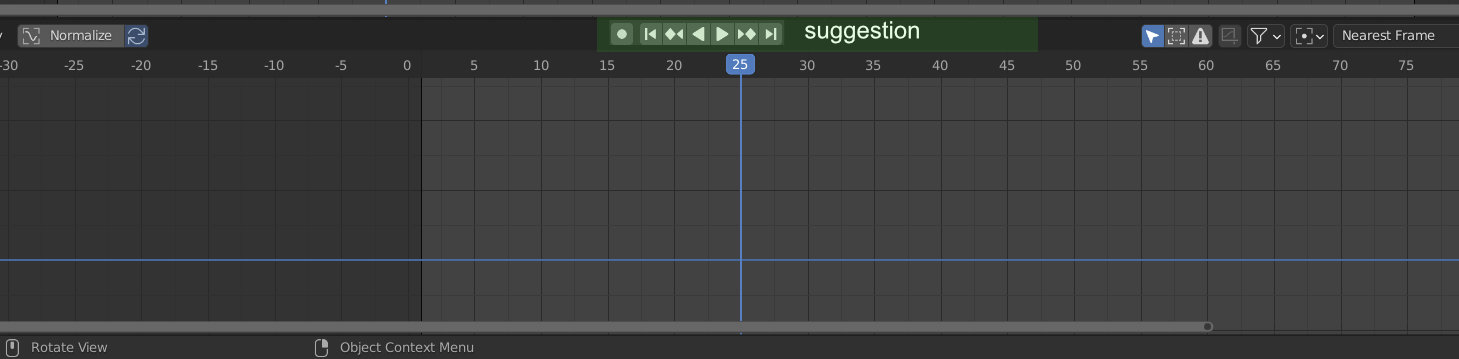
Could you elaborate? Why duplicate playback controls from the timeline to the graph?

4 Comments
@Alex yes that's true, you can still open a window, especially as a beginner all those hotkeys are overwhelming what can quickly be frustrating. Something more intuitive would help a beginner/changer, @-L0ock- as an example, a long setting with 500frames i want to focus on a small area 12frames as an example, that would be easy to adjust with such a panel The picture shows the 2-window solution
{attachment two_windowspng}
crap my karma is sinking
* @wvolbers * Well, I'd rather just have the timeline open with its full potential instead of duplicating a few UI elements that would just clutter the UI and lose the beginner more than help him.
Gonna go out on a limb here and say that if you're animating using the graph editor, you're probably already using a hotkey to play/pause/navigate keys. That said, splitting a timeline right above your graph editor and saving a UI layout like that isn't that far from this. Only a difference of 10-15 pixels in vertical space. :o
Could you elaborate? Why duplicate playback controls from the timeline to the graph?