
Invert modifier stack list direction
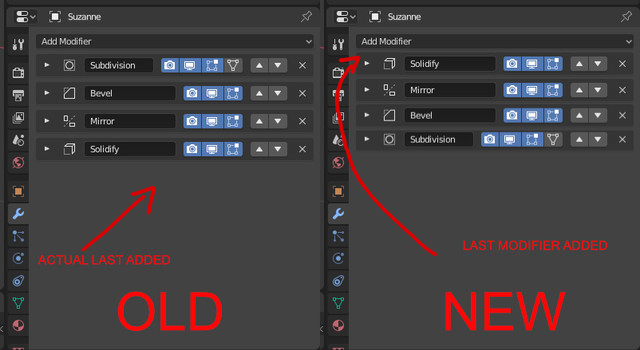
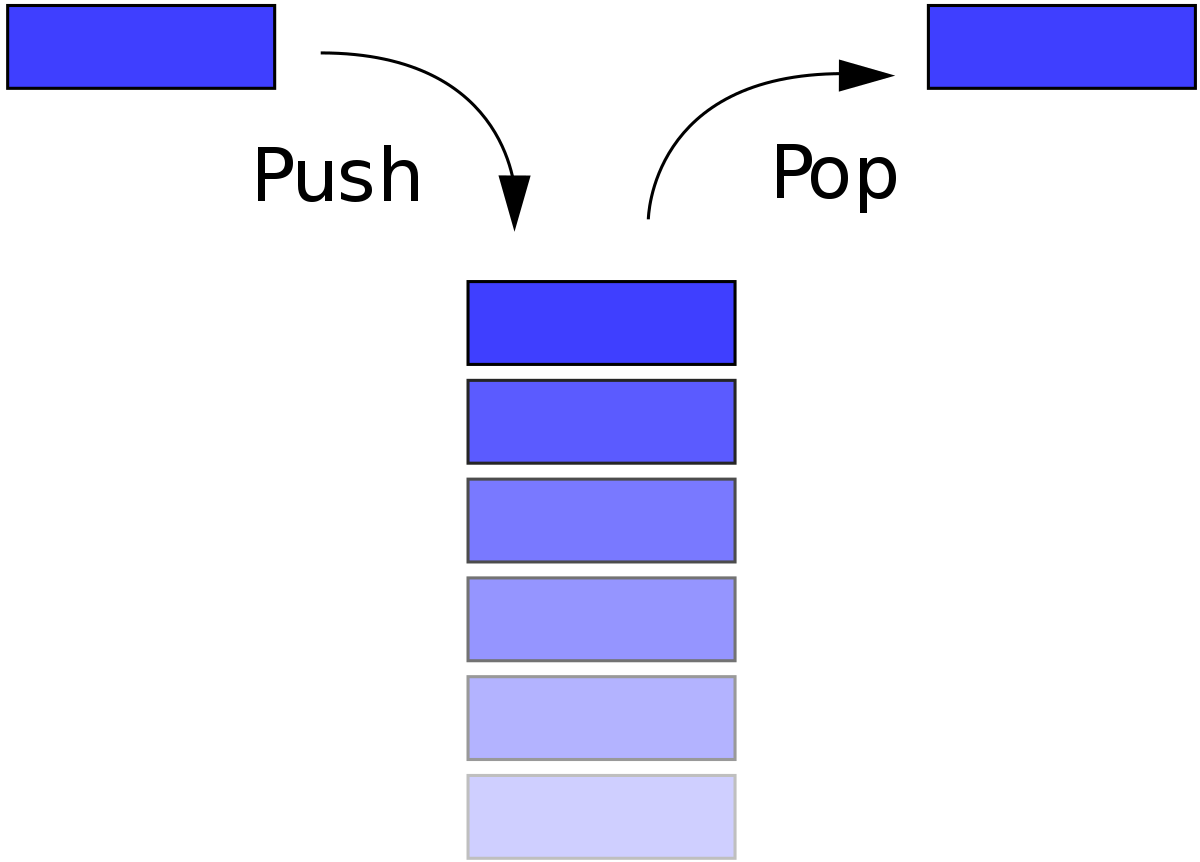
I always think at a "stack" as a container where you can push and pop elements from the top. Why in blender we have the modifier stack where the last modifier added is in the bottom?!
I think it will be more convenient to invert the direction so the last modifier it is the first from the top (also, if you have a lot of modifiers you have to scroll the list to view the last modifier added).

16 Comments
I Agree, the one on the top is more visible. But a) all lists in blender have top-down direction (consistency) b) modifiers will be nodes soon
So ATM I suggest autoscroll to bottom instead rearrange.
The modifier stack is basically a recipe. First do X, then X, etc. many apps with similar concepts also show it in a list from top to bottom.
* @billrey * Agree... this is list of Modifiers that will be applied from top to bottom. Such change will also make all tutorials TOTALLY out of date. Whenever I see tutorial that introduces some Modifiers there is sentence similat to "Keep in mind that order mathers, and you need modifier X above modifier Y".
* @billrey * Agree with this post, layers (photoshop and all..) are bottom to top, but nodes are top to bottom. So if you consider this system like layers, revert direction indeed. If these are technically nodes, keep the current direction, but make it look like nodes then.
* @billrey * Can you tell me which app has the layer stack from top to bottom? Never seen this before. Just curious.
* @spamslovic.r * The stack order is not making a tutorial out of date. You just need to know which order to follow. But in every blender version they change a lot of little things, so the tutorials are out of date after every new release anyway. We are trying to make the software better, we cannot stop making a change just because a tutorial will be out of date. I understand the stack order is always been like this, but a lot of new users come from different software where the order is bottom to top. Like I said a lot of things in blender are counter-intuitive for people coming from other 3d software.
* @GNeUR * The community is a real force for Blender, the the overall amateurism of the community is a real weakness as well..
Arguing about top-to-bottom vs bottom-to-top is pointless,
because in future it will be left-to-right with nodes ┑( ̄Д  ̄)┍
* @Pawel Piotrowski * this moment isn`t so close + remember about LTS. autosctroll is simple solution, that will not break previous expirience and will not confuse.
What if, instead of a box containing things, you think of it as a blank page where you write text?
I agree. All the other software have new layer at the top. Having it at the bottom, like Blender is doing now, it's totally counter-intuitive, and not "industry standard".
dddel
Though I understand the reasoning behind this suggestion, I could argue that adding to the bottom is more user friendly, as it does not make stuff move around, which can be confusing.
Hi. You may want to try Modifier List .
It's an add-on that, apparently, has an option to Reverse the list.
blenderartists.org/t/modifier-list-1-5-4/1147752
agree! Elagant solution could be add two new order buttons to "Modifier tools" addon shipped with blender already.
Moved reply to Bill