
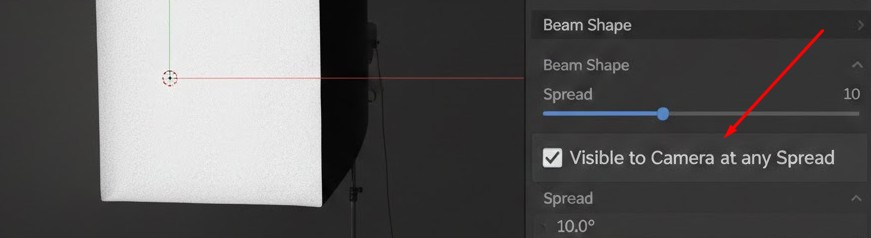
Add 'Ignore Spread for Camera' toggle for Area Lights
Currently, Spread on Area Lights acts as a physical occlusion grid. While physically accurate, it limits artistic control because textured area lights (like LED panels) disappear from camera view at steep angles. This patch adds a toggle to bypass spread-based attenuation for PATH_RAY_CAMERA hits, keeping the light source visible while preserving the narrow beam on the scene
/* In area_light_spread_attenuation function */ static ccl_device_inline float area_light_spread_attenuation(const float3 light_n, const float3 ray_dir, const float spread, const int path_flag, const bool ignore_spread_camera) { float cos_theta = -dot(light_n, ray_dir);
/* NEW LOGIC: Bypass clipping for Camera Rays if option is enabled */ if (ignore_spread_camera && (path_flag & PATH_RAY_CAMERA)) { return (cos_theta > 0.0f) ? 1.0f : 0.0f; }
/* Standard Spread Math starts here */ if (spread >= M_PI_F) { return (cos_theta > 0.0f) ? 1.0f : 0.0f; }
float cos_spread = cosf(spread * 0.5f); if (cos_theta < cos_spread) { return 0.0f; }
/* ... original falloff code ... */
}
1 Comment
Hi Louckas, this is Right Click Select, a website for submitting ideas for new features to Blender. If you want to submit code, see this guide .