
Request for oblique projection lens camera
Hi, this is a request for develop a oblique projection lens camera like this: en.wikipedia.org/wiki/Oblique_projection
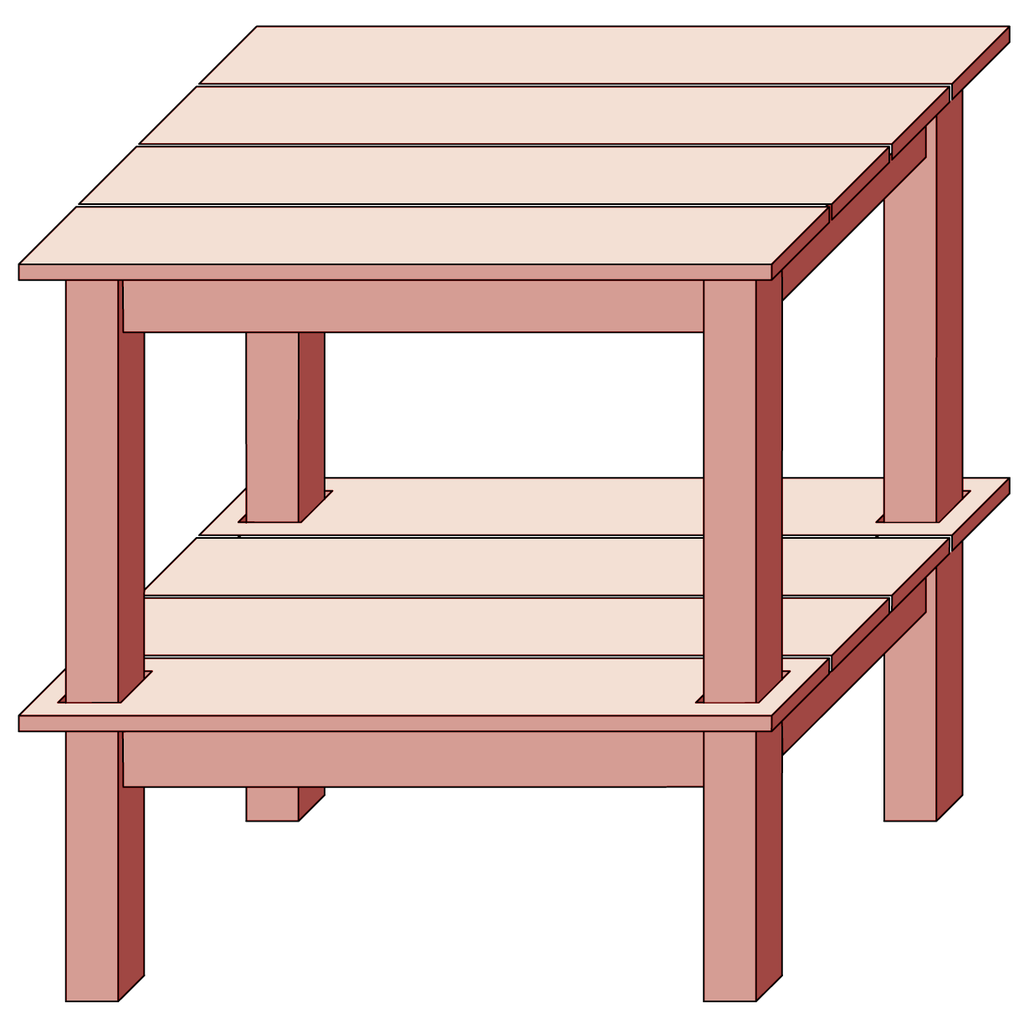
Hi, this is a request for develop a oblique projection lens camera like this: en.wikipedia.org/wiki/Oblique_projection
19 Comments
You could get a similar effect by setting the focal length to something like 250mm (to get a perspective close to iso) and then set camera shift X and Y to -1. works for my illustration needs. Another approach I been using is to tilt shift a iso camera and then skew the rendered image in photoshop. (in lack of a skew modifier for the camera)
For video games is really cool (2d and 3d), blender is growining on the industry, cinema 4d supports thats camera type (oblique, called Gentleman).
For technical illustration projects, artistic compositions, instruction manuals etc
let's support this idea, it's really useful
Last Wednesday at BCON24: "The Missing Camera or: How I Learned to Stop Worrying and Love Oblique Projection" video.blender.org/w/porKQZAqcyYTLWctLNtyYQ extensions.blender.org/add-ons/pohlke/
It would be great for pixel art style games. The cabinet project especially looks like the graphics you see in old sprite games such as double dragon. As blender has a big community doing this style I think it would be a great feature, atm the only software I can get to do this type of view is maya where you can apply a shear to the camera. So yeah I'd like to see it
Check out YOGYOG's video on YouTube. It shows a workaround for oblique projection using the compositor: youtube.com/watch
Some news?
The only reason these ever existed; was because it was too difficult to create realistic 3D views (by hand). I personally see no good reason to use a view such as this; but there may be one . . .
The advantage is you still can find sizes just measuring the image
you can get close to the top down oblique and military oblique views with blenders orthographic cameras.
the only reason you can't perfectly get them is because oblique views actually warp things. if you could adjust the angle of intersection of the x and y axis and the scale along the x/y/z axis for the orthographic camera in blender you could reproduce those views perfectly.
How would you expect this to be enabled in Blender? Would this be just an option for the camera object or would this also be a setting for the 3D View in general (like Ortho)?
@Jason van Gumster: Yes a new Lens like "Perspective, Orthographic, Panoramic"
advantages over isometric views?
@Josh Strawbridge: useful on video games and architecture
@daltomdesigner: video games maybe but i'm not so sure about architecture.
Arch viz is part of my job but i've never had the need or even the thought that i might want to use an oblique view. i'm not saying that it wouldn't be useful for certain situations but architecture isn't one of them.
my initial thoughts for it's uses would be for things like stylized maps and assembly drawings (like in instruction manuals).
so for me that'd be mostly just part of the process of creating textures for other things i'd like to make. like background clutter in some sort of tinkerer's workshop or adventurers looking over a map in a tavern or something.
so initially it may take more time for me to use an oblique view and render out the image i want because i'd have to create all the stuff in blender to place on the map or assembly drawing / engineering blueprint looking thing but overall it does mean i'd be able to build a library of assets for that sort of thing and create them faster later on. it also means that those assets don't have to be specifically used only to get the map or assembly drawing. the tinker could be working on the same assets used to make the assembly drawing and the adventurers could later be placed in the middle of the assets used to make the map.
not trying to be against your proposal, after some thinking about it i do think it's a good idea but you really don't go into any detail as to why this is useful to get other people excited about the idea or to understand why it should be implemented. what you've done here is basically go "i want this" and expect that everyone will think it's a good idea without anything to convince them.
think up some uses for it to really convince others of your request and add them to the request.
* @Josh Strawbridge * I think this feature would be very interesting for architecture. I work with blender as an architect and use to teach blender to architecture students at university for about 8 years. Blender is not initially meant for architecture and that's why I find it interesting to use.
Oblique projection would be very useful in my point of view. This kind of drawings offers a lot because, despite its "deformed" style at first sight. It brings up a direct 3d transposition of a plan view. It also refers to an historical practice of drawing (for example, the ones of Auguste Choisy french architect of the 19th century). Architects around me are more and more interested in a kind of revival of those kind of drawings. I already used blender to produce some oblique projection drawings with the usual tricks: deformed instanced copy rendered from top view camera, pixel aspect ratio deformation on an otho camera,... I also build up with a colleague a node set with the svershock add on a few years ago in order to control the deformation of the geometry..
A friend of mine is trying to build up an add-on on the base of a script we wrote a few years ago creating an otho camera in the right orientation and setting up the pixel aspect ratio for the render:
This is just a python noob solution.. The problem is that the view in the UI viewport is not deformed as in the render by the pixel ratio and the camera angle cannot be interactively modified after creation.
We thought about "deforming" the UI 3D viewport window in Y axis interactively, but couldn't find how. If any of you as an idea of how we could make this possible, please feel free to reply !!!
A small but update for my previous post : My collegue and friend Julien turn this piece of code into a small add-on you can find here : codeberg.org/AlICe_lab/pohlke I made a small video to explain why we did this and how to install it. It is available here : codeberg.org/AlICe_lab/pohlke/media/branch/master/media/pohlke_oblique_projection_camera_addon_showcase.mp4 Hope this will help!
Hi, I posted this first where I saw the post on BlenderNation but then I saw the link to the discussion here:
Thanks, that's good! One question, and I'm sure it must be just about terms and conventions.
Comparing your views to the views presented in Wikipedia's page on Orthographic Projection and the diagram "Comparison of several types of graphical projection" your Cavalier view is more like their Military Oblique Projection which retains the XY plane and rotates it 45 degrees. This Military Projection puts a visual emphasis on the plan form.
The Cavalier, in Wikipedia, keeps the XZ plane and rotates the Y 45 Degrees. This visually emphasizes the vertical plane or Elevation. This is shown in the page you linked to aseriesofrooms:
(There are also variations like the Top-Down Oblique (Tigerman-McCurry, Alessandro P Arienzo S, page from the Shahnama) where the Y is at 90 degrees.
Also I think Cabinet projection refers to a variation of the Cavalier projection (as described by Wikipedia) where the Y axis projection is shortened by 50% or 75% depending upon the convention and is not how you seem to have it.
Was it not possible to get Blender's camera to make these views?
Hi @LJSilver. Thanks for your interest in this matter. You're conclusion is correct. Conventions and namings are sometimes a bit confusing but blender has indeed no oblique projection camera.