
Tension/Stress Maps
This is a feature that used to be tucked away in Blender, but was lost with the removal of the Blender Internal renderer. Unfortunately few were aware of its existence, or its potential, before it was gone.
Tension maps (aka Stress maps) allow you to affect an object's colour, texture, displacement, or any number of other properties according to the squash and stretch of its geometry. This makes it especially useful for dynamic wrinkles in organic surfaces like skin or cloth, without the overhead of heavy geometry or complex simulations.

The wrinkles in the above example are created using a single image, applied as a displacement:

The object is animated via shape keys or bones, and squash and stretch takes care of the wrinkles all by itself, much like real skin. For this reason, tension mapping is highly desirable (if not imperative) for creating realistic human and creature animations.
This approach has obvious advantages over sculpting or modelling wrinkles into the mesh:
-
More natural, organic results with far less effort.
-
Wrinkle resolution can be as high as an image map permits, so you can detail them right down to the pore level, with little or no extra performance penalty.
-
The geometry can be extremely lightweight. Applied as bump maps, no additional geometry is necessary. Applied as displacement maps, you have the full flexibility of subdivision surfaces on a low res base mesh.
-
Wrinkles can be modified simply by editing the image; no need to remodel and upset the base topology or weight maps.
-
It's fully automated - just apply one or more wrinkly images to the entire model, and tension animates the winkles in every nook and cranny, without the tedium of modelling them into dozens of shape keys or driving them with bones or processor/memory intensive simulations.
As well as wrinkles, tension can be applied to colour to simulate blood flow (e.g. whitening of knuckles in a clenched fist), and with gloss it can make a stretched surface shinier and a compressed one duller (another characteristic of real skin). Considering the range of problems tension mapping solves particularly in regard to reproducing skin, it is in my opinion the single most important missing feature that would make convincingly realistic facial animations achievable in Blender.
Ideally it would be implemented as a node, with separate outputs for stretch and compression. Taking it a step further, if the stretch vectors could also be accessed, these kinds of effects should be achievable:
Given that wrinkles form an integral part of facial expressions, real-time viewport feedback would also be desirable, if possible.
It should be noted that while there is in fact an add-on with this functionality, it has issues , and the developer doesn't appear to have sufficient time available to dedicate to it. Since its absence is technically a regression anyway, I propose bringing it back into Blender proper where it belongs. ;)
58 Comments
almost done making my own. one down-side that i haven't been able to solve is to how to account for modifiers like subdivision - right now enabling that will cause an index out of range error when trying to iterate through the verts to calculate tension.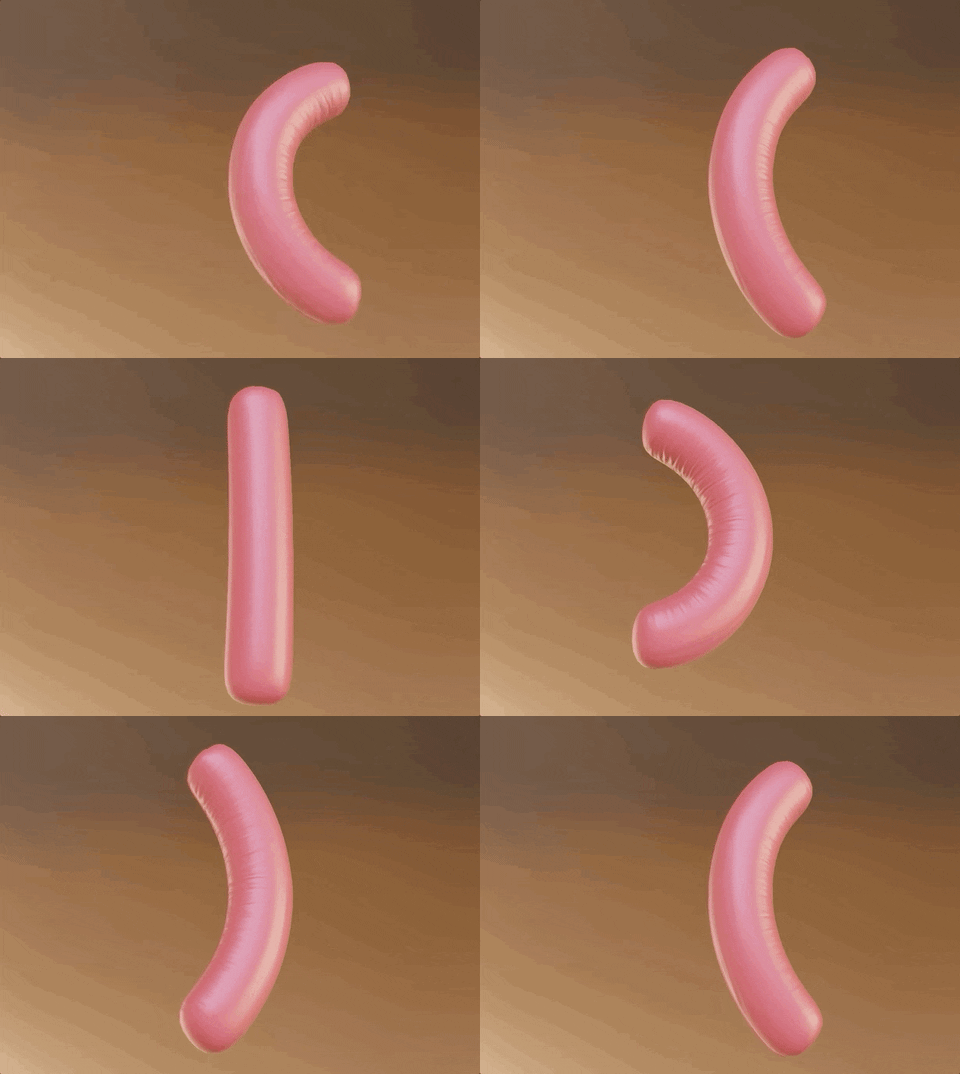
* @stevemillerband * an update, it now handles subsurf properly, and tested to work with armatures and shape keys just fine, and renders without crashing and expected results in the new 2.8 series depsgraph!
update 2: blenderartists.org/t/revised-mesh-tension-add-on/1239091
update 3: same link above has new version that generates vertex groups for controlling modifiers. should basically now be to parity with the previous add-on, and can also now be live edited in the viewport to boot! just needs people to test for stability, giving all the depsgraph stuff i'm doing!
* @stevemillerband * you're doing gods work, keep us updated
* @stevemillerband * This looks great. Can you preview in the viewport with normal maps the wrinkles while you are animating?.. when are you going to release it?
Can we help you testing?
* @stevemillerband * Hi, I downloaded your add on to try to replicate the fleshy wrinkle-worm. I animated it with a curve modifier, and the deformations look almost perfect. In the example, the wrinkles seem to reach farther around the worm then in my attempt. I turned up the strength, but that only kind of multiplies the compression area. Could you help me out? Does scale matter?
* @kextnext * i noticed this about the reference video. the tension appears to be exaggerated so it compresses in areas that are technically being stretched. artistically that can be useful, so i could probably update it to include a 'spread' variable that would achieve what you're looking for.
Update: I just posted a version 1.2 that adds a bias option so the tension will favour stretching (positive bias) or compression (negative bias). Its not quite the same thing as spread, since bias means even a neutral mesh will now favour the direction of the bias. i'd have to do more research into how to calculate true spread in a performant manner, but i think the bias can cheat some useful results in the meantime.
* @stevemillerband * Dude that’s so awesome thank you so much! I think spread would be super useful too. I’ll play around with the bias to see if I can get something cool and I’ll update you. I’m trying to make a basic explainer video on how tension maps work on YouTube. I definitely don’t claim to be good at making blender addons, so I’m curious as to how it figures out tension and compression. Is it just looking at how far apart or together the original vertices have moved?
* @kextnext * yeah that was exactly my approach to it. and the actual math for that was pretty simple, its all the accessing meshes in various states that took the majority of the effort!
* @stevemillerband * Thanks for the explanation. And the bias did work a little bit, I was able to almost get that spreading effect with it. Your add on is really awesome!
* @stevemillerband * This looks awesome, thank you! Have you considered working on a patch to integrate it into Blender itself?
* @scott * mentioned downthread that he wanted to look into it.
(Unfortunately I can't permalink to posts, and I don't think tagging users with @ does anything.)
Not sure how much of the add-on code would transfer over ; I assume a lot of Python → C would be required (if it even makes sense to use the same algorithm)... OTOH you may be able to do some things more straightforwardly than with an add-on?
I took a look into Blender's source code for Cycles, and this looks somewhat easy to implement. I'll see what I can come up with.
* @scott * any luck? ;)
still any luck?
ok here's my attempt at an addon: blenderartists.org/t/revised-mesh-tension-add-on/1239091
on the linked page i note some issues that still exist given my understanding of the depsgraph (like also creating vertex groups that can be used affect modifiers)
Yes, this needs to come back
One of the MUST HAVE for Blender...
I vote for this. this will be amazing to have.
Thx for this useful post. Seem really powerful :-)
It's been a while I didn't see a topic that much appreciated, and in fact, the idea is looking really good. But How to implement this ? As a shader node ? That is the real question I think.
* @Kdaf * It was implemented before in the internal render engine.. Tension maps are a known feature for example its also in the unreal engine..
I didn't even know this one exists.
Perhaps someone can figure out how to upgrade this python addon to work in 2.8x?
github.com/ScottishCyclops/tensionmap
* @Stephen Bailey * It is upgradeable fairly easily but crashes whenever applied to a rigged mesh. To upgrade it to 2.8 open it in notepad and chage the blender verion in the addon info at the top to 2.8
* @VVVVX * Thats not really a useful update.. And its just changing the version number and not adapting to the new api structure..
* @Stephen Bailey * It's already working in 2.8 but presents a lot of limits and artifacts, hence the linked thread in the original post. We need some native cleaner version of the thing
Done with geometry node Demo: youtu.be/3jkH4N4hWcA Making of: youtu.be/kjmAXqpP5tc
just make sure it supports skin glide / skin slide.
Up vote for me too
I found where to vote
YES. Is this where we vote?
* @caden.d.wright * and can we vote 1000 times please ?
* @leo.mozoloa * I wish
Please god yes
The first 2 pictures are not available. it’s strange that it was removed from the blender.
***@mod moder *** Been trying to fix that for a couple of hours now... it works for me in Edge and Chrome, but not Firefox. How is one supposed to upload images here?!
* @Chris Jones * <! img src="URL"> (do not use sign !)
***@mod moder *** I think I fixed it on Saturday - the problem was finding a host that provided a direct link to the files. Can everybody see them now?
I completely agree with you!
+1 I agree!
This is now very easy to do with geometry nodes, add a geometry nodes modifier, store the "edge length", add your deformation modifier (like an Armature) then add another geometry nodes modifier and subtract the stored edge length with the current (and do whatever you like with it, like store it to drive a shader, or deform directly in the graph).
Explaining screenshot & file download: olliver.gumroad.com/l/stretchmapwithgeometrynodes
I made this setup, that calculates tension maps: blendermarket.com/products/folds-modifier
Why is this still not moved to Done? This has been addressed by Geometry Nodes long time ago.
So what's the scoop on this? Are there any suggested plans of action for implementing this?
so ugly
Wow, very important!
i saw those pictures and videos a while ago and since then i hoped that the devs will implement it... And yes even if there are addons, it's just not the same as having it in the software. Please make it happen!
Could there be tensionmap/Stressmap and velocity map in geometry nodes? 🤔
An addon for animation node have inplemented tension/stress map...
twitter.com/bluefox_3d/status/1341316024960864257
From BlueFox Creation
Would this data be stored per vertex or per edge or what?
Tension maps would be very cool if integrated into blender also velocity maps would be very handy: vimeo.com/141650974 and vertex deformers with falloff objects: youtu.be/3M6lEPFlmvE
interesting, it would be nice to see this return
youtu.be/D-1NvWFZfyw tension map is awesome indeed. I wonder what this would look with vertex velocity maps...
This is great! Would be awesome if this could have also vertex velocity - vimeo.com/141650974
I think it could be used for many nice vfx.. like smoke simulations.
Oh absolutely! I would love to have this come back (to me it will be new)
Yes indeed! this would be great to see!
Yes, we need it for sure!
thats gotta be one of the best features ever. but i think it might be too hard for the programmers to implement
* @noah.dick * Why is that ?