
Adhere video editing functions to blenders layout.
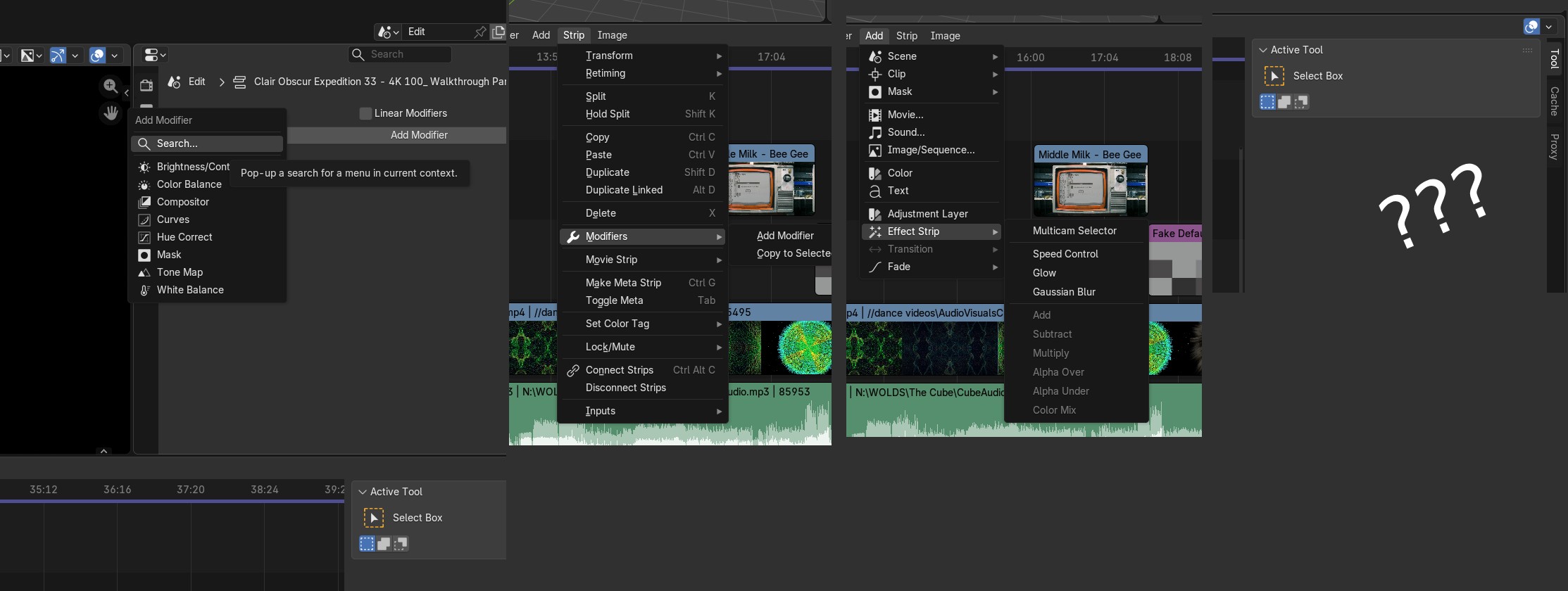
Currently Strip Effects can be found in about 3 different locations.
Example of the current experience:
How does one speed up a Strip? Is it under the <modifier tab>?" No, Is it under <Strip> that also has that modifier options? No, It's under <add>, yes!
ooooh, clicks ..okay but...now where did it go?, It's not under modifier? oh, it should be in some tiny tool sidebar you can open up, but it's not for me.
And thus I search the great Youtube for an answer. (it has it's own stip tab)
Suggestion: Move the "Effect strip", (and Perhaps even fade and transition) from "Add" and place them under the modifier tab. Personally I'd place as much as possible in there for consistency with how blender works. The visual celerity of adding something and seeing where it goes right away is so much stronger.
I am sure once you know it it makes sense, but I wanted to give an example of my user experience. perhaps it's useful, perhaps it's not.
0 Comments