
GIZMO Node Editor!
This post directly relates to the Devtalk on the possibility of adding Gizmos to the Geometry Node: devtalk.blender.org/t/gizmos-for-geometry-nodes-proposal/29776
As a reminder, the idea is to link the inputs of a Geometry Node to Gizmos, which can then be used directly in the 3D view to control its parameters in a more user-friendly manner.
After trying this system and reading some articles on the subject, I am convinced that it is necessary to add a new Node Graph based on the Geometry Node to create fully customisable Gizmos as a new type of asset or sub-asset incorporated into the Geometry Node.
Demo
The concept involves defining a list of parameters to link using outputs, while the inputs control the appearance of the Gizmo (its size, position, shape, etc.).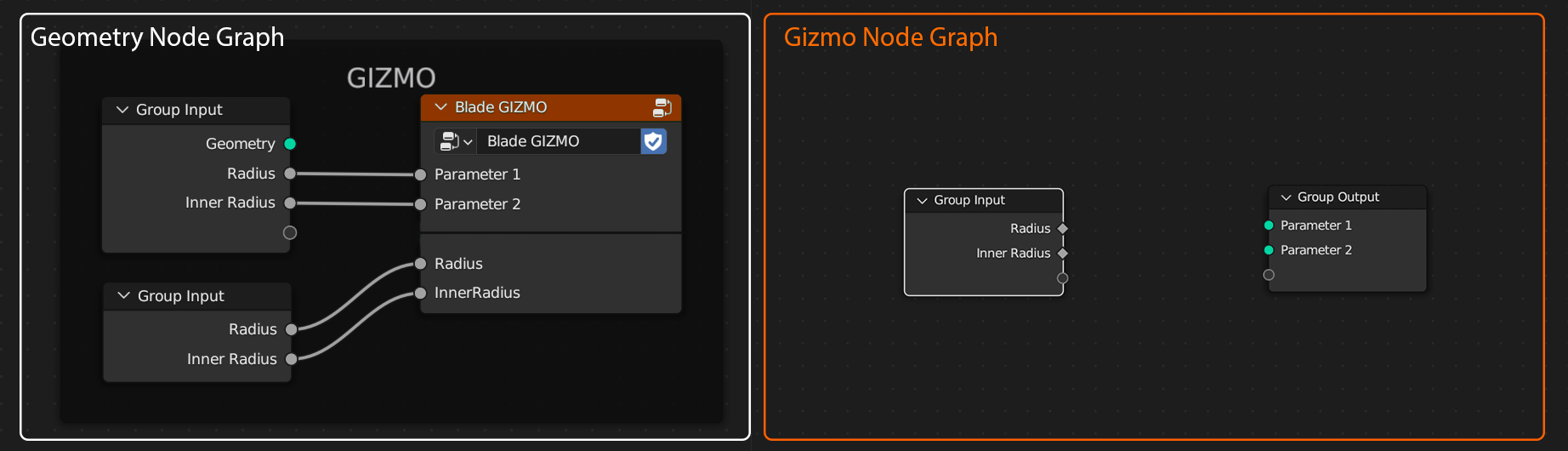
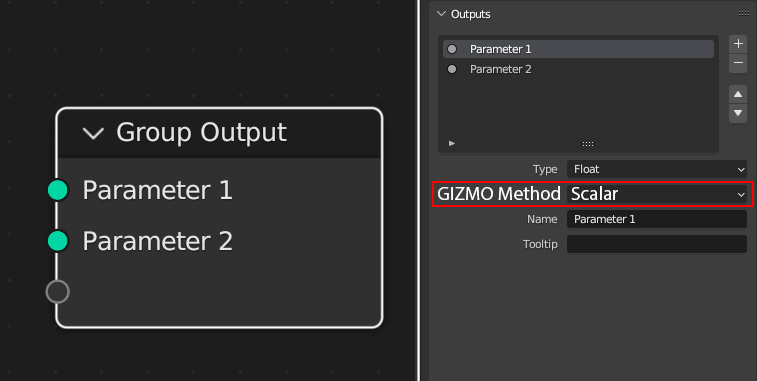
When defining an output, you can choose the variable type and the method, indicating how the Gizmo is used (slider, rotator, scalar, locator, etc.). The list of methods varies depending on the variable type. Although not show in the example, it's conceivable to set Gizmo constraints or appearance directly in the output parameters.
Note: Regardless of variable type, outputs always expect geometry.
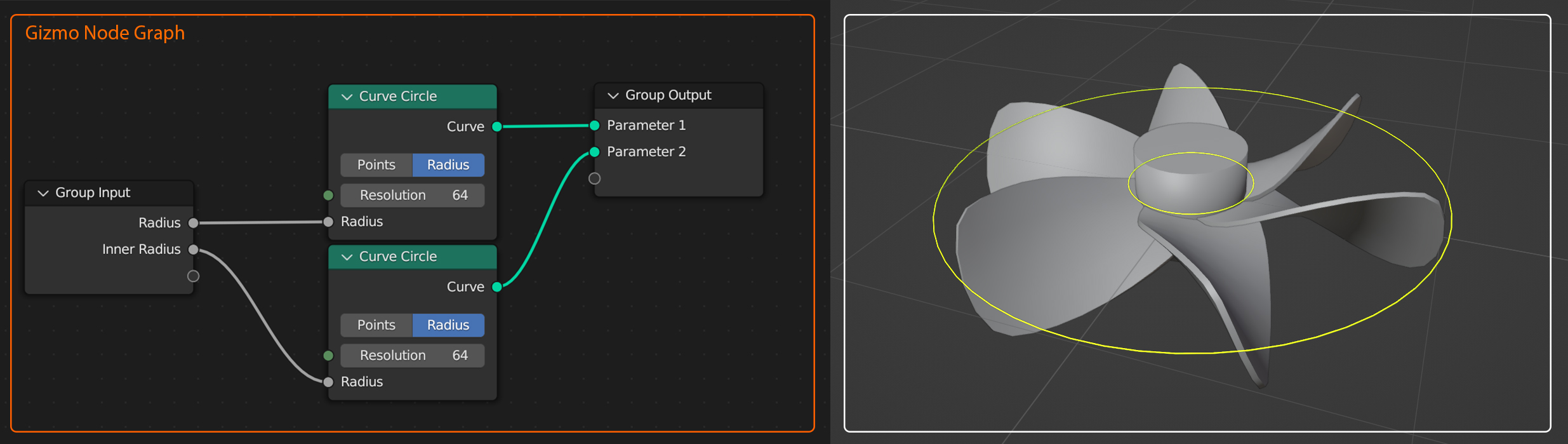
In this example, I have two parameters - the blade diameter and the
central diameter of my propeller. I use curve circles in the outputs to
define the shape of my Gizmos. For each output, I set the method
"scalar" (a float that varies based on mouse input).
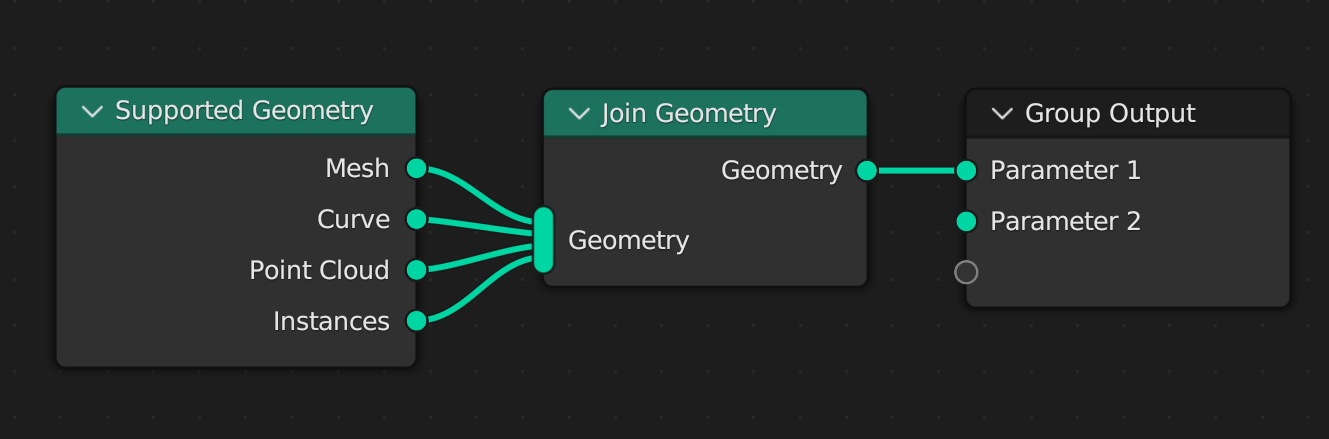 Curves / Point Cloud / Mesh
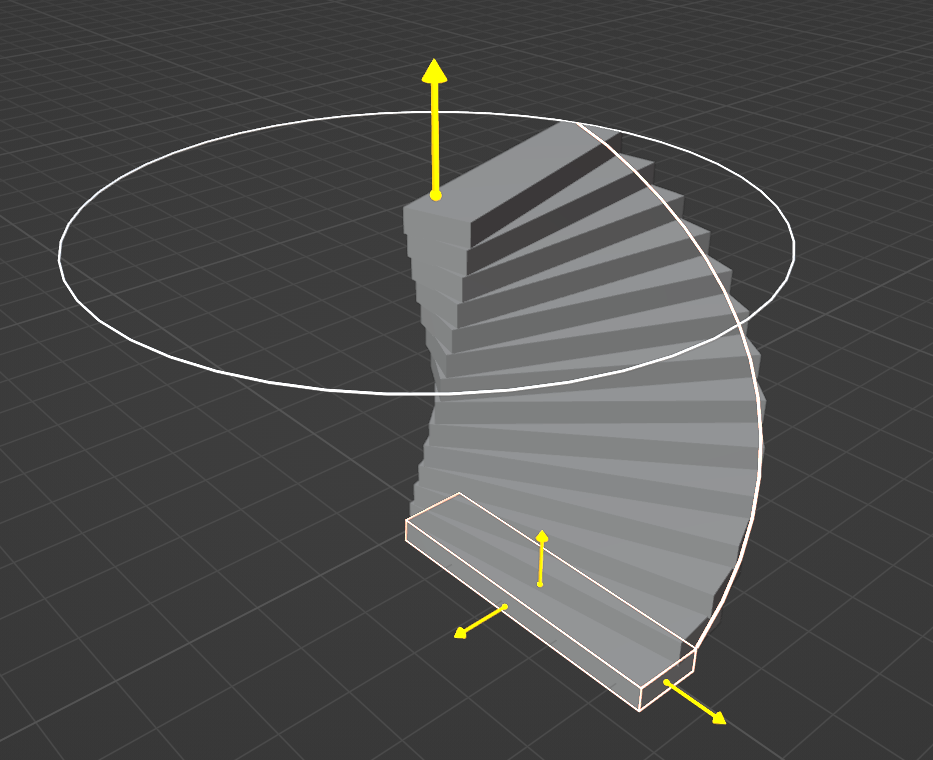
 For the instances, it's a bit more complex; the idea is to define the
Gizmo's behaviour in relation to its local space, enabling the editing
of a unique output from various locations.
The idea is to be able to instantiate the gizmos in order to be able to
edit them locally
For the instances, it's a bit more complex; the idea is to define the
Gizmo's behaviour in relation to its local space, enabling the editing
of a unique output from various locations.
The idea is to be able to instantiate the gizmos in order to be able to
edit them locally
 Thanks for reading through!
I hope you share my enthusiasm for the possibility of integrating such a system. I'm aware that this idea raises many questions, but it feels like the right direction to make Blender more user-friendly and collaborative!
0 Comments