
Shape drawing tools: allow click-and-release in place to add first vertex
Problem
You have a fill material selected and you want to create a filled shape with the polyline tool (because the fill tool is failing to fill your art properly :)).
Attempting to click-and-release to create the first vertex does nothing.
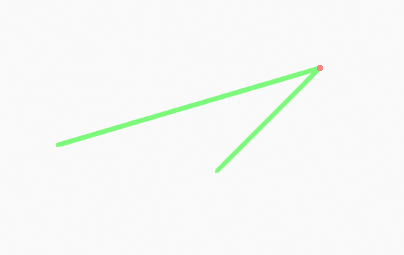
So you click and drag, but have no indication that anything is happening; the start point isn't indicated, and because a filled polygon with only two vertices has no width, no shape preview shows up. To create the shape you have to stop dragging, then click-and-release again at the location of each corner you want to add.
So you must first click-drag-release to place the first corner, and after that click-and-release for subsequent corners. This is an incoherent user experience.
Proposal
All of the green shape drawing tools, including the polyline tool, allow an initial click-and-release in place to place the first vertex/control point. Subsequent clicking adds points and control handles can be dragged where appropriate. Pressing return completes and renders the shape.
7 Comments
Yes. Currently, user have to enable Stroke component of material used to see edit lines. When material used has this component disable, ; at least, same edit lines as in Edit mode should be visible.
* @Ronan Ducluzeau * even with visible edit lines the experience with the polyline tool, for instance, would be incoherent. allowing a single click in place to begin the shape would unify it.
* @tomasz.brain * Yes. Things are as is, probably, because of similarities of code with add box, add circle tools. That remark would probably be legitimate for all line tools (Line, Arc, Curve).
90you rougen
@ ** rougen Carson amog us
* @rougen.carson *
***@rougen.