
Optional image selection for Reference/Background objects
Currently, when adding "Reference" or "Background" objects (shown below), it immediately takes you to the file browser, where you are required to pick a new image file to add to your .blend file. In most cases, this is ideal as often you are bringing in a new image file.
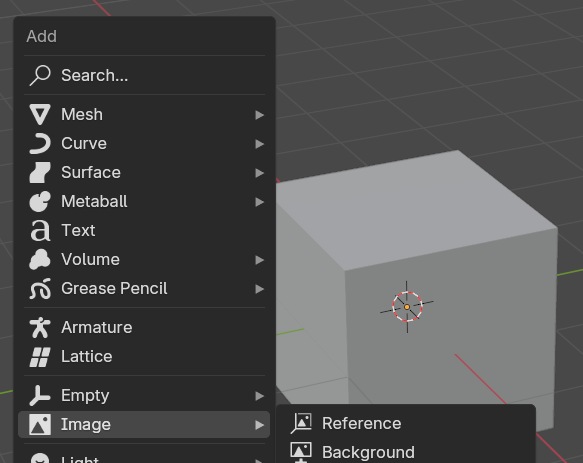
But what if the image datablock is already in the .blend? Or maybe the image is packed (for example, you pasted the image from a website, or you painted the image in Blender), so there is no external file. And yet, you have to pick an image in the file explorer for the operator to add a reference object at all.
To workaround this, you open the file browser, pick a random arbitrary image so the object is made, go into the object's data properties, and switch the image datablock to the one you want.
I suggest a new menu option or operator parameter where you could either pick an existing image datablock, or add a reference object without an image so users can set the image afterward without loading in another image.
6 Comments
Add -> Empty -> Imageis what you're looking for.Which is indeed a bit counter intuitive.
This should probably be moved to
Add -> Image -> Empty?What do others think?
Indeed. I think we should do it.
Oh good to know it already exists, thanks for that! I agree with Pablo, I would've never thought to look there.
Thanks for the feedback! Irex would you like to make a patch for this? I can do it too no problem. It's a one-liner, moving the operator from one menu to the other.
I've just submitted a patch. I couldn't remove the entry from
Add -> Empty -> Imagebecause it is handled bylayout.operator_enum.