
Why no watch my plane with instance Objects in Geometry Nodes Master.
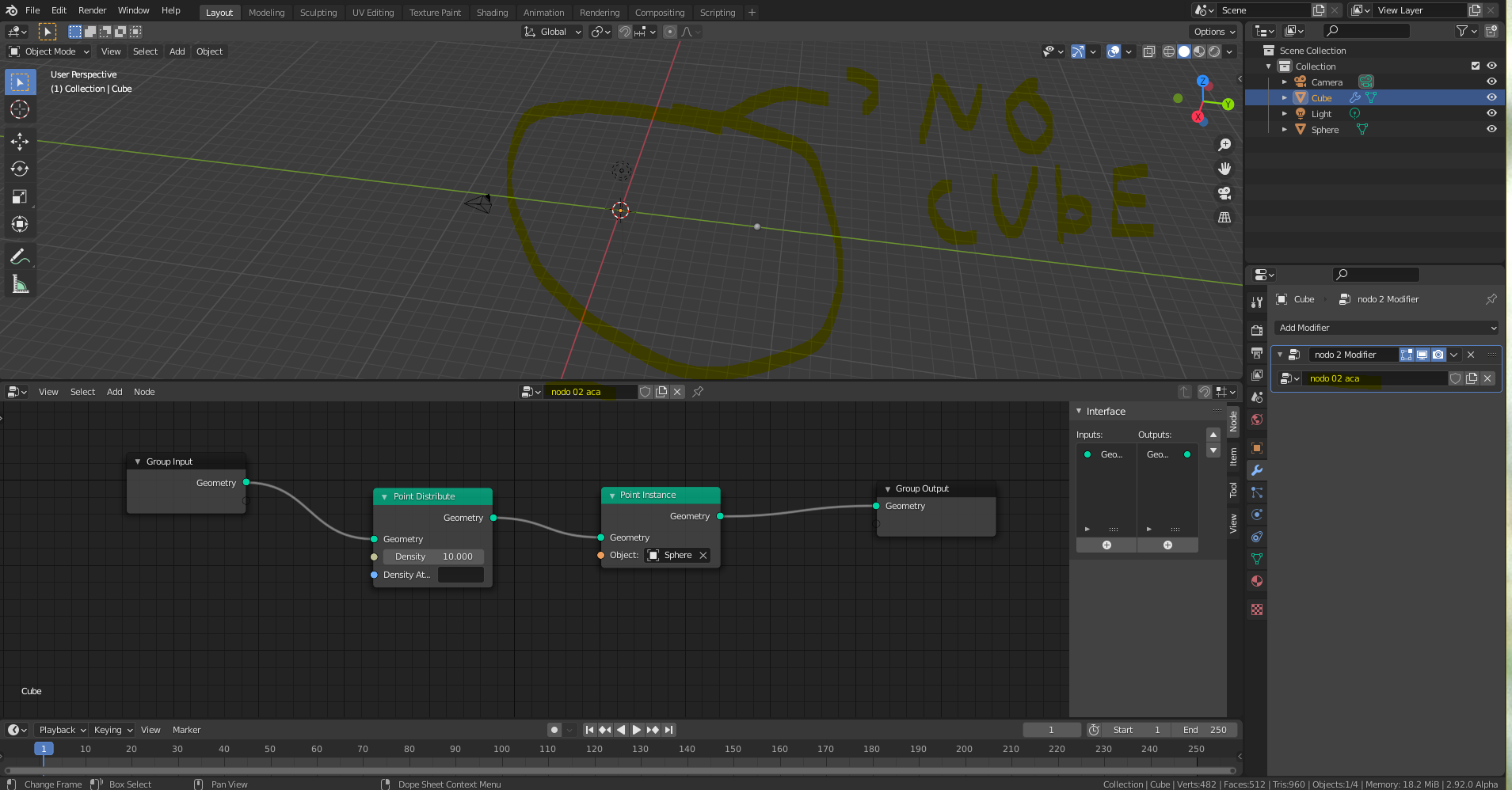
i need help, i test the New Geometry Nodes in Master i maked very basic nodes but my plane disappear ??¿ what i make bad?? ,in the branch of Geometry nodes, i watch te points of node scatter when i changed the name of nodes and copy/paste that name in the modifier.. y shared two images. u can help me show tha the correct set of nodes?? thanks a lot!!
7 Comments
I have the same problem!!!
* @Rosario Fabio * mmm.. can be a bug???... ..
Use a point cloud object for that graph, and use an object info node connected to the geometry inputs of your other nodes
* @Juan Gea Rodriguez * Thanks Juan , it work with point cloud! i think all people wait u video guide tutorial for dummies of Blender Geometry node: the definitive basics! hahaha un saludo de Lima Perú, gracias!
* @cca40060138 * It's a bit early yet, it lacks a lot of nodes and possibilities, but it's important to test it and report bugs and problems :)
* @cca40060138 * Sorry, could you share the picture which works?
* @Rosario Fabio * i know how work thanks a Juan Gea, this us my new post the tittle is --> "Geometry Nodes Very Basic -- Generate object , the important point is create a Point Cloud Object and here, add the Geometry node modifier, in that object. after in the Geometry node Editor u can connect the other objects how u can see in my new post. instances of Point CLoud Above Plane.": blender.community/c/today/x4gbbc/