
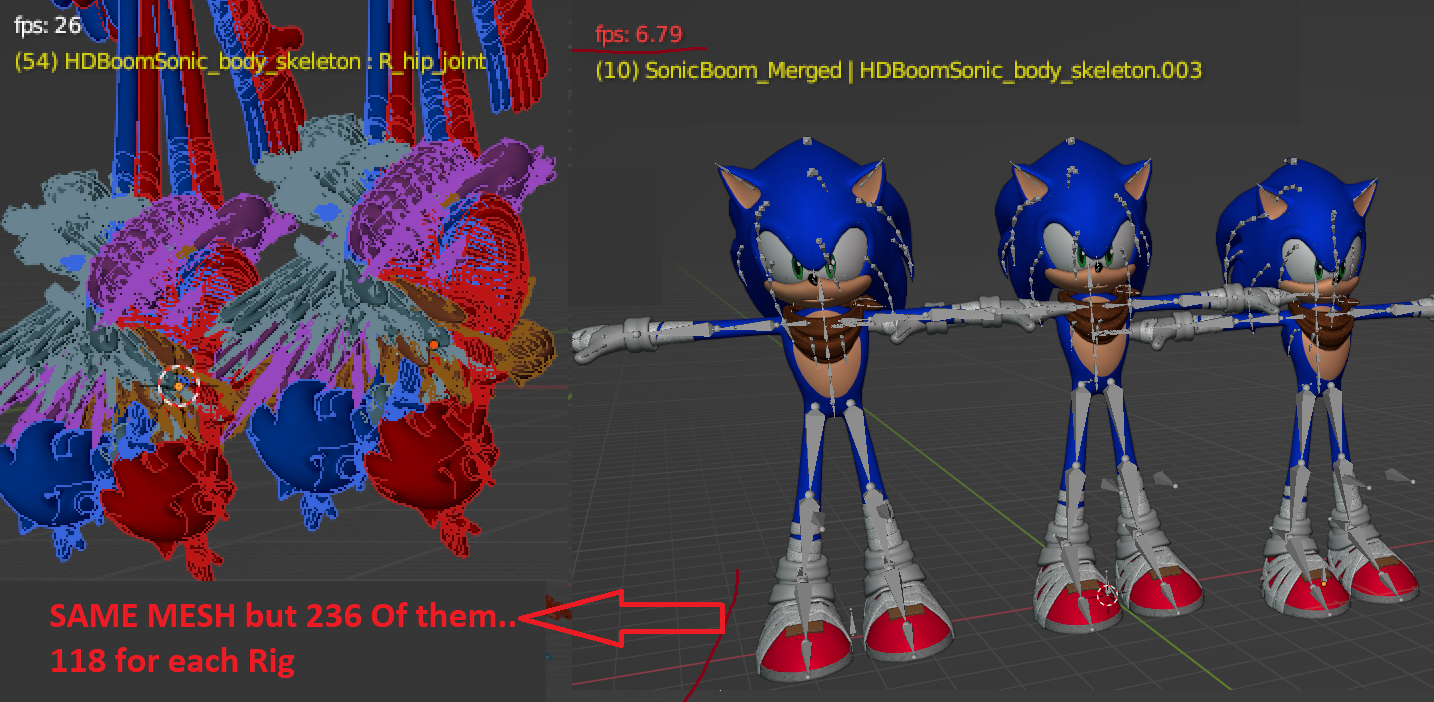
Playback Lags With 3 characters, But If It's 236 Characters as Bonesshapes It Doesn't, WHAT?
Yep This is real, 3 Animated characters give me 6 fps Yet 118 of the same mesh as Bone shape (With Armature Only Visible) Goes at 24 fps..
Blender's Playback needs Major Improvements, It acts weird
3 Comments
I did try to make a Proxy Lower Polycount mesh for the standard rig, Yet It lags after less than 16 clones, It seems Rigged Meshes themselves LAG A LOT even light weight ones Yet high poly models as bone shapes Does NOT;
Feels like I gotta chop up the character and assign each of it's mangled body pieces as bone shape and turn off visibility of all Meshes, to get a decent playback, I'm gonna do that for now until perofrmance is fixed Ouch
I have noticed that playback have some cap to 30 fps for some reason, and performance lowers drastically when animation is being played. I don't think it should behave this way, no other program have this problem like in Blender where it ruins my experience. It's a problem with EEVEE, viewport overall, why nobody talks about it lol.
talk about it over there: devtalk.blender.org/