
Heavy scene workflow - Greatful for any help
Hi,
I'm trying to bend my mind around switching my scene management practices from a Vray Max workflow to Blender cycles workflow. I know there is a lot to unpack, which I can do with more research, its just these few areas I can't find a a suitable equivilant method online.
- My current understanding is that the 3DMax x-ref, this functionality essentially allowed me to break up a scene over multiple files and being able to easily switch them on and off them in a main scene file which is only used for lighting and rendering. It made it neater and contained any geometric mess to the corresponding files.
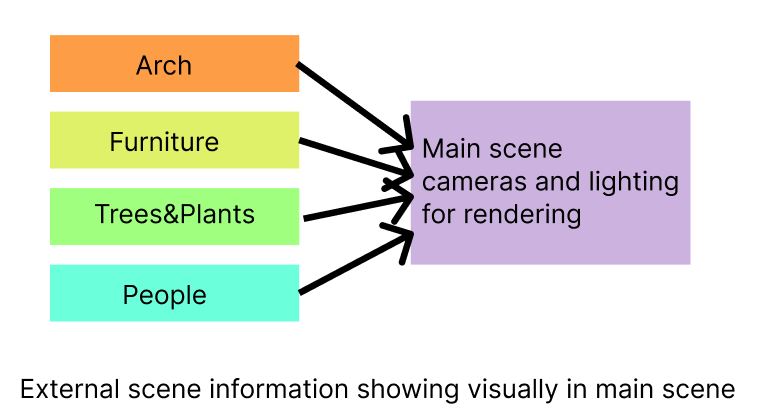 My understanding is the equivilant is going to be linking files and adding all the objects in the objects folder (or I have been cheating and adding collections). That method does come across as a bit clunky, and was wondering if there was a more simple method to combine a scene for rendering, similar to the x-ref system? Also would I need to re-link files if I add more objects to the file being linked?
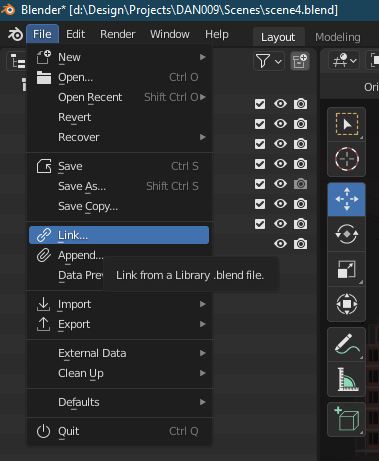
- When doing scene optimisation for reducing RAM usage, and increasing renderspeed with Vray, 90% of the time my go-to was:
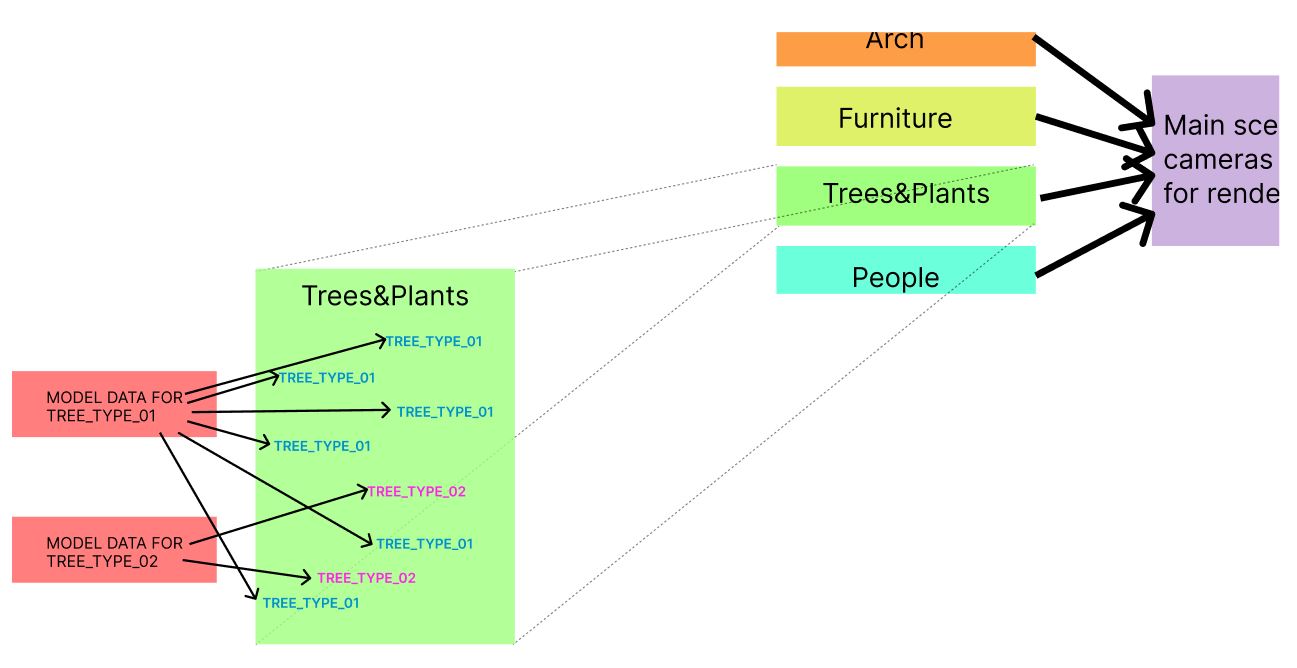
- making sure duplicates were instanced
- creating a VrayMesh file to save the file externally for rendering (for Vray savy people this is known as a proxy, if your just Blender then this is known as "NOT A PROXY").
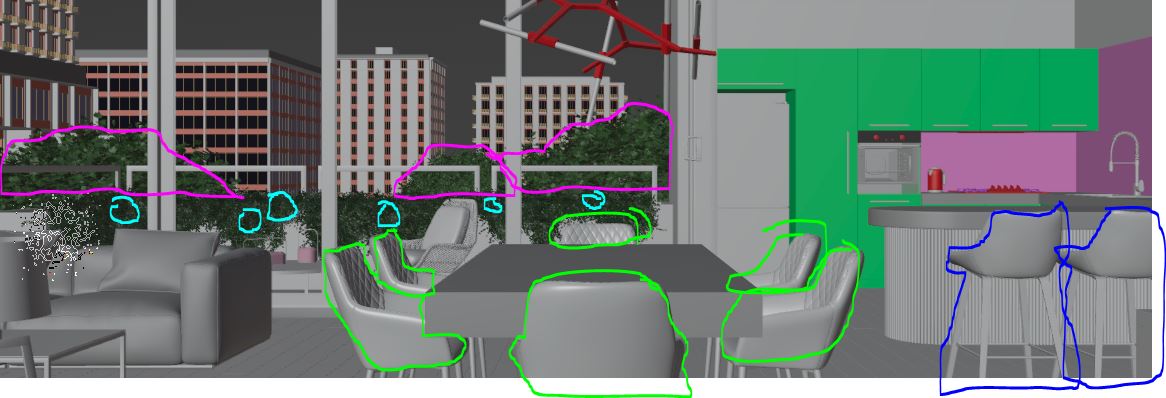
The RAM saving on the Geometry was huge, and instancing helped the rendertimes. In some cases we would have 20 different plant models exported (each with between 1mil and 2mil polys) to a VrayMesh file, and we would have a garden with 100's of plants. For the scene example below I would previously select a single instance of any duplicate object (single instances outlined in different colors), or anything with a high poly count and clicked a plugin which exported the mesh information to a VrayMesh file. Is there anything remotely like this for Blender?
Any help with these queries I would be amazingly greatful!!! Thanks in advance.
My background is 11 years as a Architectual 3D Artist/Modeller for Scharp.
3 Comments
Hey Daniel, I have come from Max as well and also used XREFs extensively. In Blender It's pretty easy to link files using collections - so as long as you put everything you want to link in a collection you can just link that collection in your new file and you are done.
Thanks for the reply. Have spent most of today finding my stride with scene management, and the linking system makes more sense now. I'm sure there will be things I dont understand in the future but for now I have a good workflow for most things.
As far as keeping the geometry light, in your source file to be linked just make sure you select all copies of any identical object and Type CTRL - L and link the objects data. This will have the objects share the dame geometry like max instancing. and be correspondingly light.