
Regular Shadow Catcher for Eevee
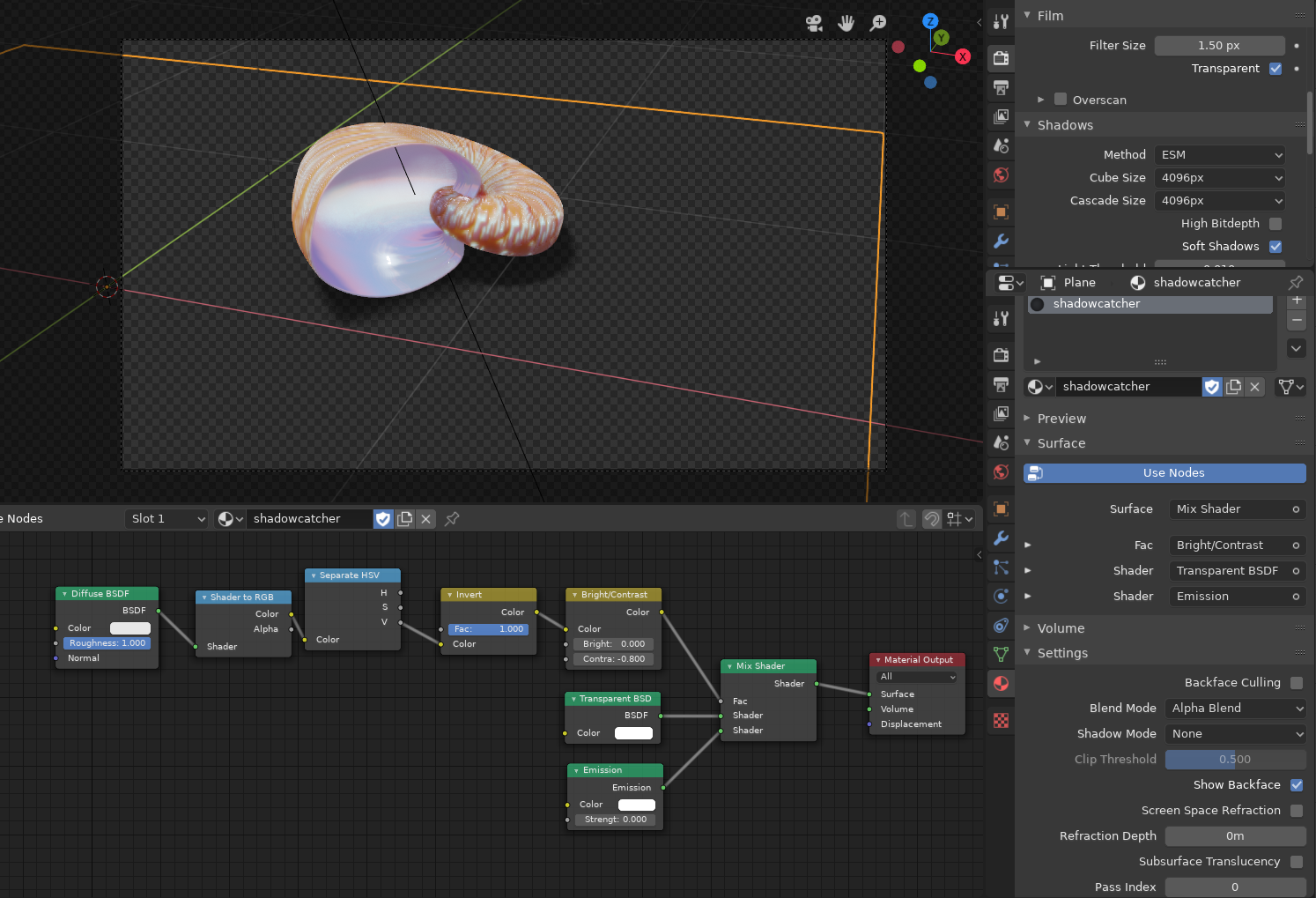
- Use this node setup on the shadow plane.
- Enable Alpha Blend in the material
- and transparency in the Film properties.
I recommend to crank up the cascade size to get better shadow resolution, and use all shadow tweaks you know to get better shadows out of eevee.
19 Comments
Thank you @Pablo Gentile for sharing this while working on a commercial project we as a team struggled to get the shadow catcher right but after seeing this tutorial it really help us, I also hope to create an add-on regarding this. Thank you so much I hope we can use this in our commercial project.
Interesting method. Is there a reason for all the nodes? In my experience this does the same: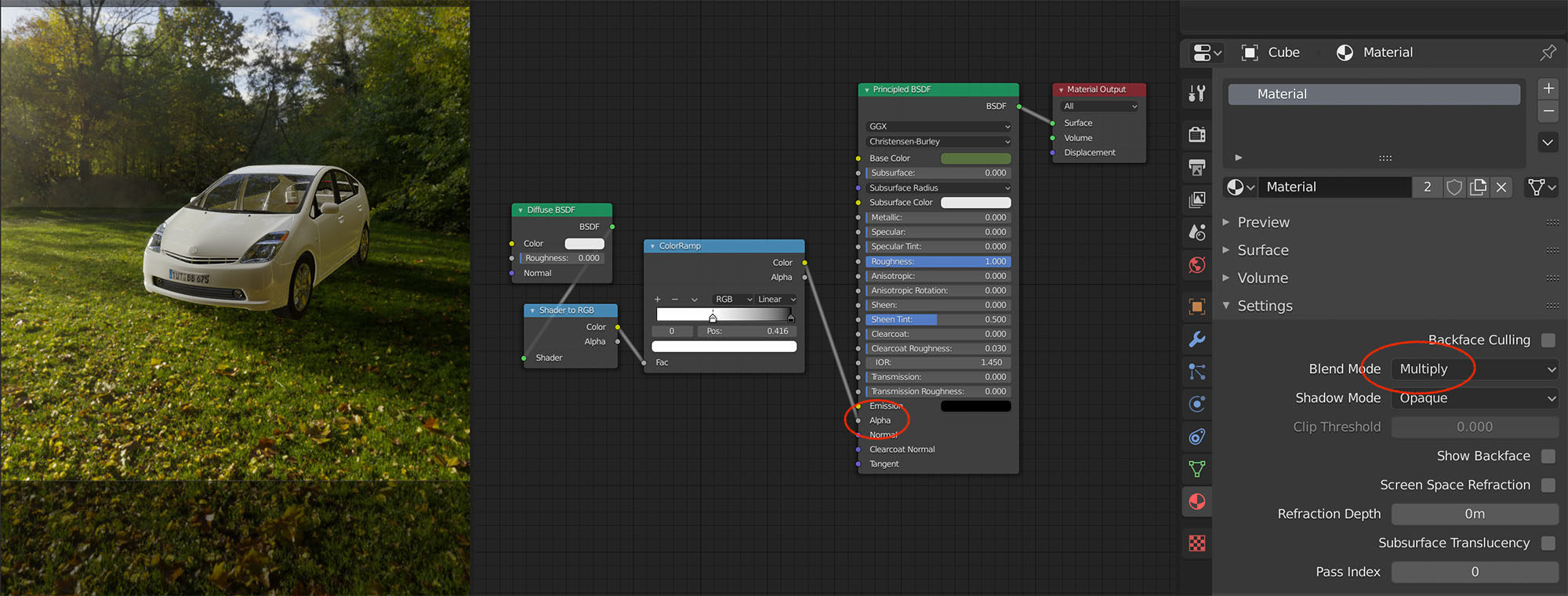
* @torsten * I can't see the image... It takes me to a login page
* @Pablo Gentile * oh, thanks. I didn't realise Slack uploads are login protected...
* @torsten * It's basically the same idea, just a different node setup. I avoided the Principled shader because I think it's a slow and costly one, it involves basically all shading types available, diffuse, glossy, transparency, everything and you just need a plain color for the shadows and an alpha . The emission is very fast, as it involves no shading at all (being eevee a non-raytraced engine, emitters are just colored pixels). Te inverter node is redundant that's true, it was there from an early test, I deleted it later. I think it's neater this way and easier to understand, just 2 very cheap shader nodes switched by a mixer driven by the luminance of a diffuse, but that's a matter of personal taste. I also prefer the Bright/Contrast node to a ramp because it accepts input and the ramp doesn't. Be careful though with the multiply if you plan to compose outside blender, especially with colored shadows. The multiply will become regular "mix" if you export it flat. You have to export the shadows as a separate layer and set the right blending mode in post. That may be necesary for complex VFX anyway, but with 100% black shadows moduled just by the alpha you can export plain RGBA PNGs and composite over anything and it will just work.
* @Pablo Gentile * Thanks for the explanation, now I understand
Thank you @torsten for this method it really help me while working on a commercial projects.
Thank you for the information! But... What did I do wrong? {attachment ___2019-07-24_01-27-54png}
* @almazworks * do you have some light in the scene? The monkey is really dark
* @Pablo Gentile * Yes. One point 10W.
bit.ly/32PiCIw
* @almazworks * The scene in this preview looks barely lit to me. Have you checked it with a regular diffuse floor before?
* @almazworks * Your light is too far away for any shadow to work properly. Anyway, this trick works a lot better for sun lights, because it catches the falloff of the light too. This is a workaround for a missing feature, keep in mind that. You can make it work with any light, with some tweaking. That's what the brigtness and contrast is for.
* @Pablo Gentile * OK. Can the shadow be blurred?
* @almazworks * This is just a method of making a shadow catcher that works with eevee. It will catch all regular shadows you manage to cast. To address things like shadows softness you need to learn to use eevee shadows features. Sure you can find some tutorials online on that.