Hi. Thanks for the tips. I upload the captures of the nodes. Regards.
{attachment Nodos_de_la_Esferajpg}{attachment Nodos_del_planojpg}{attachment Nodos_Compositorjpg}{attachment Nodos_Worldjpg}
D
Drax
*
@elnonodelpuerto
* Add a subdivision surface modifier, select "Simple" and increase the number of subdivisions in Render to 6. Set your plane to Shade smooth.
Add a displace modifier, click on "New" to add a new texture, go to texture properties and and in settings click on open and load your displacement map. Then, inside the displace modifier tweak the strenght value to get better results.
Keep in mind that more subdivisions you have, more detailed will the displacement be. By increasing the subdivions in render, you'll get nice result in render, but not in the viewport. Having more subdivisions in viewport, though, can be very laggy. Play around with it, increase the subdivisions and do a few test renders. Good luck!
p
peter.boos
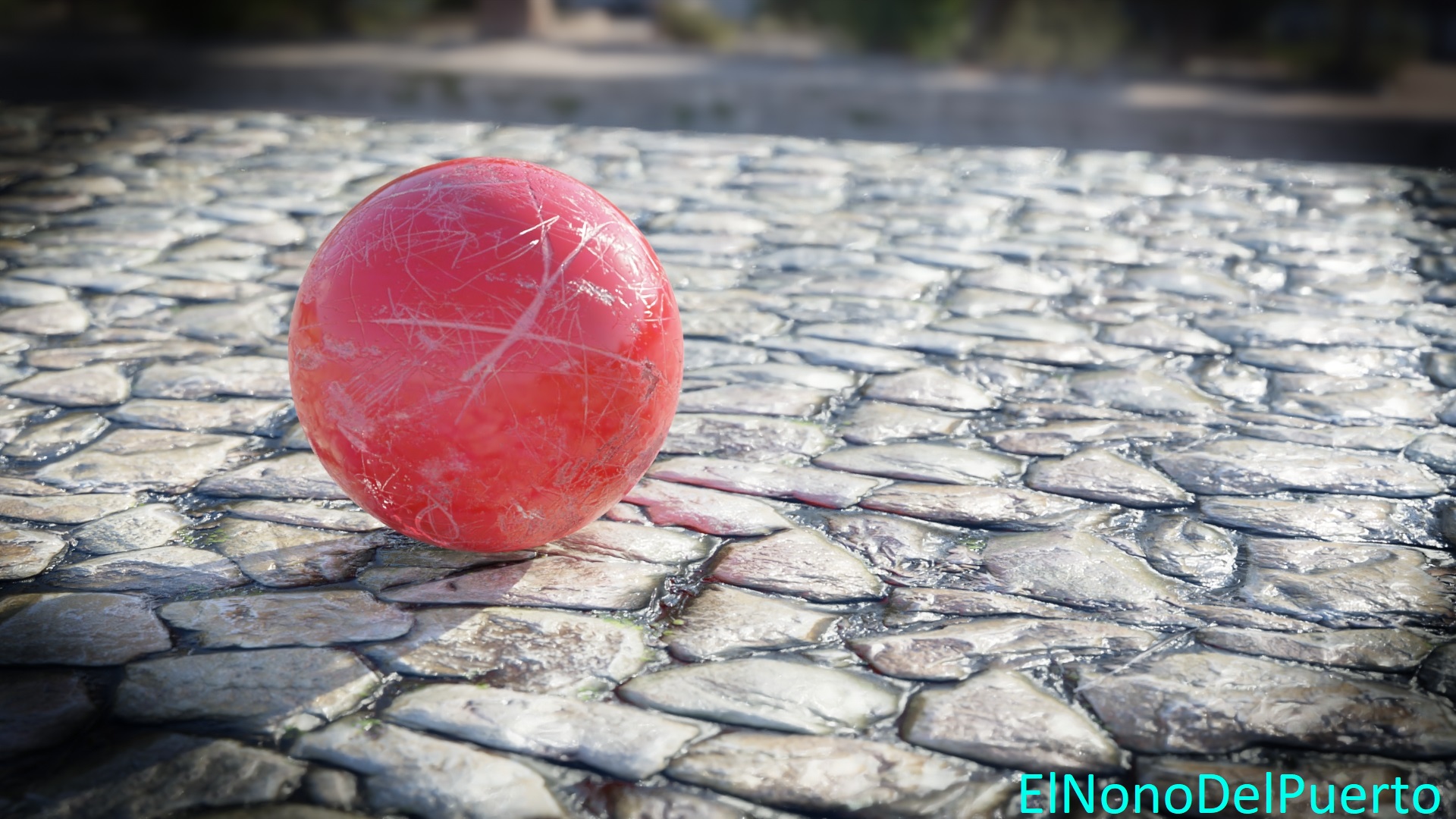
texture to repetitieve, and to glossy (people walking over stone make it usually rough, unless there was rain maybe, but then show some real wet areas)
M
Mille_Porte
good textures but the vignette is definetly too strong and the floor ends abruptly.
As other users have said, displacement is needed.
Follow the advice and then post the result!
D
Drax
Hey, the lighting is nice, feels natural. Ball texture is good too. As @soerensc already said, use displacement. That will give you the necessary depth and detail. Also extend the ground a bit more/add a wall/bottom of a building. I'd also get rid of the vignette, because it's too strong and doesn't fit real life, as there's no vignette around you.
Other than that, good job!
s
soerensc
Hi, realy like the ball texture and the dof, but i think the ground look better with proper displacement(mesh displacement) or a paralax effect, because not even thow you have pbr textures it looks a little bit flat. For even more photorealism you coul try make wall at the end of the ground or make it long, so it doen't end in the air. Also you could try film grain or Lens distortion. Colors look very natural for me.

6 Comments
Hi. Thanks for the tips. I upload the captures of the nodes. Regards. {attachment Nodos_de_la_Esferajpg}{attachment Nodos_del_planojpg}{attachment Nodos_Compositorjpg}{attachment Nodos_Worldjpg}
* @elnonodelpuerto * Add a subdivision surface modifier, select "Simple" and increase the number of subdivisions in Render to 6. Set your plane to Shade smooth.
Add a displace modifier, click on "New" to add a new texture, go to texture properties and and in settings click on open and load your displacement map. Then, inside the displace modifier tweak the strenght value to get better results.
Keep in mind that more subdivisions you have, more detailed will the displacement be. By increasing the subdivions in render, you'll get nice result in render, but not in the viewport. Having more subdivisions in viewport, though, can be very laggy. Play around with it, increase the subdivisions and do a few test renders. Good luck!
texture to repetitieve, and to glossy (people walking over stone make it usually rough, unless there was rain maybe, but then show some real wet areas)
good textures but the vignette is definetly too strong and the floor ends abruptly.
As other users have said, displacement is needed.
Follow the advice and then post the result!
Hey, the lighting is nice, feels natural. Ball texture is good too. As @soerensc already said, use displacement. That will give you the necessary depth and detail. Also extend the ground a bit more/add a wall/bottom of a building. I'd also get rid of the vignette, because it's too strong and doesn't fit real life, as there's no vignette around you.
Other than that, good job!
Hi, realy like the ball texture and the dof, but i think the ground look better with proper displacement(mesh displacement) or a paralax effect, because not even thow you have pbr textures it looks a little bit flat. For even more photorealism you coul try make wall at the end of the ground or make it long, so it doen't end in the air. Also you could try film grain or Lens distortion. Colors look very natural for me.