
Can Rigify be edited so that it has fewer bones?
Good afternoon, I am working on making a standard rig for my characters and I need Rigify to generate fewer deforming bones, at this moment it makes 4 bones for each arm (not counting the hands and shoulder) and 4 for each leg, I would need them to be only 2 for each limb, as shown below
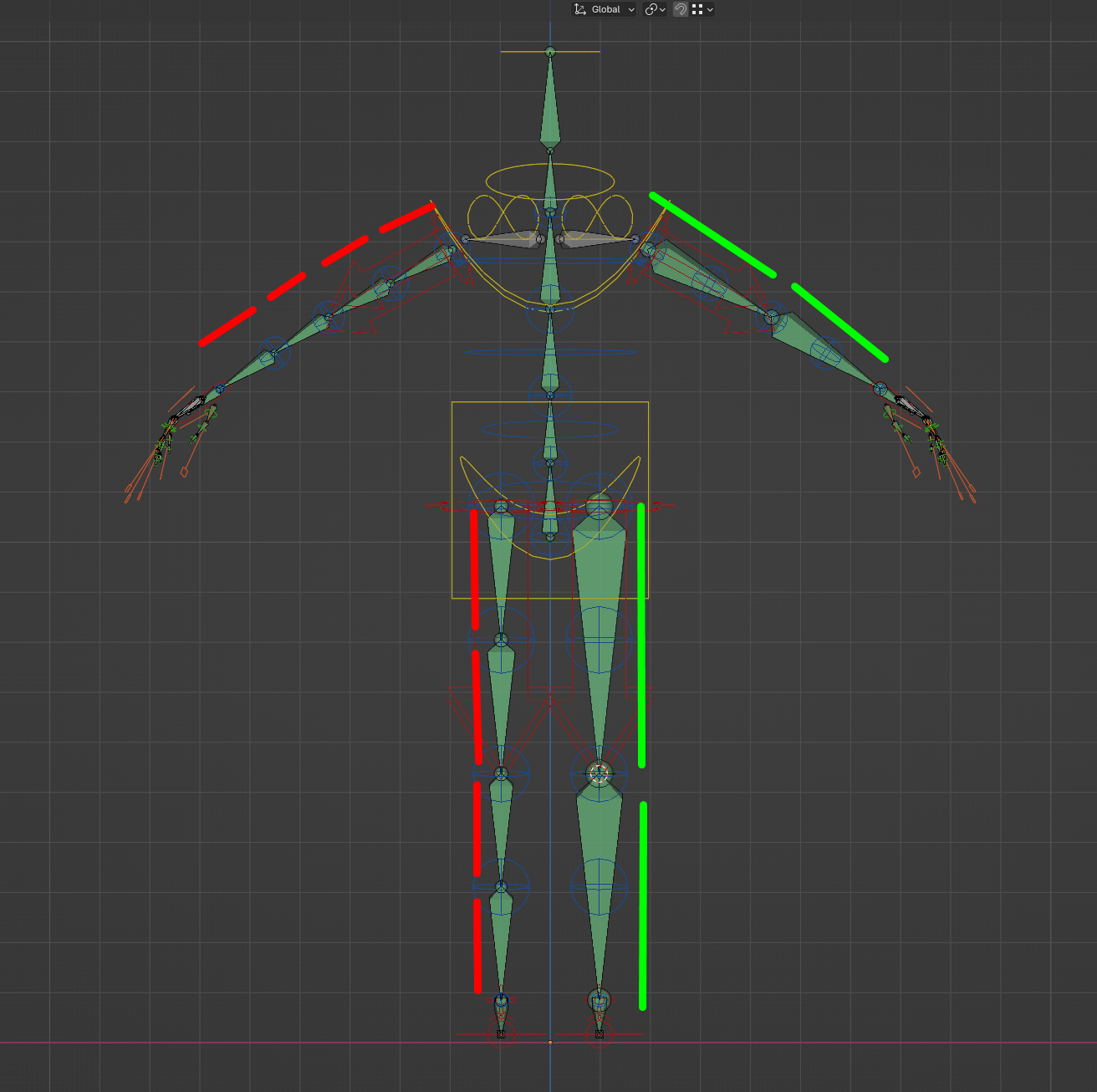 In red it shows how rigify does it, in green how I edited it, the question is... is there a way to do this automatically? I didn't see any option that would allow me to set this.
2 Comments
Yes, select your Metarig, go to pose mode and select one of the upper arm bones. Go to the Bone tab and under Rigify type change Limbs Segments to 1. Do the same for the other arm and the two legs.
thank you, it was exactly what I needed