
How to Simulate and Animate Stuff in Blender
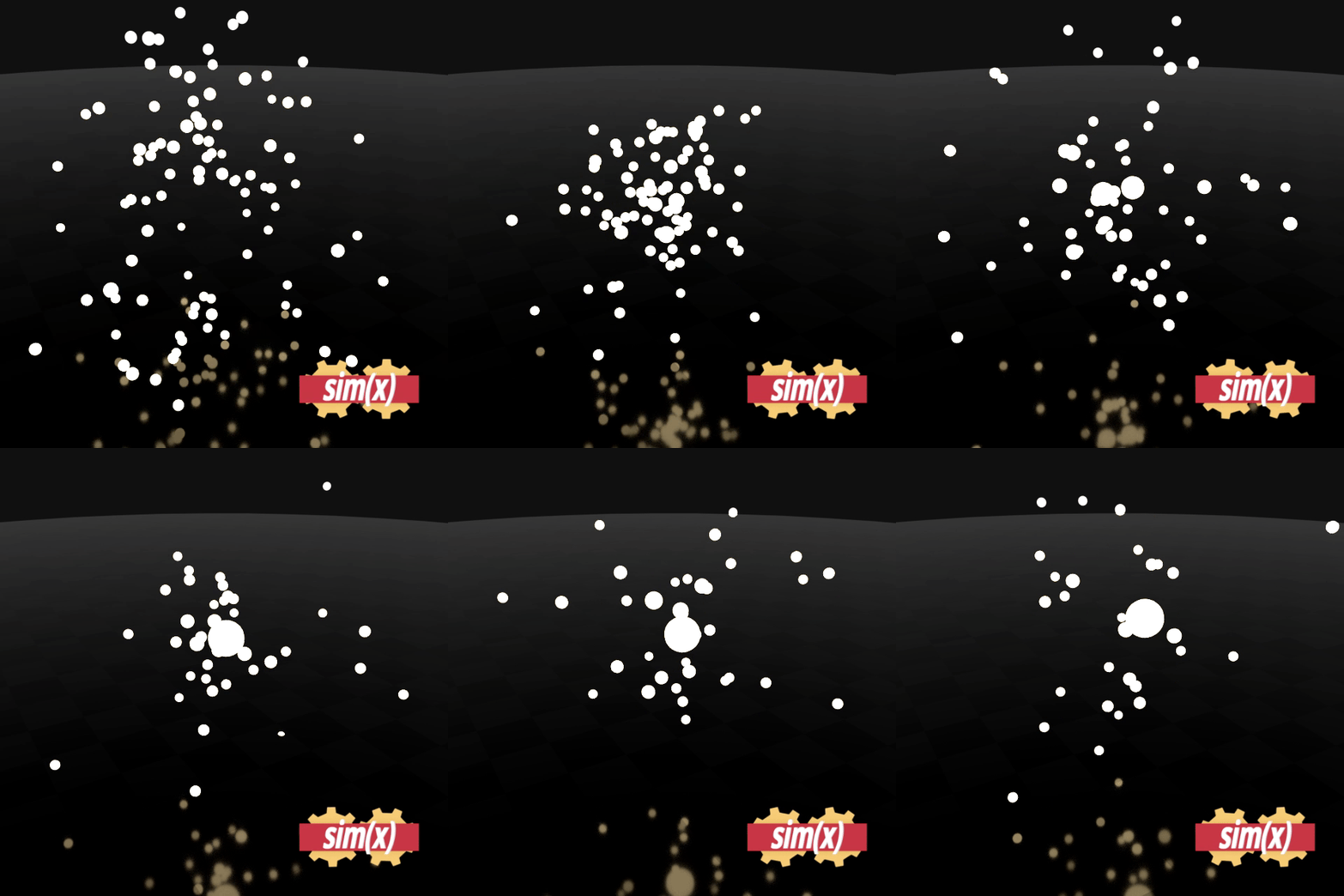
 Hey guys, so I made this little animation a while back where I simulate the behavior of a couple stars and how they interact using Python code. I spawn a number of spheres based on x, y, z coordinates with random values and then change their position based on "n-body" newtonian physics. GM/R²
where M is the mass, G is the gravity constant and R is the distance vector from one to the other sphere. If you're not familiar with vector algebra, it is very easy to learn at the Khan Academy on YouTube. All you need to know is how to calculate the vector pointing from one sphere to the other. Given is the vector pointing from the origin to each sphere. AB = B - A is the answer but I'm not sure if that's enough to understand it if you have absolute no clue what I'm talking about^^
Hey guys, so I made this little animation a while back where I simulate the behavior of a couple stars and how they interact using Python code. I spawn a number of spheres based on x, y, z coordinates with random values and then change their position based on "n-body" newtonian physics. GM/R²
where M is the mass, G is the gravity constant and R is the distance vector from one to the other sphere. If you're not familiar with vector algebra, it is very easy to learn at the Khan Academy on YouTube. All you need to know is how to calculate the vector pointing from one sphere to the other. Given is the vector pointing from the origin to each sphere. AB = B - A is the answer but I'm not sure if that's enough to understand it if you have absolute no clue what I'm talking about^^
Anyways, each object has its own parameters for mass (m=1), location and velocity. I then bascially loop through all of them and calculate the gravitational pull from each other object to it using GM/R². This is as mentioned vector based so I end up having many different pulls / accelerations each with a vector pointing from every one star to all others. The sum of all these is the total acceleration for each object which I change the velocity with.
In order to transform an acceleration to a velocity, all you need to do it to muliply the velocity with time. The time is nothing but the number of keyframes passed until the next simulated frame. If you animate frame by frame then velocity = acceleration. However, you don't have to animate it frame by frame because Blender puts a nice curve between the keyframes, so I ended up putting keyframes every 10 frames or so which saved a LOT of performance in the editor.
Bonus: If two spheres come closer than their radii (the sphere radius is proportional to mass for simplicity) they merge and the velocity vector and mass of one "star" are added to the other, while the second disapears. (I teleport it far away from the scene since I use keyframes and they have to stay alive).
I hope this doesn't sound too complicated because it really isn't and I also hope I could inspire you to try this or something similar yourself. I think you could also do this using shape keys but I'm not sure if that's any simpler than keyframes, since you had to manipulate vertices and what not. Could be the next level :D
*Lukas
PS. I'll try to answer some questions should any arise but I can only show you the door, you're the one that has to walk through it!
3 Comments
is there no option to save stuff to catch later, sorry if this seems nonsense, but i am new to this community
* @yashpalgoyal1304 * What do you mean by catching later? I'm new here too^^
* @knewslukas * something like bookmarking a post so that u can go to it later