
Mixamo Addon problem when exporting armature
Hello guys,
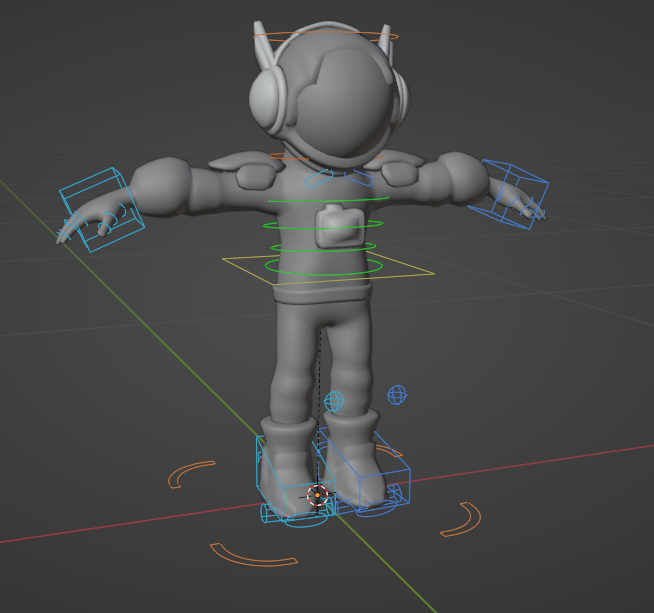
I work on a team were we both use Blender and Maya (yeah, I know, we shouldn't work with both, but we're actualy switching from Maya to Blender). We use a lot Mixamo for importing animations to our game, however, we may need to edit or fix some animation both in Blender and Maya. The problem appear when we're switching from Blender to Maya. The Blender's mixamo-addon is working well for making controllers and animating mixamo rig:
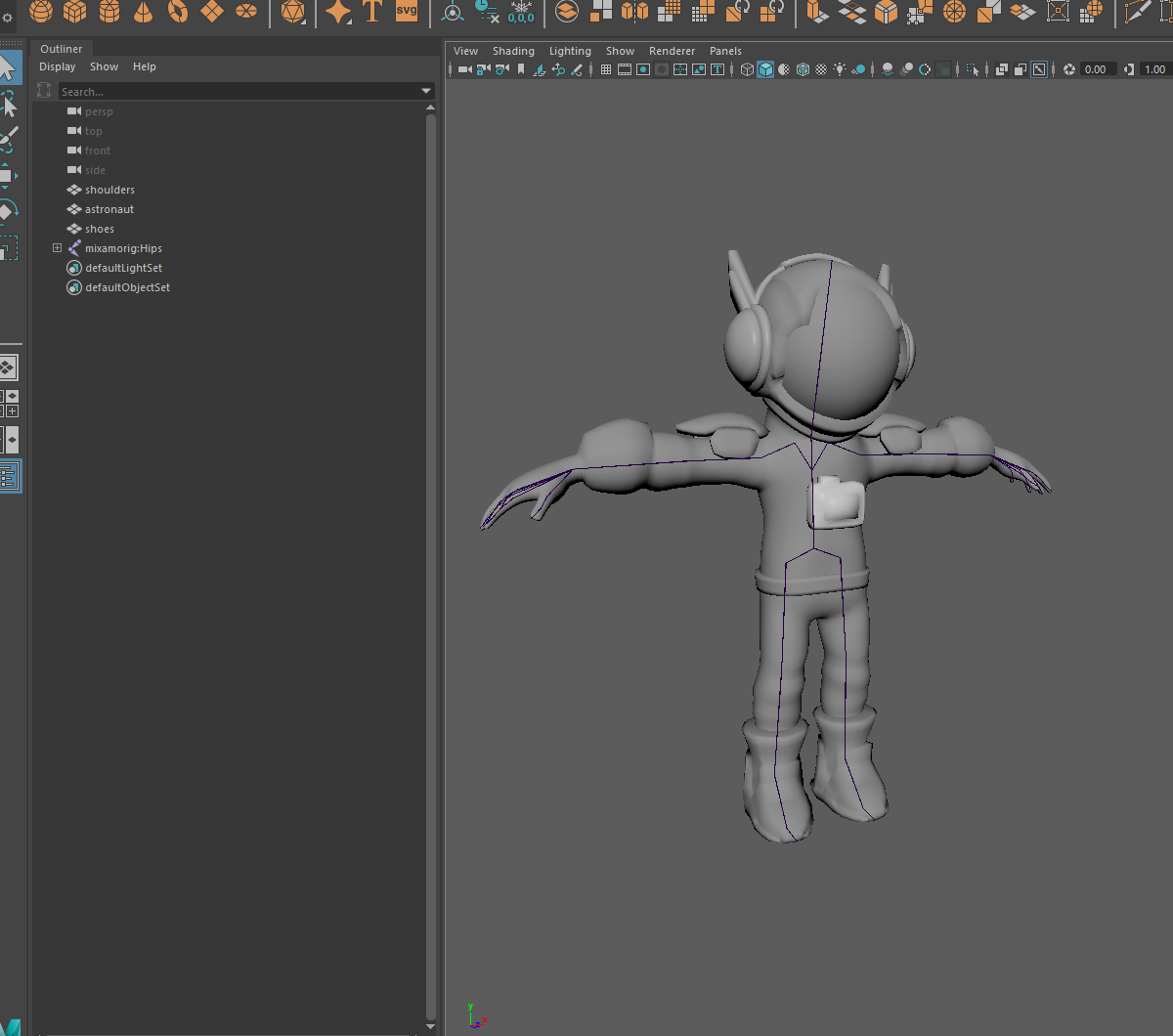
 We also can import Mixamo model to Maya flawlessly:
 However, when I export the animated rig on Blender to fbx only to import the animation on Maya, it's break the armature with weird scales:
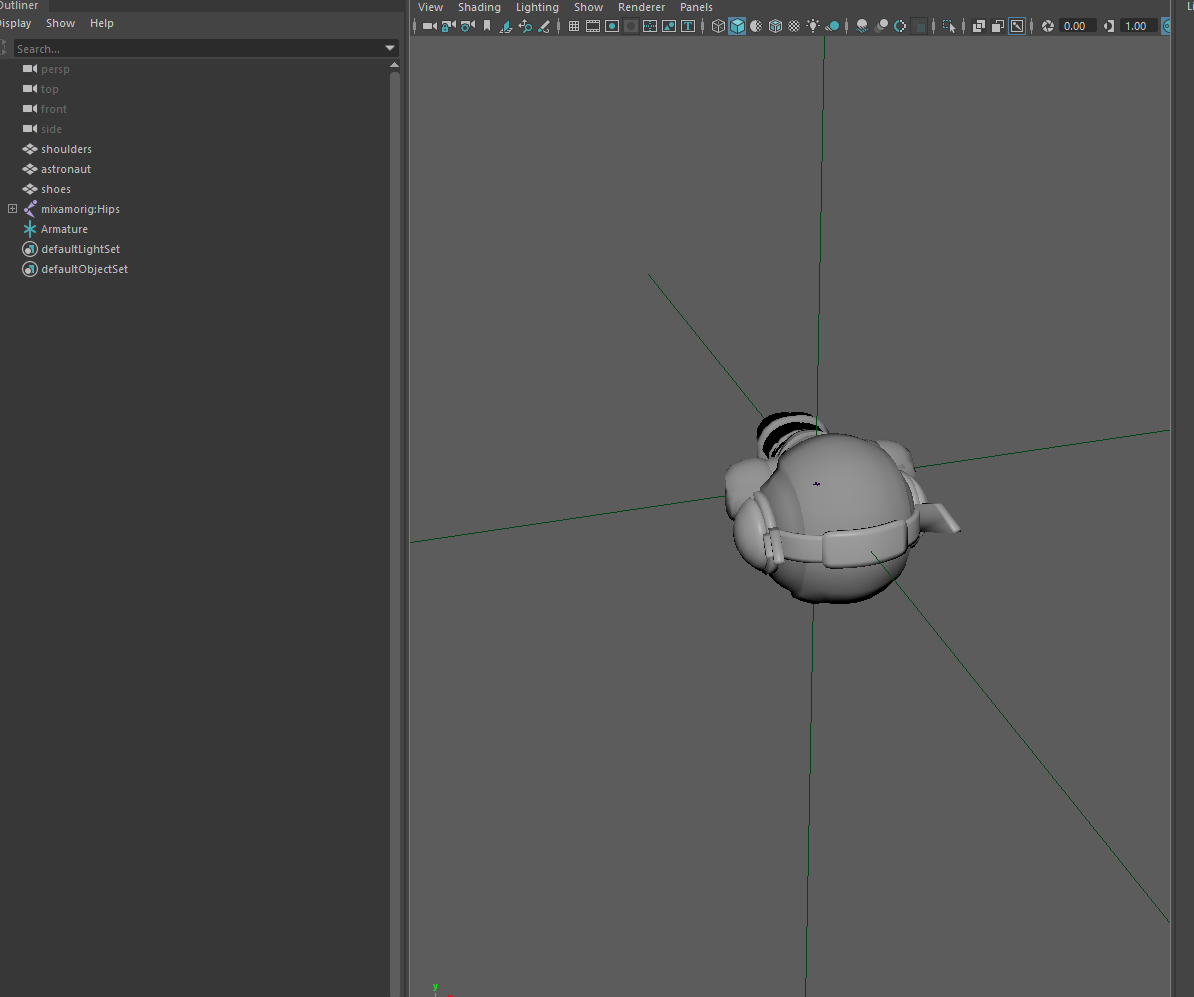 Nevertheless, the transfert work well from Blender to Maya if I don't use the Blender's addon to create control rig... Do Mixamo Addon make some changes to bones?
Is there a way to create control rig without breaking the armature?
Nevertheless, the transfert work well from Blender to Maya if I don't use the Blender's addon to create control rig... Do Mixamo Addon make some changes to bones?
Is there a way to create control rig without breaking the armature?
4 Comments
Think it is a naming convention problem with bones or joints. I can remember problems with mixamo addon i tried and did not use mixamo anymore because of that. Think it is a mixamo blender addon problem or better sayed a file conversion problem. There are some videos on youtube. Blenders batch renaming worked as far i can remember. If I am wrong with that sorry! .. thats what i can remember with this problem. btw. the control rig problem is the same problem. It is all about naming conventions and how they are stored. Don`t know if that helps but maybe. Good luck!
It's may be a naming problem. Although I didn't noticed any name changes in maya hierarchy... The armature is correctly posed though, but it's look like exported fbx from Blender to Maya is messing with scales of bones and mesh. I tried all export settings in Blender, nothing seem to change
Did you fix this problem? When you import Mixamo fbx to Blender, the armature is rescaled to 0.010. Perhaps that is contributing to the issue when re-exported to Maya.
No, I didn't ... The team keep doing the animations on Maya for now. Here's the thing: Importing armature from Maya into Blender, exporting it and importing into Maya again work well, in the case I leave it untouched. I don't have any scale problem since I did some custom export settings to match with Maya scales/axises.However, if I dare click on "create rig" button from the Blender's Mixamo addon, the armature don't work anymore when I import it on Maya. Actually, I got this broken Maya result with all rigs made on Blender (I tested Mixamo addon, Riggify and Auto Rig Pro), look like there's no way to make rig without messing with some unknown bones data...