
Brush in Weight Paint issue
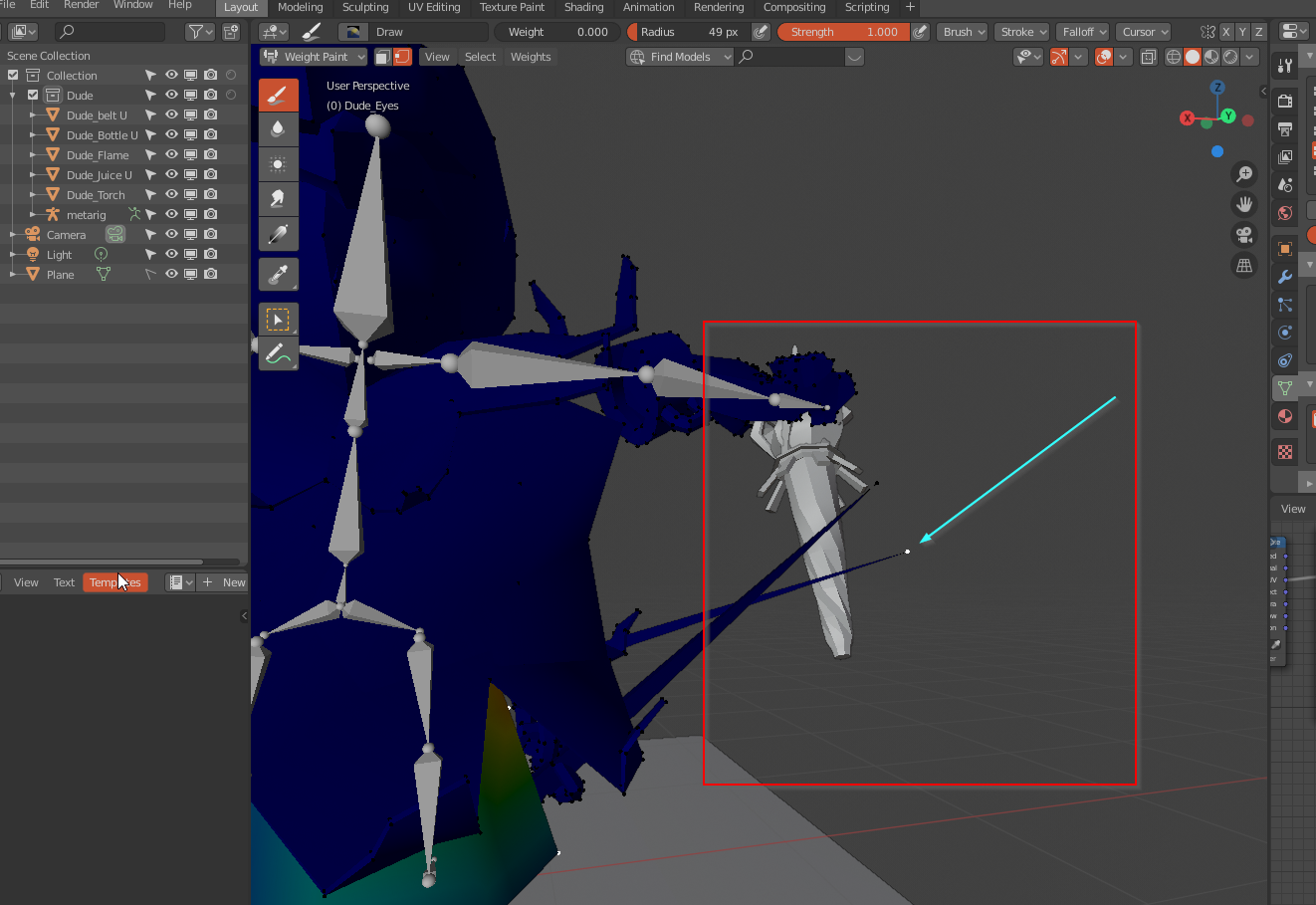
Hi over there! I'm not sure if this is the right place to ask. But nevertheless... I have a problem with weight paint mode.
- In this mode the navigation in viewport becomes horrible.
- It takes a lot of time and view angles to make points react on brush. Which seems really weird and annoying.
Is that can be a bug? Or if it is not what the problem can be? I will be very grateful for any info that can help or clearify this. Thanx.
3 Comments
1 . More comfortable navigation may be achieved by turning on 'Orbit Around Selection' option in the Preferences. It also helps in sculpting mode. {attachment Navigation_settingpng} Useful operation on demand can be used by (Numpad .) hotkey winch is called Frame selected. You can find it in the View menu of 3D Viewport. {attachment Navigation_setting1png}
2 . It can be handled by setting weight manually. Use Shift+K hotkey on the selected vertices. Applied weight value depends on the paint brush weight setting. {attachment Set_Weightpng} You can skip step 4. I just wanted to clarify that it is active bone vertex group in which you want to apply new weight value to particular vertex or several vertices. Actual purpose of this button is to select all vertices that belong to that group. Therefore in your case it is unnecessary. {attachment Set_Weight2png}
* @roundmetry * Thanx! A lot!!! I really appreciate the time you've spend to make these things clear! Happy 2.83 Day!
* @slavkomali * Glad it helps. Thanks, and no worries, it was worth it :)