
Blender Depth
Hello, I am a beginner with Blender and I am trying to create a logo for someone. My letters are SBM, when I add depth to this the B goes through the M if that makes sense. It messes up the whole logo, I thought I could create a loophole and convert it into a mesh to flatten the vertices but it doesn't work. Is there anyone who can help me fix this? I have tried everything. Here is an image
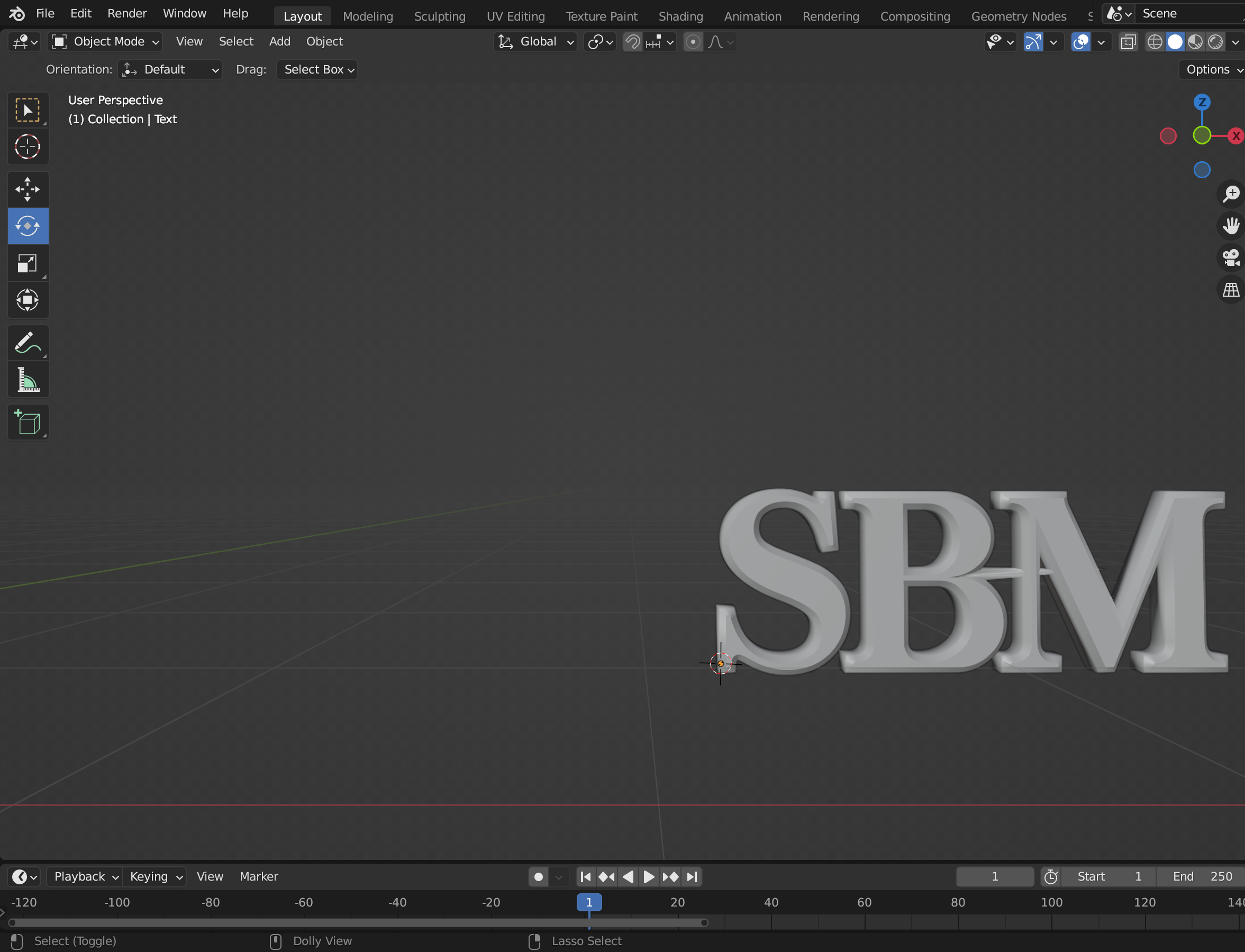 Thank you
3 Comments
Did you try the remesh modifier?
What version of Blender are you using? To extrude a font, select in Object mode, then click on the font icon in the right side tool menu, then open the Geometry section. Then adjust the extrude depth.
I just realized it is the type of font, but all of the other fonts I try they disform my letters, is there a way to fix this?