
UV Editing problem when select all my character
I'm new to blender and I am trying to do the owl tutorial on youtube. Unfortunately I have some problems with the UV Editing part. When I select every part individually it's look good in the UV editor. But when I select the entire character, it's look like these:
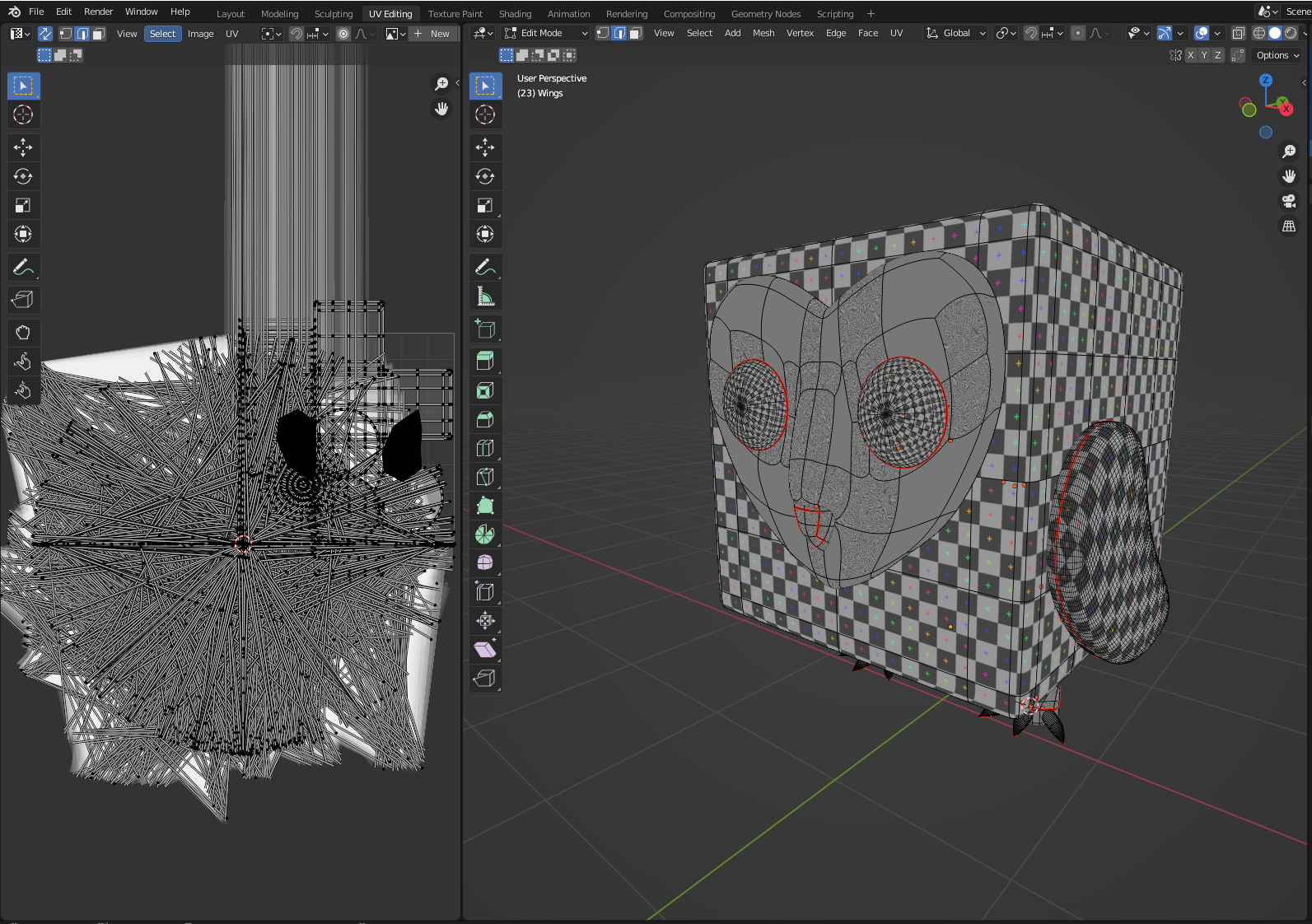 Does anyone know what's going on?
2 Comments
Sometimes my creations messes up like that if I have forgotten to apply scale to the individual parts. Ctrl A - apply rotation and scale is my usual first try for fixing this type of problem.
Unfortunately your solution does not work. I found that the only way to (kind of) fix the problem is to uncheck edit mode in all my subdivision modifiers.