
Engraving around a cylinder
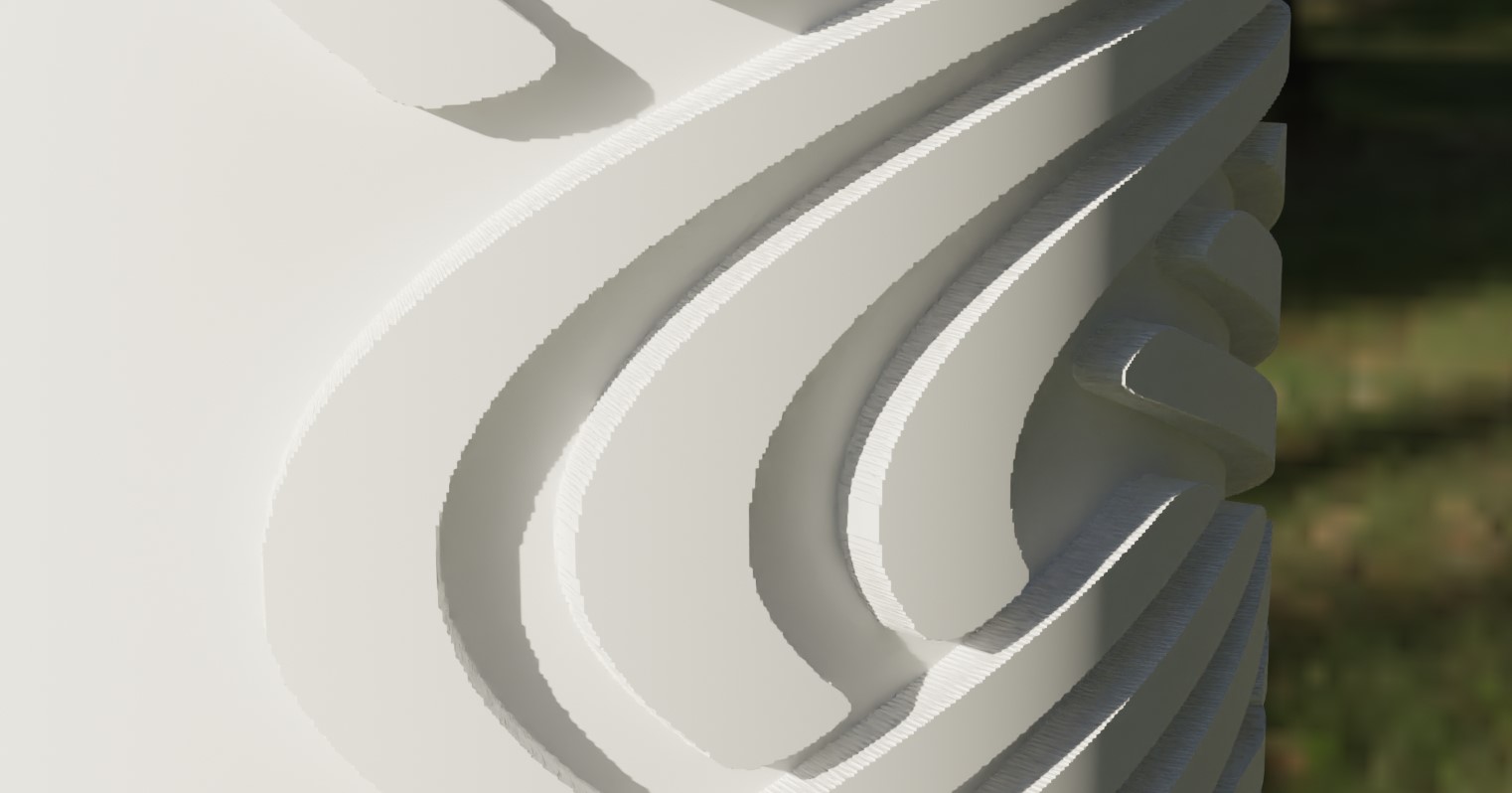
Hello! I planed to model a Viking axe. To do this I have to make engravings (inward and outward). I tried many ways to do it: -Curve modifier -screw modifier -Texture Displacement - displacement modifier. In each case I didn’t manage to do something good. The Displacement modifier seemed really convenient for what I want to do, but it gives a pixelized effect (see photo) while I set the Subdivision Modify to 6, which is already a lot. The basic jpeg. file was also in the best possible quality exported from illustrator. Does anyone know how to make his engravings?
Thanks !
1 Comment
if you want smooth results lower the subdivision , apply the texture displacement and do another subdivision afterwards, or use smooth modifier, you can bypass all that by ----exporting your engravings with a blurred or soft edge from illustrator-----.
If you want sharp results I would better export the engravings as SVG import as curves , curves to mesh , conform the engraving mesh around the axe by hand or UV geo wrapping,( there's an addon for that) and use booleans to subtract, but I suppose everyone would tell you you can make this with sculpting and masks .